...
You can use the same MFA provider for both Entra ID joined PCs and On-Prem AD joined PCs, or you can use a different MFA provider for Entra ID joined PCs and On-Prem AD joined PCs.
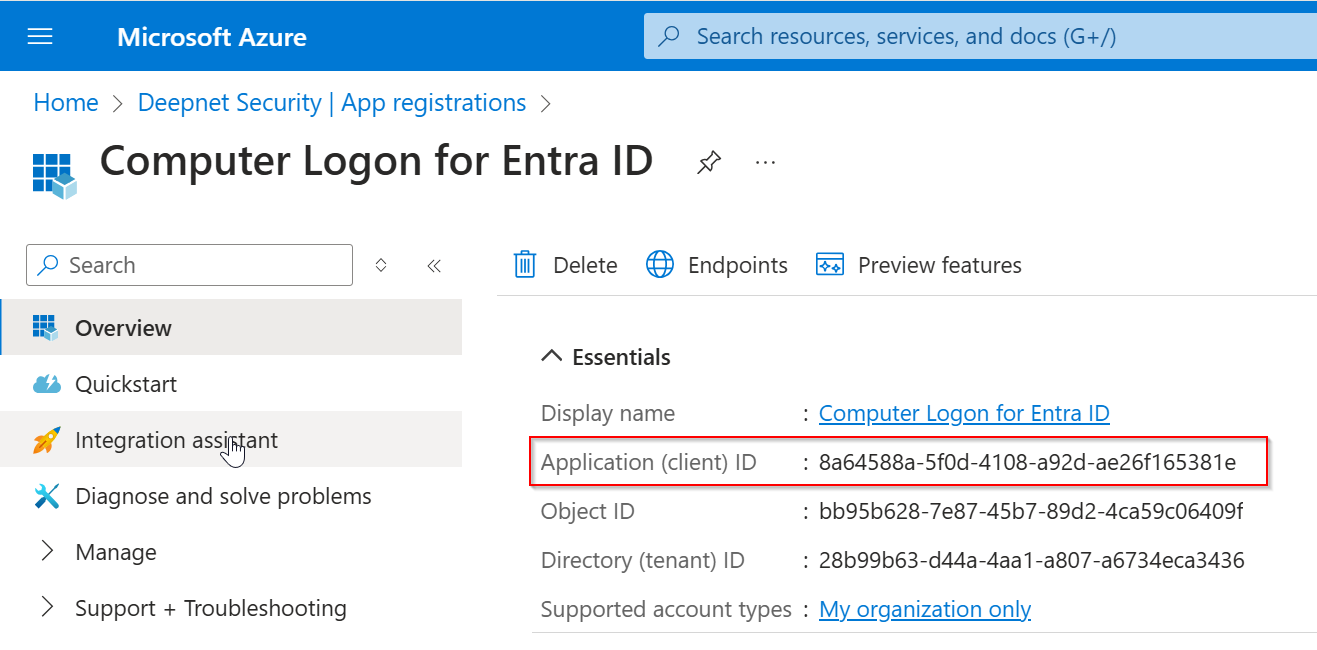
Microsoft Entra MFA
| Key | Value | Comment |
|---|---|---|
| Client ID |
| |
| Authorization Endpoint | https://login.microsoftonline.com/TENANT-ID/oauth2/v2.0/authorize | Replace "TENANT-ID" with your Tenant ID |
| Token Endpoint | https://login.microsoftonline.com/TENANT-ID/oauth2/v2.0/token | Replace "TENANT-ID" with your Tenant ID |
Token Download Endpoint
|
|
| Replace "FQDN" with the FQDN of your SafeID Token Service or Deepnet DualShield MFA server |
Deepnet DualShield MFA
| Key | Value | Comment |
|---|---|---|
| Client ID | ||
| Authorization Endpoint | https://FQDN/sso/v1/authc/oauth/connect/authorize | Replace "TENANT-ID" with your Tenant ID |
| Token Endpoint | https://FQDN/sso/v1/authc/oauth/connect/token | Replace "TENANT-ID" with your Tenant ID |
| Token Download Endpoint | https://FQDN/sso/v1/authc/oauth/connect/downloadTokens | See the Token Download SectionReplace "FQDN" with the FQDN of your Deepnet DualShield MFA server |