Versions Compared

Key

  • This line was added.
  • This line was removed.
  • Formatting was changed.

...

Section
bordertrue


Column

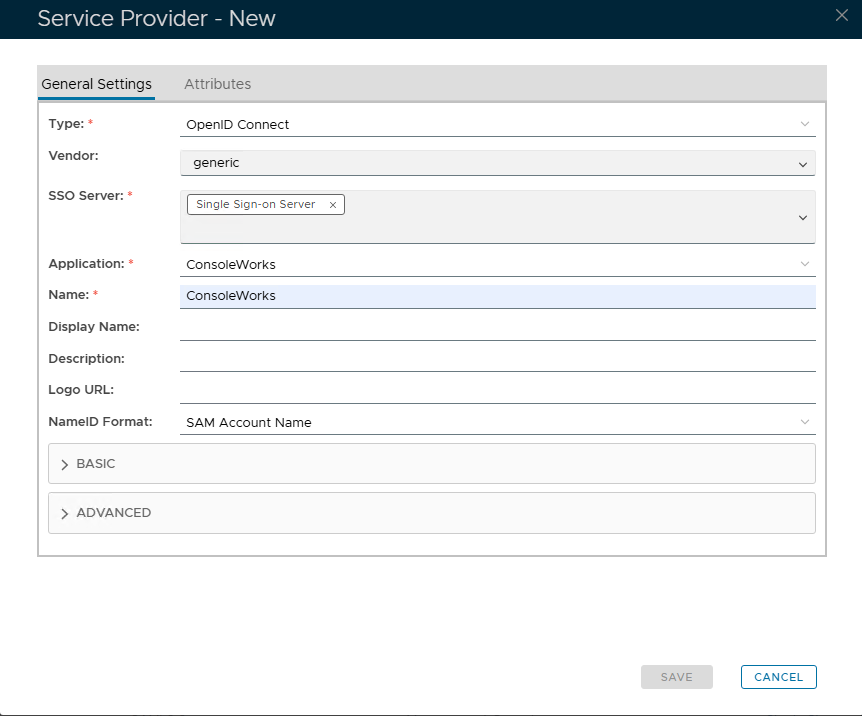
Fill in the details as per screenshot on right using the following values

OptionValue
Type:OpenID Connect
SSO Server:Select the SSO server you applied as the aplication agent. (see above)
Application:

Select the name of the Application from the drop down list

Name

Type a frienly name to identify which application this Serrvice Provider will be associated with

NameID Format

Keep as SAM Account Name


Column
width50%


Panel
borderColor#9EBEE5
bgColor#f0f0f0
borderWidth1px


Section
bordertrue


Column

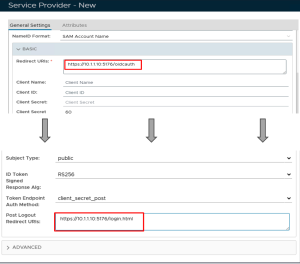
Now fill out Entity ID and ACS URLExpand the BASIC tab and set the values below, leaving the remainining default values.

OptionValue
Entity IDRedirect URIs:

https://prefixx.x.yourdomainname.comx.x:5176/oidcauth

Post Logout Redirect URIsACS URL:

https://prefixx.x.yourdomainnamex.com/ServicesPortal/samlx:5176/login.html

*Replace the x.x.x.x with the IP of the ConsoleWorks server.


Column
width50%


Panel
borderColor#9EBEE5
bgColor#f0f0f0
borderWidth1px

Image Added

Image AddedImage Removed


Section
bordertrue


Column

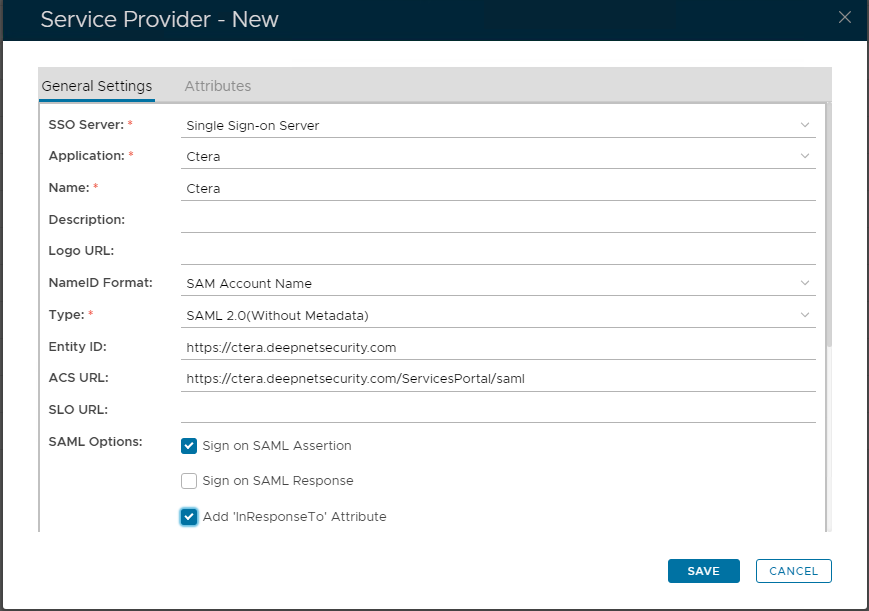
The completed Service Provider dialogue box will look like this:


Column
width50%


Panel
borderColor#9EBEE5
bgColor#f0f0f0
borderWidth1px


...