changes.mady.by.user Paul Ruvin
Saved on Dec 12, 2025
Saved on Dec 19, 2025
...
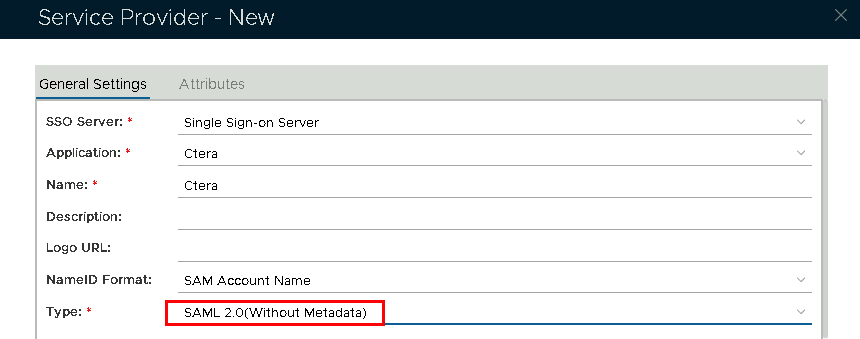
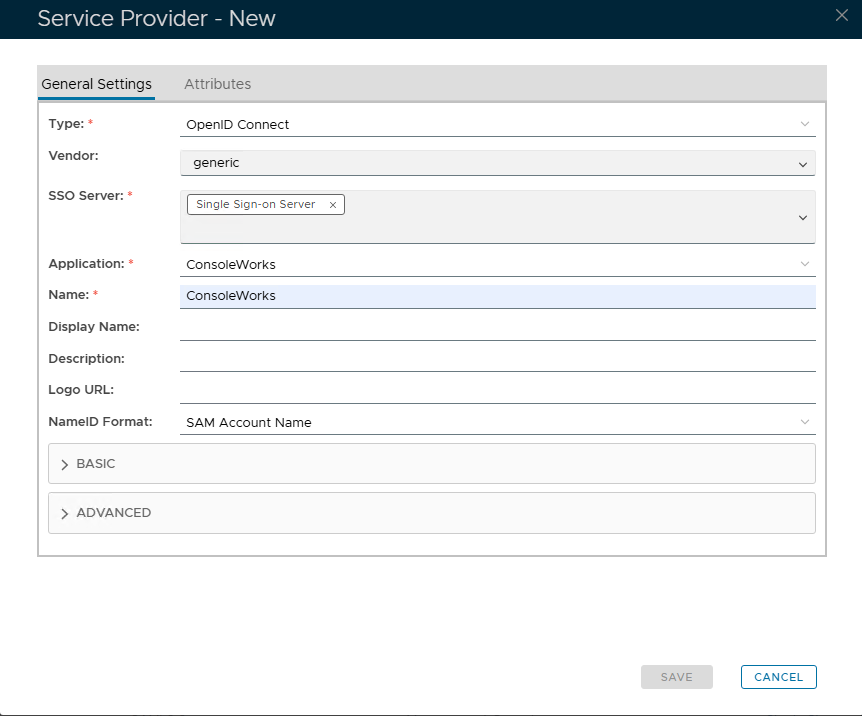
Fill in the details as per screenshot on right and make sure you select SAML 2.0(Without Metadata) as Type.using the following values
Select the name of the Application from the drop down list
Type a frienly name to identify which application this Serrvice Provider will be associated with
Keep as SAM Account Name
Image RemovedImage Added
Now fill out Entity ID and ACS URL.
https://prefix.yourdomainname.com
https://prefix.yourdomainname.com/ServicesPortal/saml