...
Download the off-the-shelf installer package and unzip it to a local folder on your PC, e.g. "D:\Software\CLO for Entra ID\Custom Package"
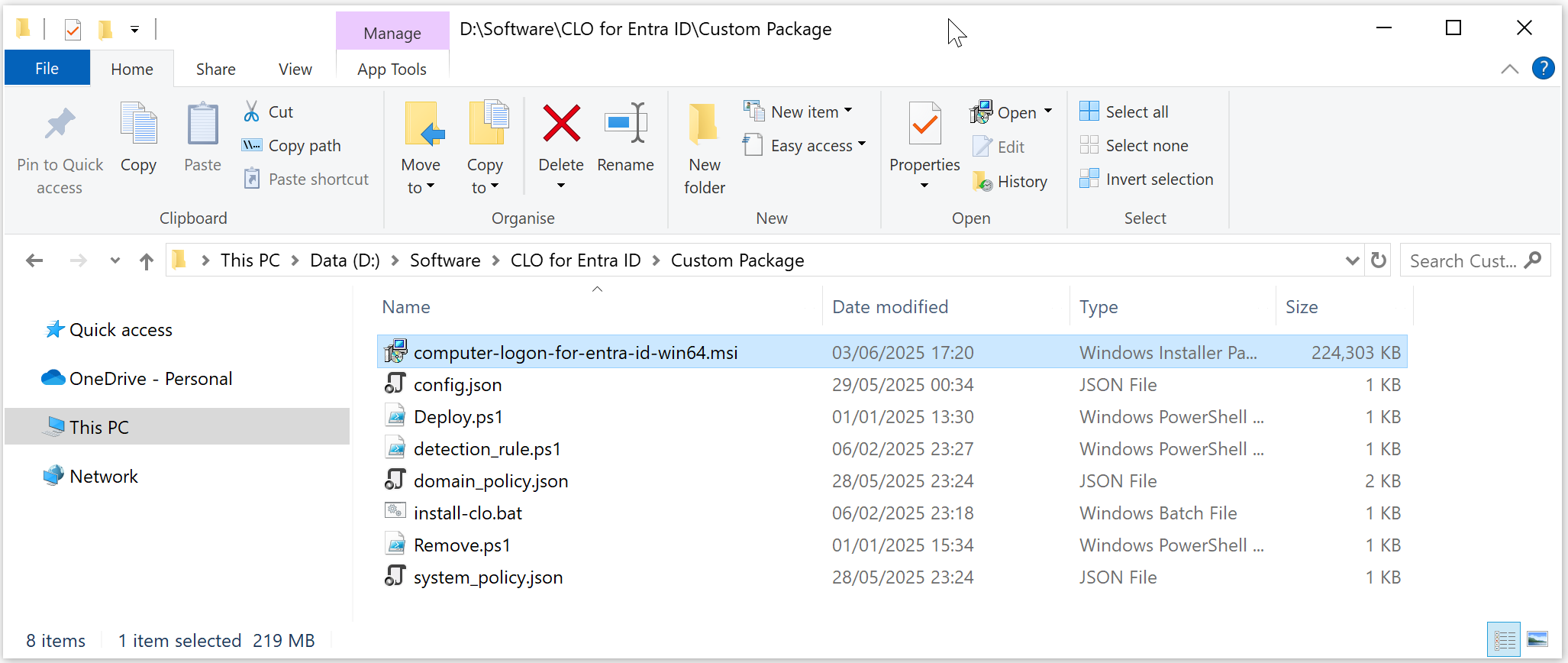
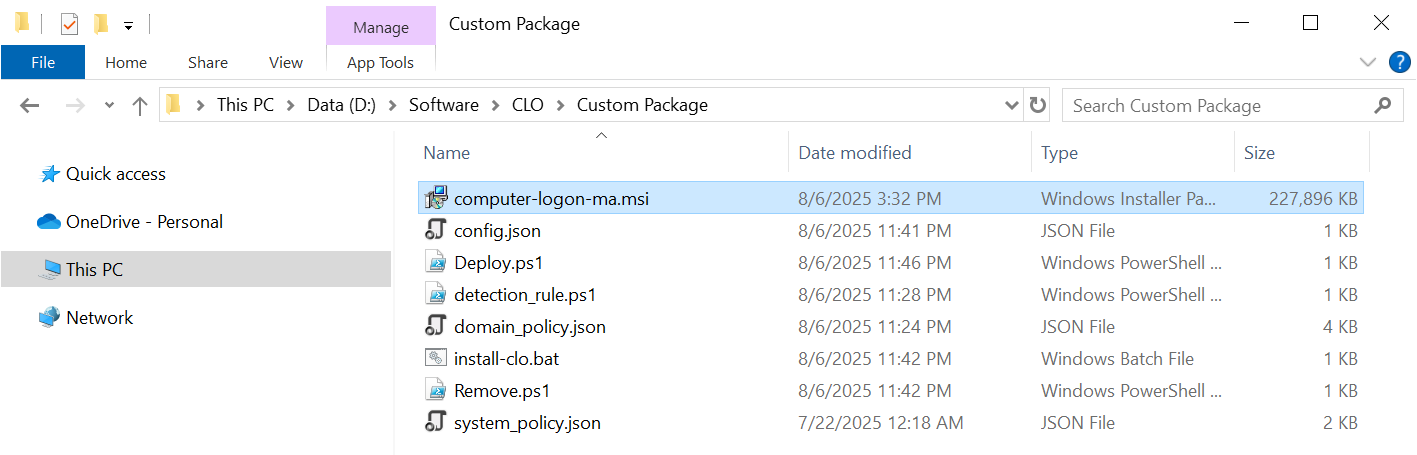
The package contains the following files:
FILEFile | Description |
|---|---|
| computer-logon-for-entra-id-win64ma.msi | Computer Logon Agent installer |
config.json | Configuration file |
| domain_policy.json | Domain policy file |
| system_policy.json | System policy file |
| install-clo.bat | Batch commands for custom installation |
| deploy.ps1 | Power Shell PowerShell commands for Intune deployment |
| remove.ps1 | Power Shell PowerShell commands for Intune deployment |
| detection_rule.ps1 | Power Shell PowerShell commands for Intune deployment |
...
The Deepnet Computer Logon Agent for Entra ID Modern Authentication requires a custom configuration file in order to function correctly for the users. You must customise the configuration file with your own data.
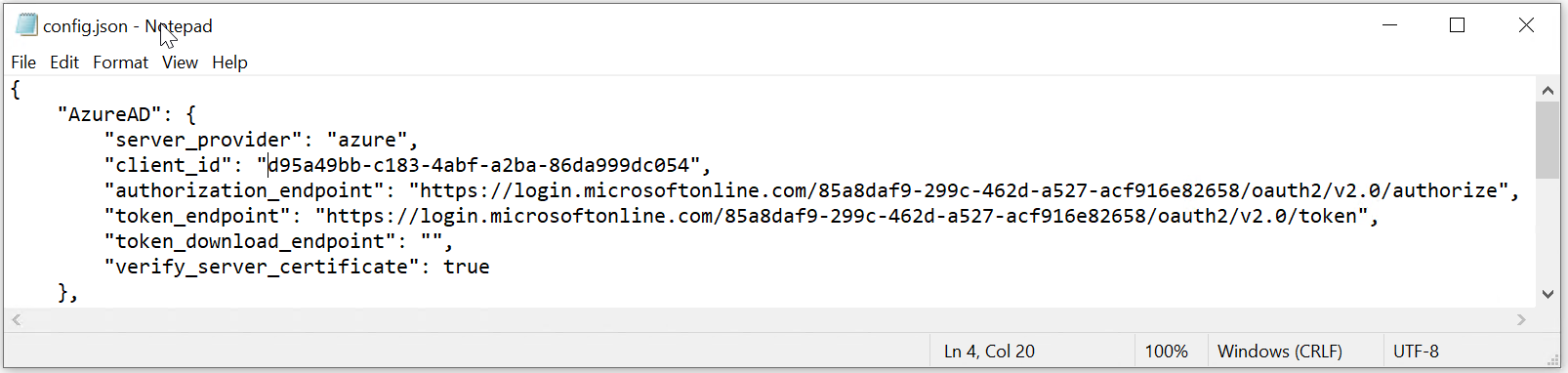
Open the config.json in a text editor, such as Notepad
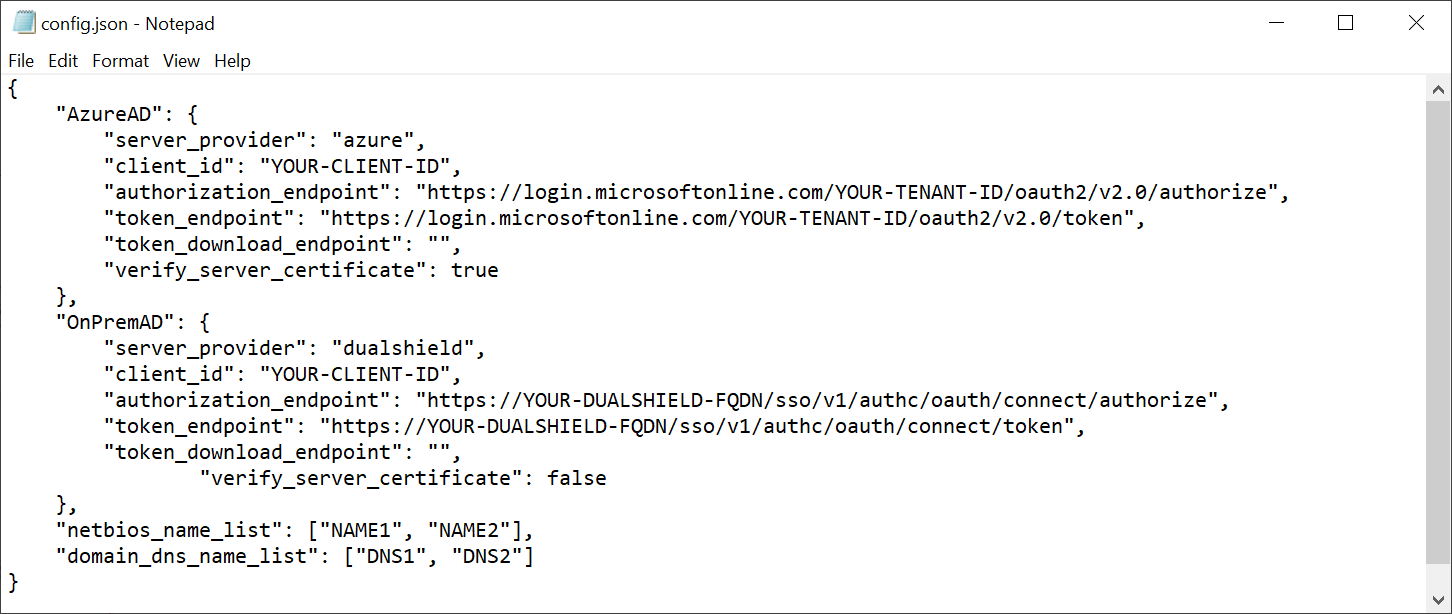
The Deepnet Computer Logon Modern Authentication support both Azure AD (Entra ID) joined PCs and On-Prem AD joined PCs. The block "Azure AD" includes MFA server settings for Azure AD, and the block "OnPremAD" includes MFA server settings for On-Prem AD.
Customise Azure AD Settings
If the application you set up for Computer Logon with MFA supports single tenant
...
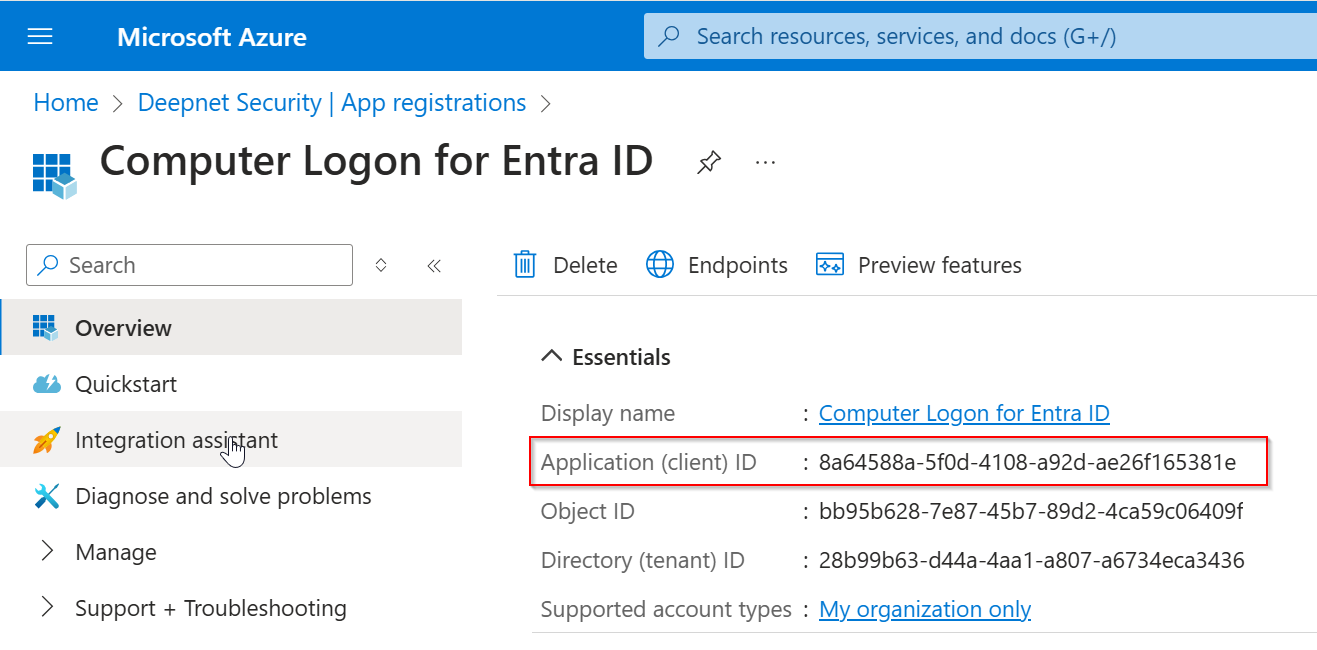
Now, replace "YOUR-CLIENT-ID" with the "application (client) ID"
Next, you need to add the list of netbios names and domain DNS names used in your organisation.
If you only need to implement Computer Logon MFA for Azure AD only, then you do not need to add netbios names.

Save the configuration file.
Step 3: Customise the domain policy
...
| online | offline | |
|---|---|---|
| bootup login | local\offline\MfaPolicy\loginMfa | |
| screen unlock | local\offline\MfaPolicy\unlockMfa | |
| elevated access | local\offline\MfaPolicy\uacMfa |
Options for Domain Users
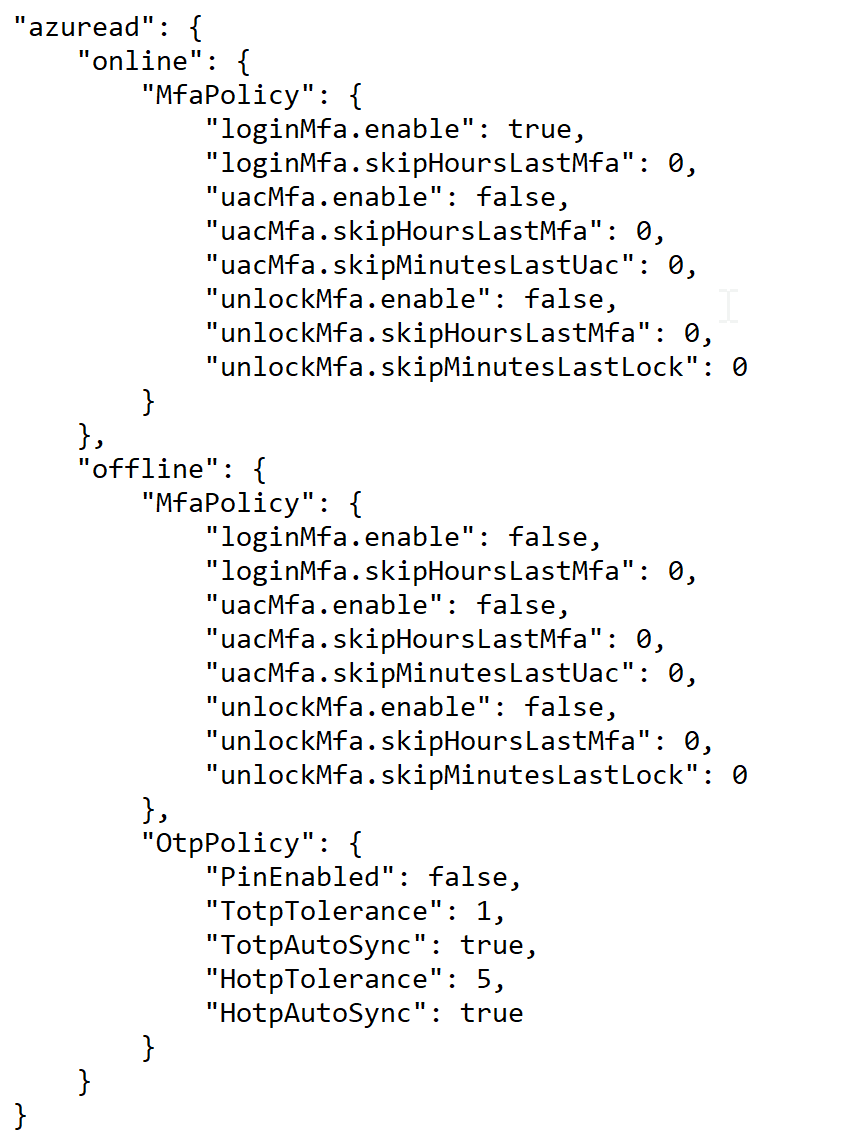
| online | offline | |
|---|---|---|
| bootup login | azuread\online\MfaPolicy\loginMfa | azuread\offline\MfaPolicy\loginMfa |
| screen unlock | azuread\online\MfaPolicy\unlockMfa | azuread\offline\MfaPolicy\unlockMfa |
| elevated access | azuread\online\MfaPolicy\uacMfa | azuread\offline\MfaPolicy\uacMfa |
If you wish to customise some of those options, then you need to edit the "domain_policy.json" file in a text editor and change the corresponding options.
...