For the computer logon MFA solution, we need to set up an enterprise application in Entra ID
| Table of Contents |
|---|
Register an Enterprise Application
In Azure Portal, go to App registrations
...
Take note of the Application (client) ID, e.g. da4c2509-051d-46a6-a837-25f673d239e7
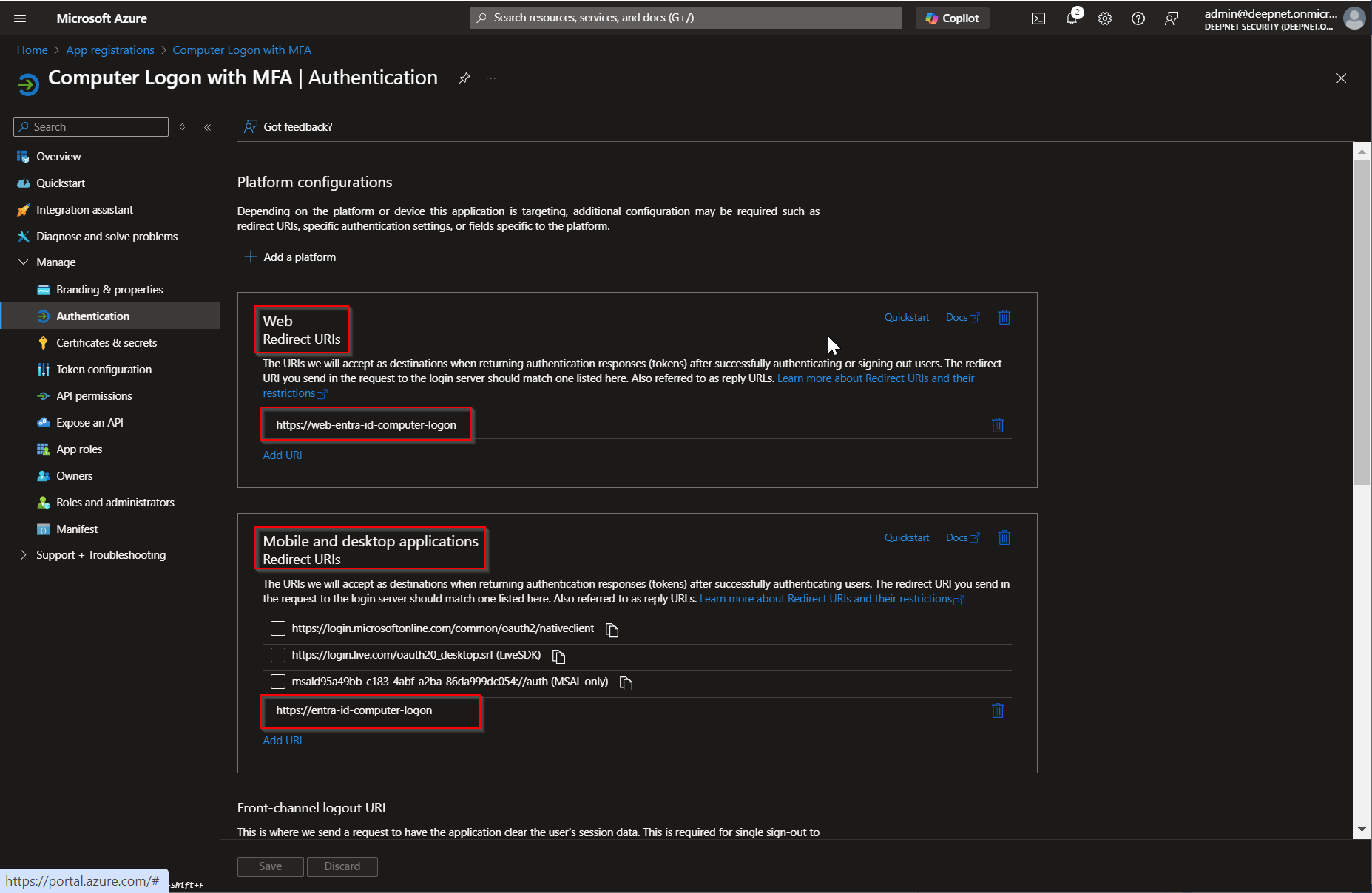
Add Web Platform
Click Authentication
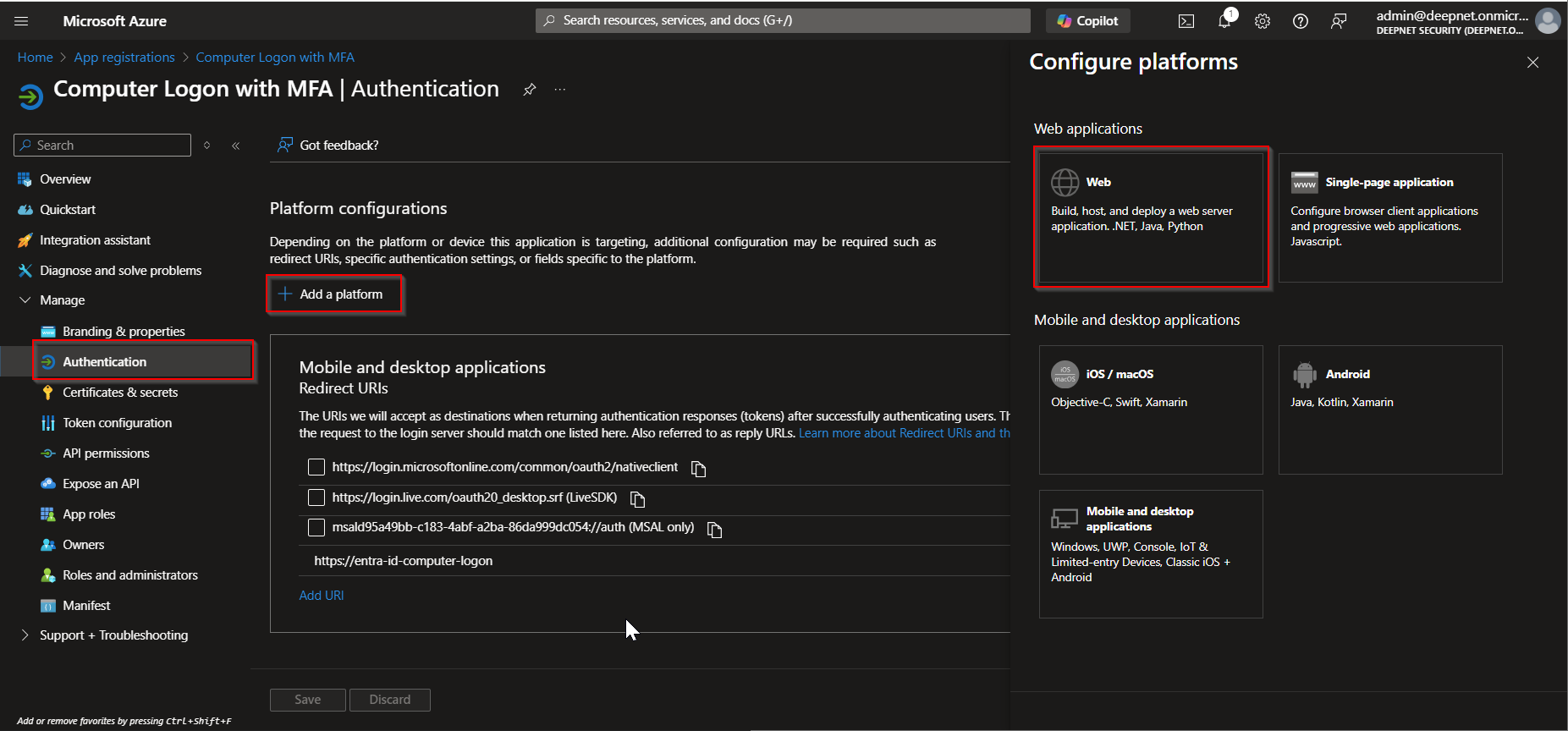
Click "+ Add a platform" in the middle pane, then select "Web" in the right pane
...
Click the "Configure" button to save it.
Grant API Permissions
Click API permissions
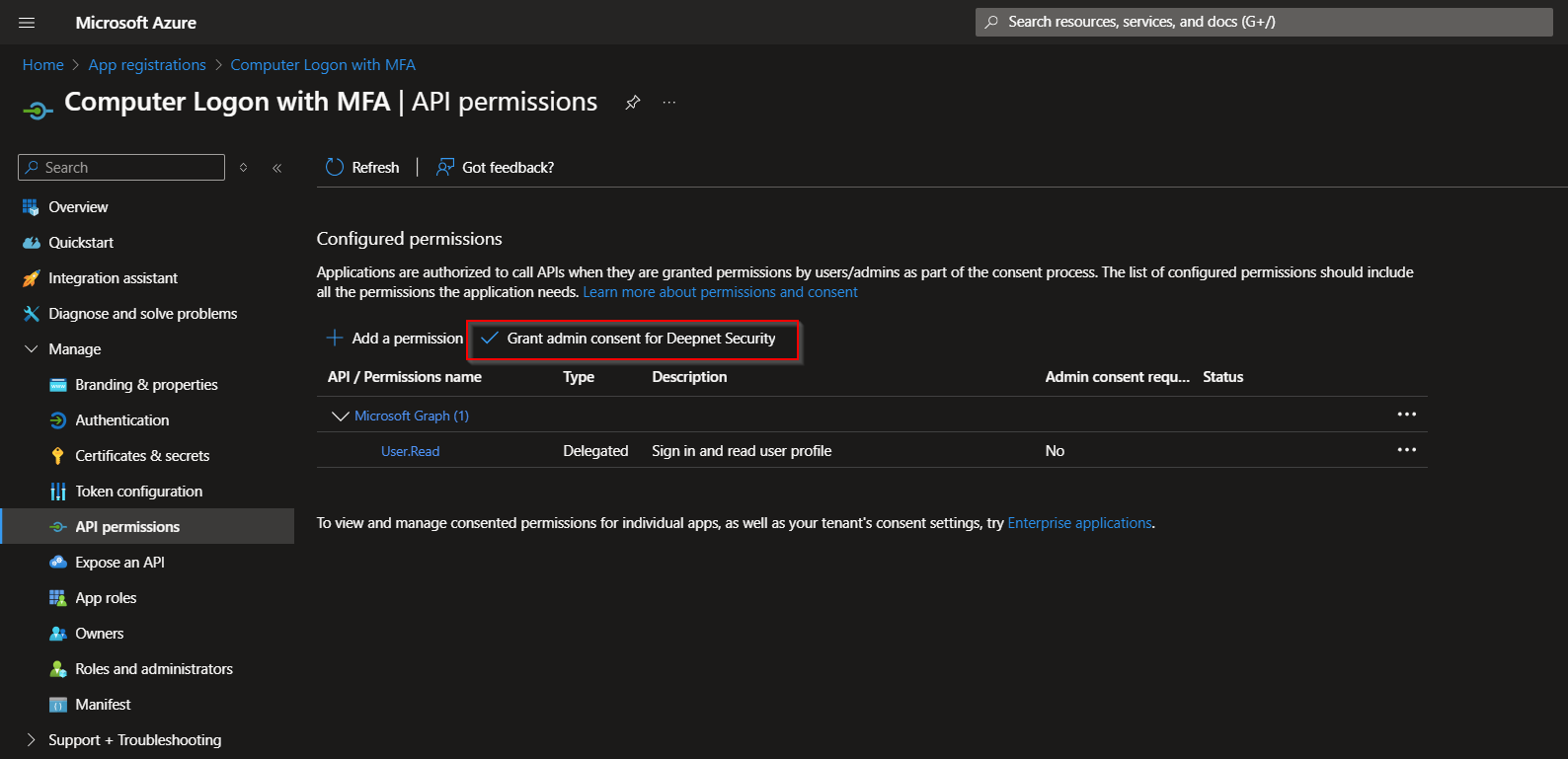
click the button "Grant admin consent for xxx" (where xxx is the name of your tenant)
...