...
| Expand | ||
|---|---|---|
| ||
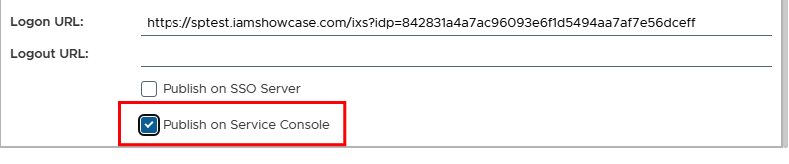
There are two ways for the Dualshield administrator to publish applications to the business tab. The first way is under SSO>Service Providers. Refer to Publishing via SSO Service Provider Settings however in this case you would need to enable Pubish on Service Console.
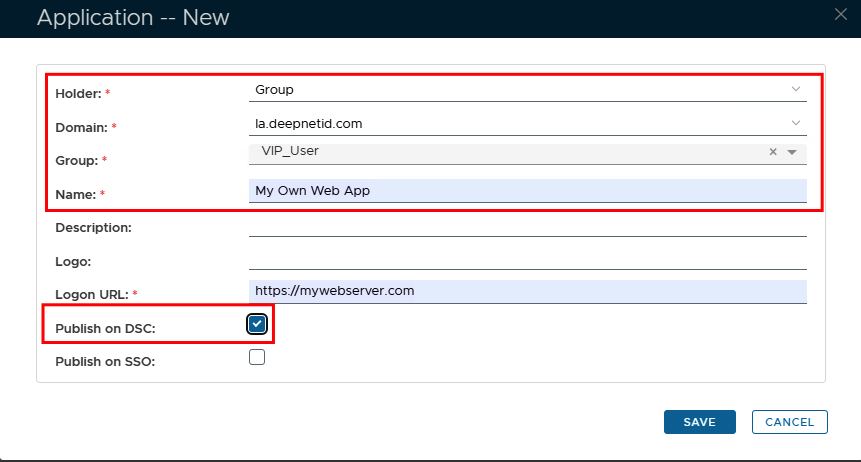
This option would mean that all users will see this under their Service consoleConsole, however, it offers an alternative way for the end user to access the apps instead of having to view them on the index page. The second way is to create a customised Business application which can only be viewed by users who are members of a specific AD Group To do this, please refer to Publishing Business Apps with Customisation and follow the same process with a couple of differences.. The first difference is that you will be making this a Group Held Business Application
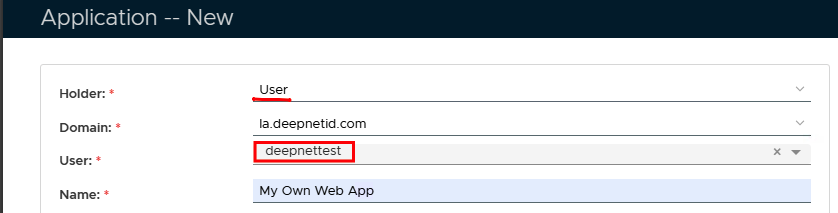
The second difference is that this will be published on DSC You can of course make this exclusive to individual users as well...
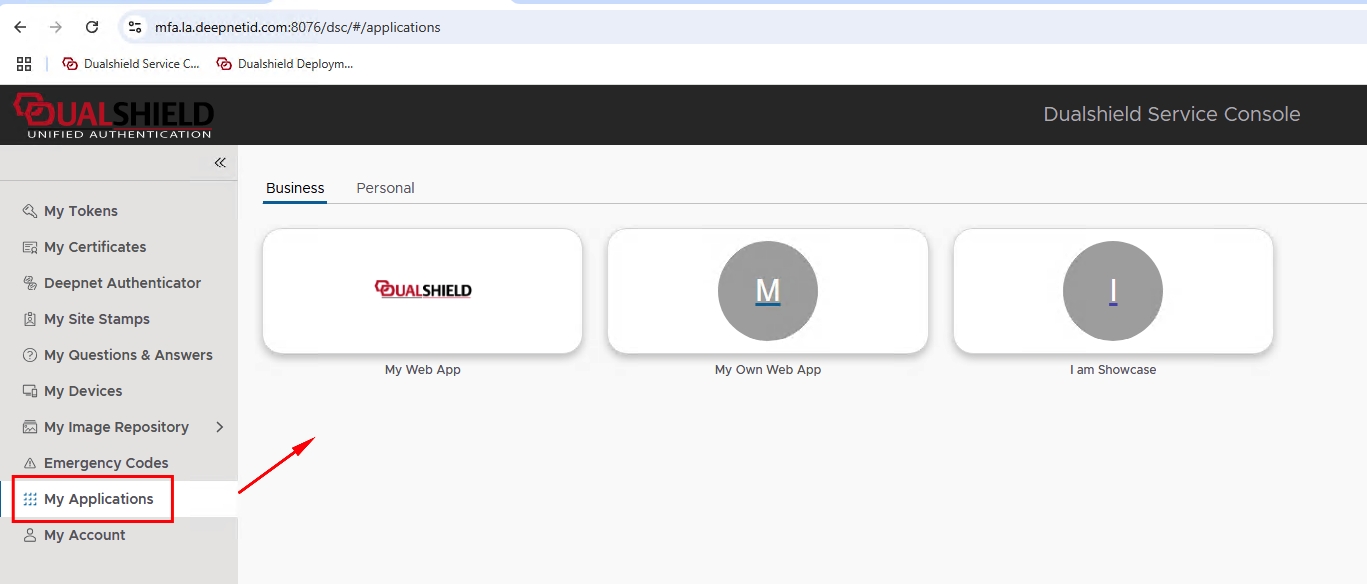
To access the end user would just need to go to https://YourDualShieldFQDN:80746/dsc , click on My Applications and select the Business tab
|
...