Introduction
ICE stands for "In Case of Emergency."
ICE can be used in emergencies, such as when a user has lost or forgotten to bring their hardware token to the office.
ICE logon procedure generally has emergency code in its logon step, which enables your users to use emergency code.
Authentication with
...
ICE !
In this scenario a user is trying to log onto OWA. It is currently prompting for the OTP...
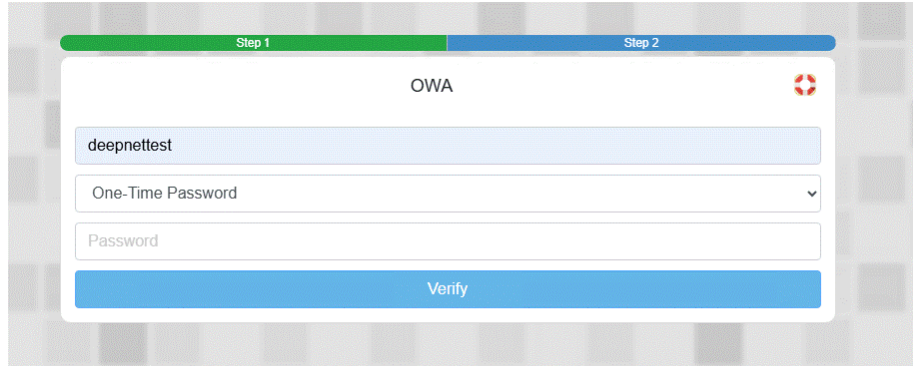
Unfortunately, they do not have their token with them, but urgently need to access their emails.
They will therefore need to click on the emergency life ring icon on the top right...
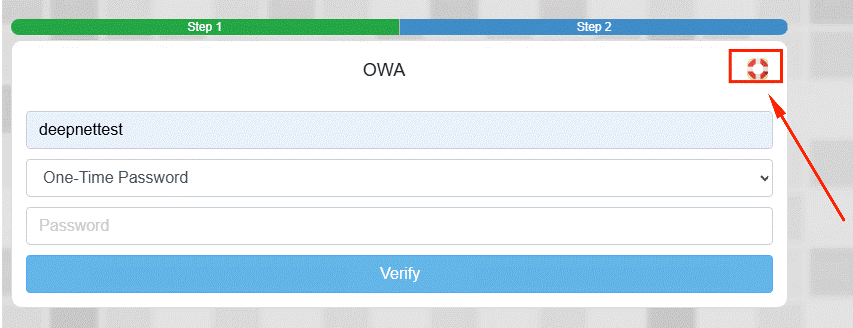
The second step now changes to
...
Emergency code
...
.
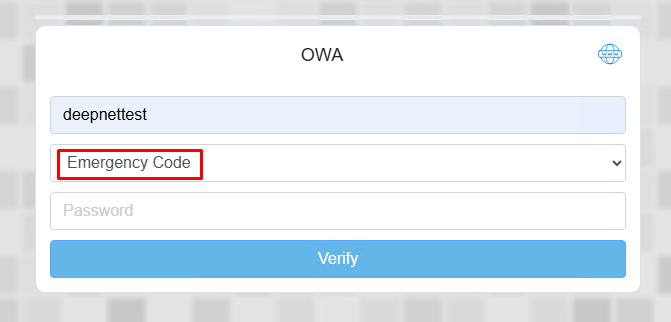
The Emergency Code will be obtained from the DualShield Emergency Access Console. (Please note that you will need to generate the code on the portal prior to using ICE.)
How to add ICE to an existing application
...