...
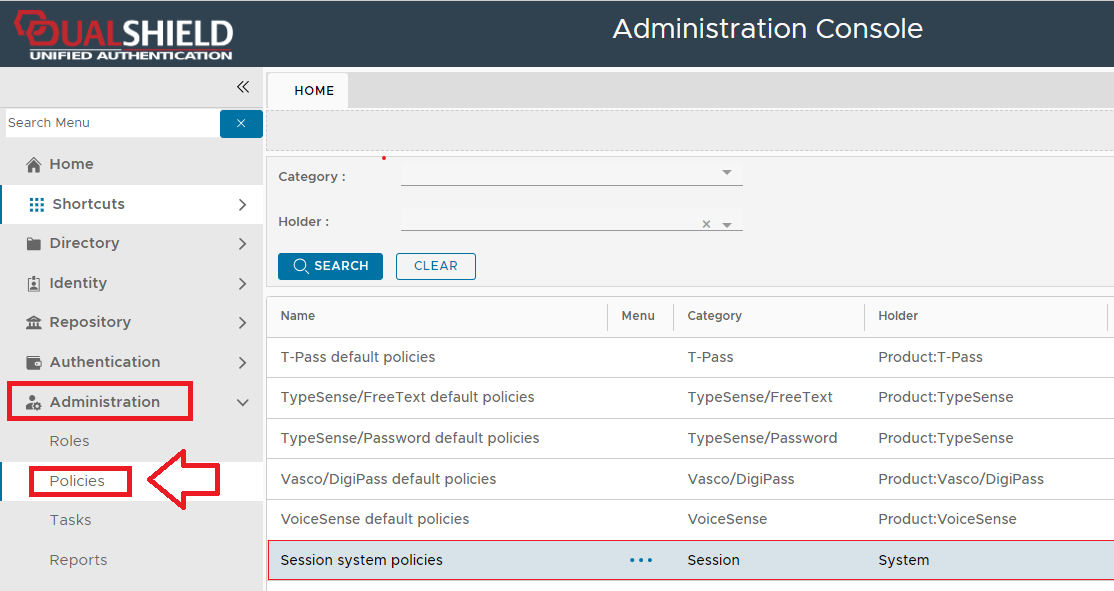
The policy can be found by navigating to "Administration | Policies", then scrolling down to the policy "session system policies";
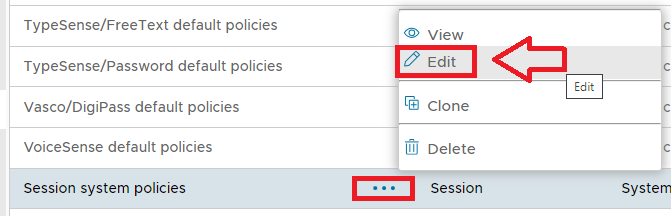
The session system policy settings can be edited by using the context menu option "Edit";
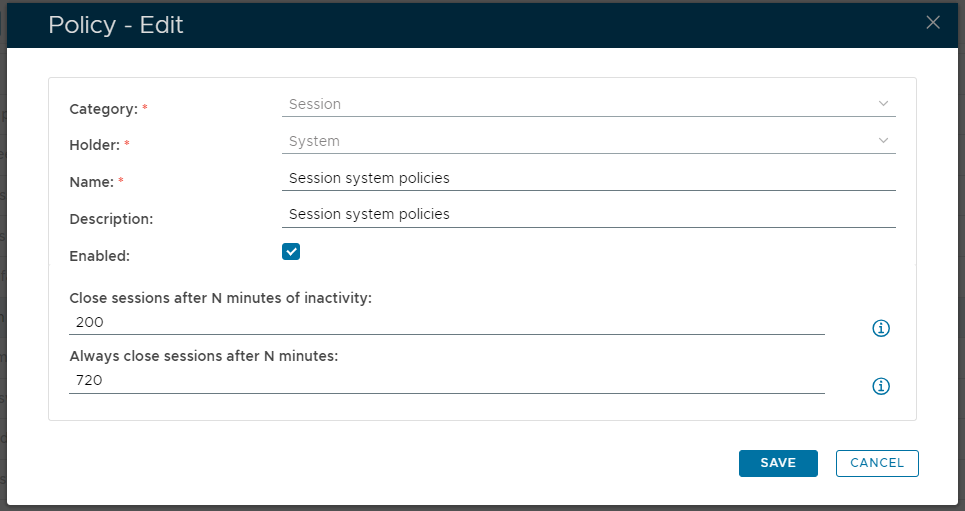
A new window will now open titled "Policy - Edit" that can be used to view and edit the policy settings for this policy;
...
| Column | ||
|---|---|---|
| ||
|
...
| width | 50% |
|---|
...
| title | Category: |
|---|
| Panel | ||||||
|---|---|---|---|---|---|---|
| ||||||
The category for this policy is "Session" (this property cannot be edited). |
...
| title | Holder: |
|---|
| Panel | ||||||
|---|---|---|---|---|---|---|
| ||||||
The holder of this policy is "System" (this property cannot be edited). |
...
| title | Name: |
|---|
| Panel | ||||||
|---|---|---|---|---|---|---|
| ||||||
The name assigned to identify the lockout system policy by the System Administrator. |
...
| title | Description: |
|---|
| Panel | ||||||
|---|---|---|---|---|---|---|
| ||||||
The System Administrator may use this field to annotate this policy. |
...
| title | Enabled |
|---|
| Panel | ||||||
|---|---|---|---|---|---|---|
| ||||||
This option allows the System Administrator to enable or disable this policy. |
...
| title | Close session after N minutes of inactivity: |
|---|
| Panel | ||||||
|---|---|---|---|---|---|---|
| ||||||
The session will be terminated if no user activity has been detected in the last N minutes. If a non zero value is supplied then this value determines how many inactive minutes can pass before the session closes. |
...
| title | Always close sessions after N minutes: |
|---|
...
| borderColor | grey |
|---|---|
| bgColor | #F8F8F8 |
| borderStyle | dashed |
The session will be terminated after N minutes regardless of whether there have been user activities or not.
If a non-zero value is entered then this value determines the maximum length of time (in minutes) for each session.
When the session policy is used in the following applications, the policy options might have different meanings.
- Session policy options used in SAML applications
- Session policy options used in Outlook Anywhere application
- Session policy options used in Exchange ActiveSync application
...
Children Display