| Expand | ||
|---|---|---|
| ||
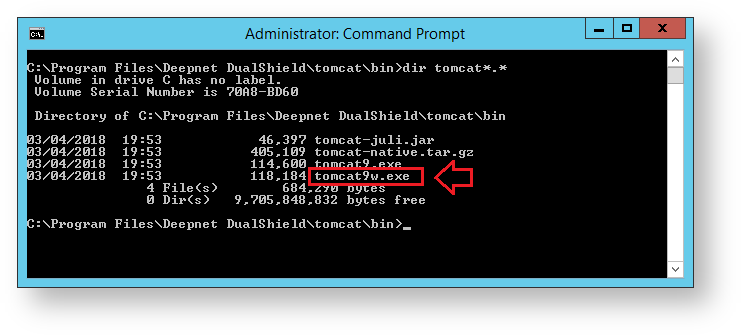
Open Windows Command Prompt, navigate to the subfolder "tomcat\bin" in the DualShield installation directory, e.g. c:\program files\deepnet dualshield\tomcat\bin
Run the command "tomcat9w.exe //ES//dualshield " (replacing tomcat9w with the version found in your directory), A new window will open titled "DualShield Server Properties", select the "Java" tab.
Memory allocation can be adjusted here. The DualShield Server service will need to be restarted if any changes are made. |

| Expand | ||||
|---|---|---|---|---|
| ||||
If you have installed DualShield on Linux, you will need to edit the file "/usr/lib/systemd/system/dualshield.service" to achieve the same effect as in Windows
|
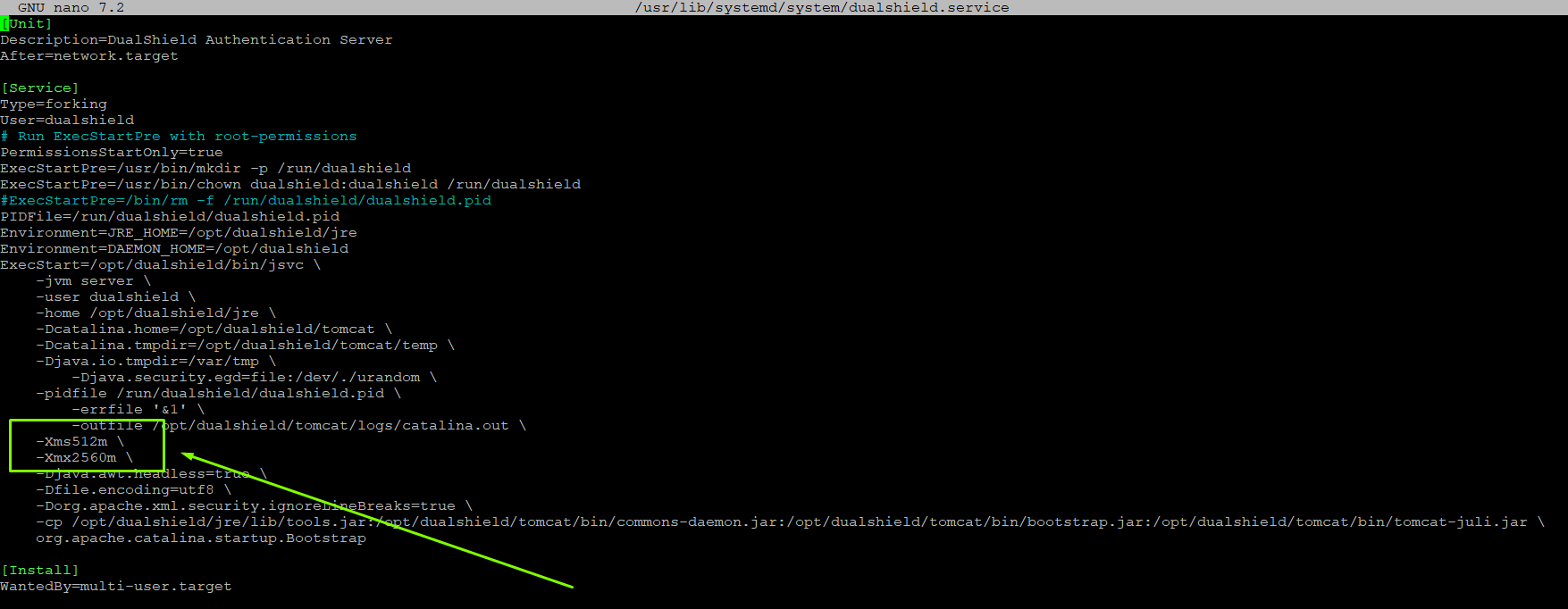
For Guidance please use the following table...
32-Bit | 64-Bit | ||
| Total Physical RAM | 4GB | 8GB | |
| Maximum memory pool | JvmMx (MB) | 1536 | 3072 |
| Initial memory pool | JvmMs (MB) | 1536 | 3072 |
| Total RAM for JVM | 2GB | 4GB |