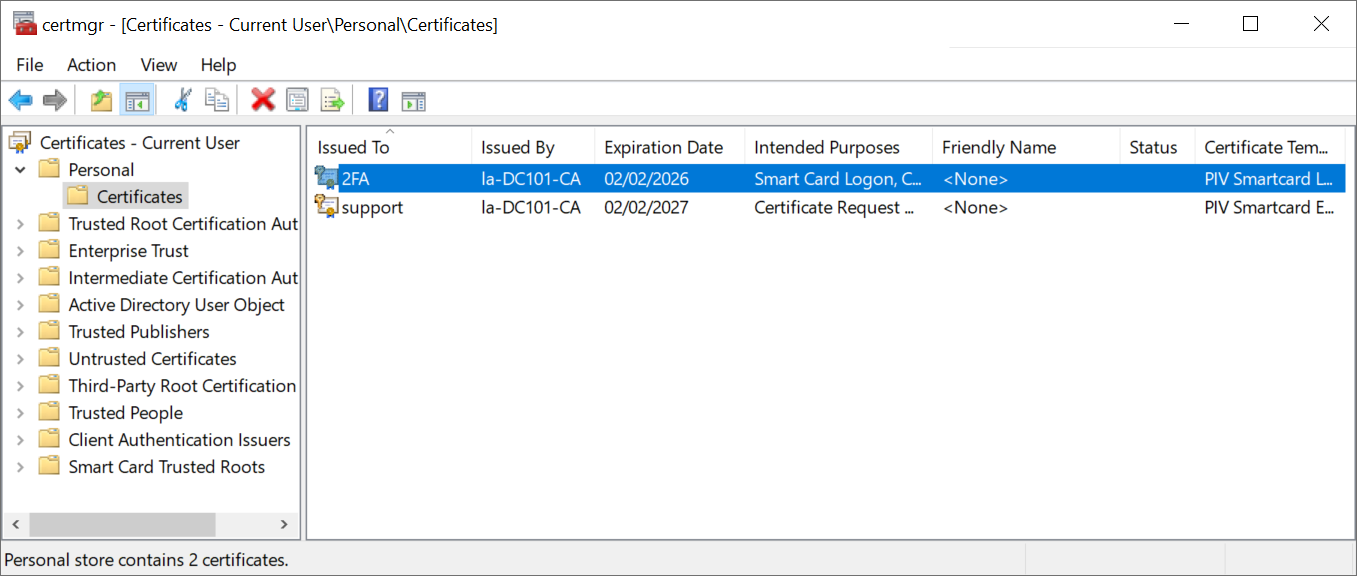
This is a task to carried out by an agent
Log in to the agent account
Enter "certmgr.msc" to run the Certificate Manager
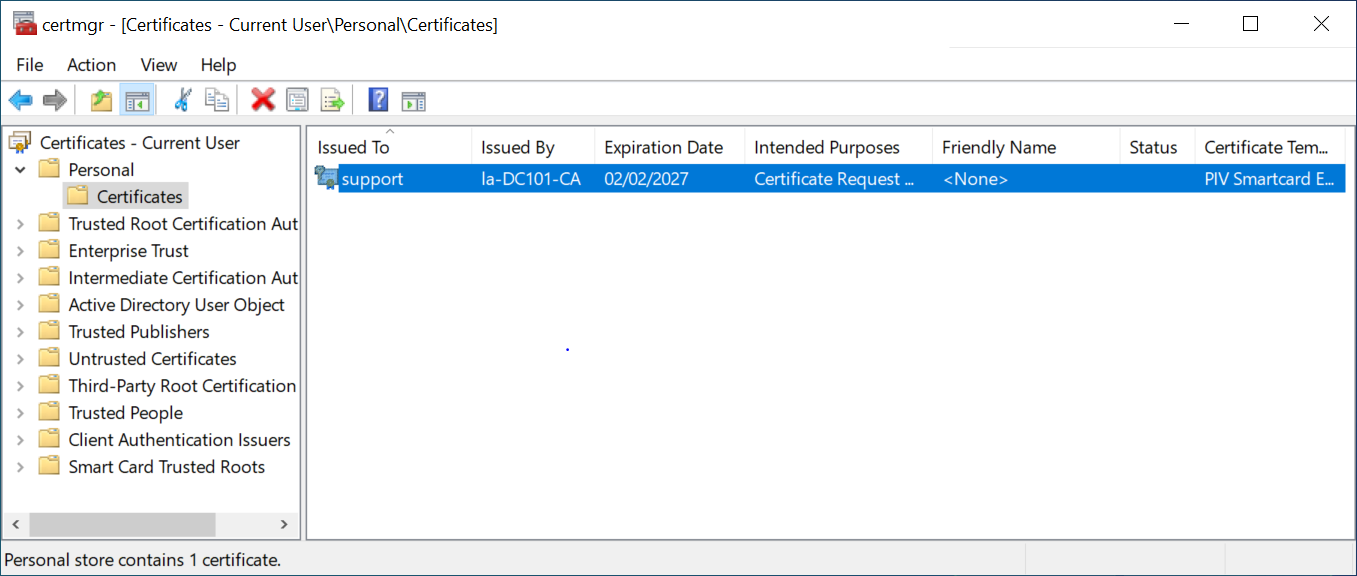
Right click the Certificate – Current User / Personal / Certificate,
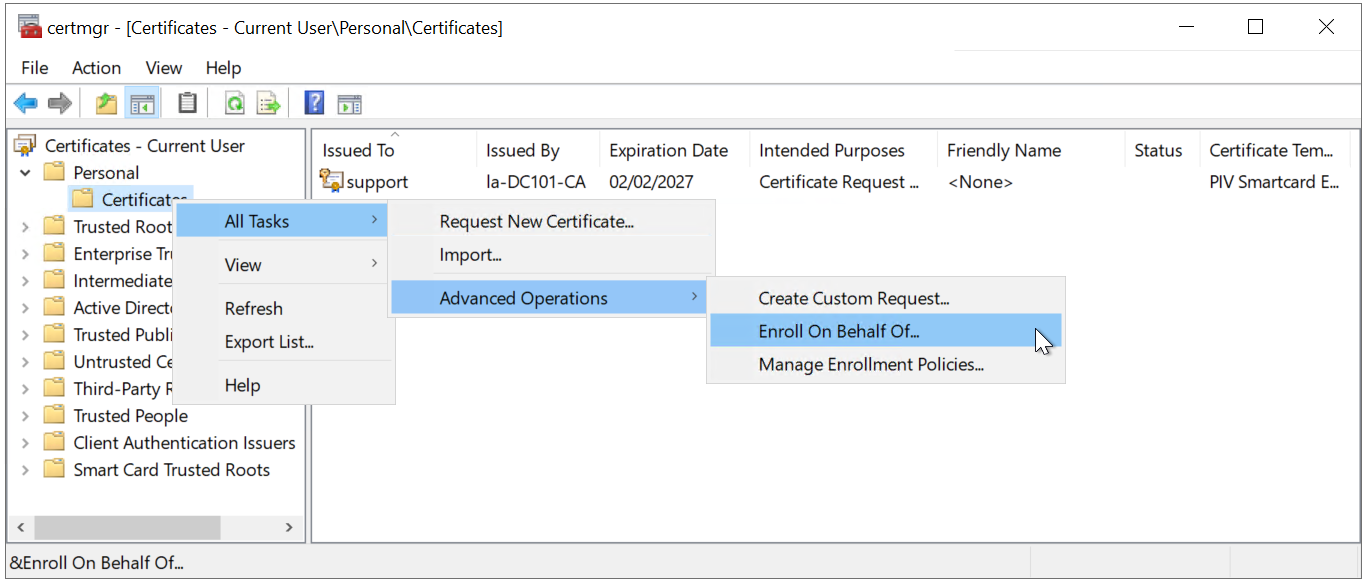
Select "Enroll on behalf of" from All Tasks / Advanced Operations.

Click "NExt"

Click "Next"

Click "Browse..."
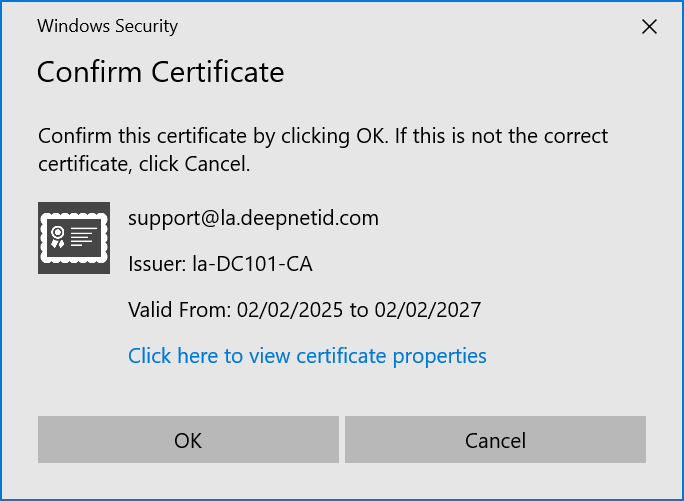
Click "OK"
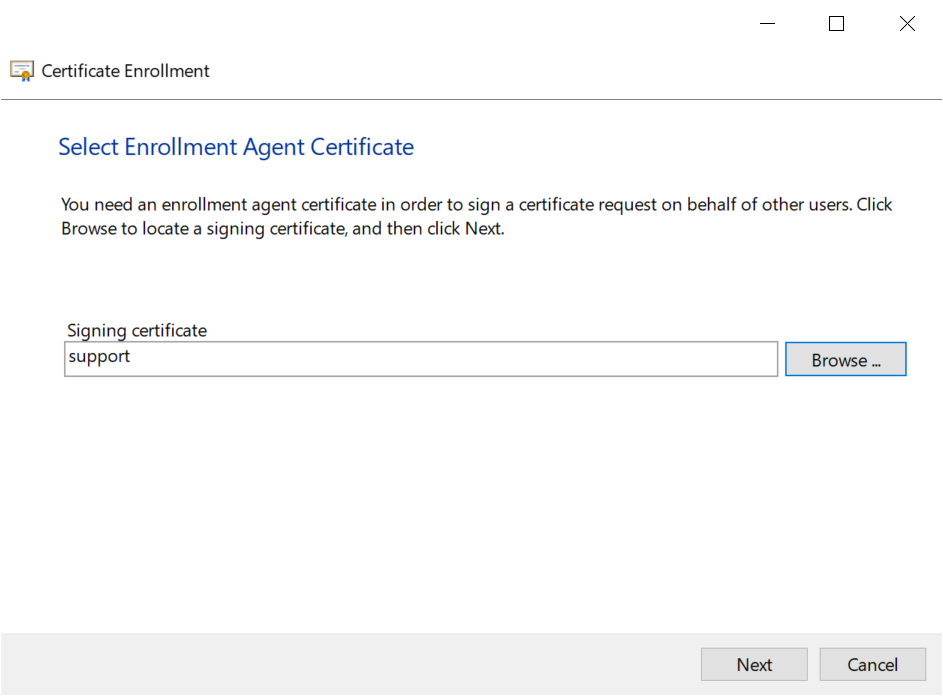
click "Next"
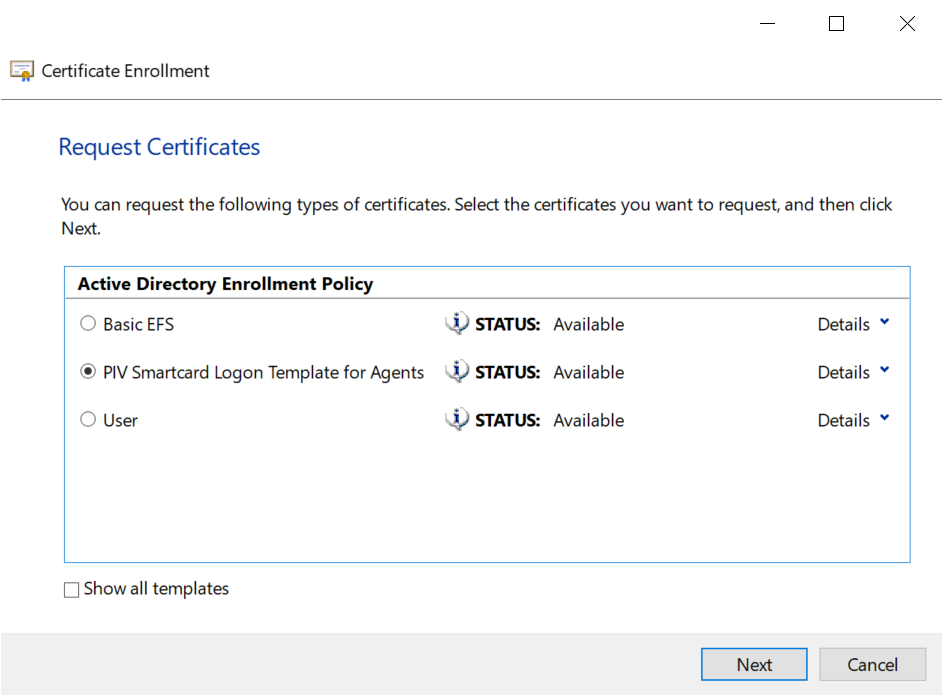
Select "PIV Smartcard Logon Template for Agent"
Click "Next"
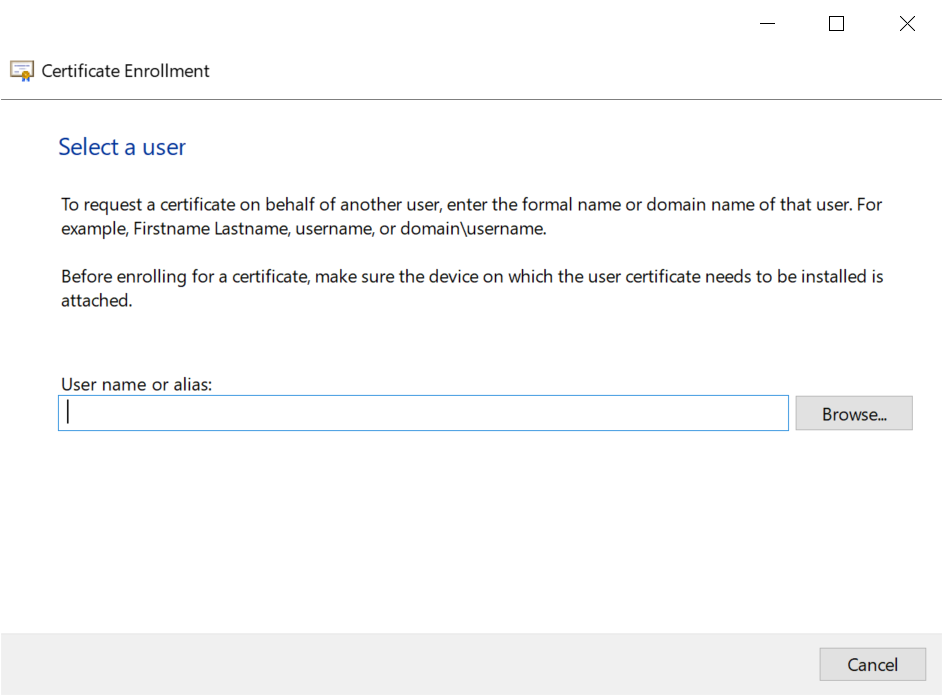
click "Browse..." to select the user

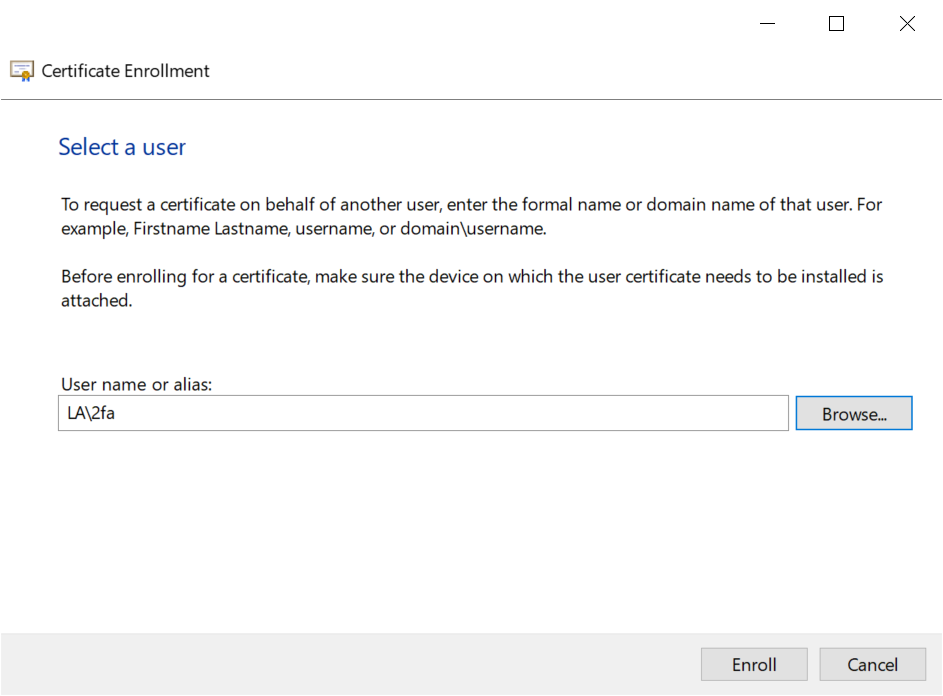
Click "Enroll"
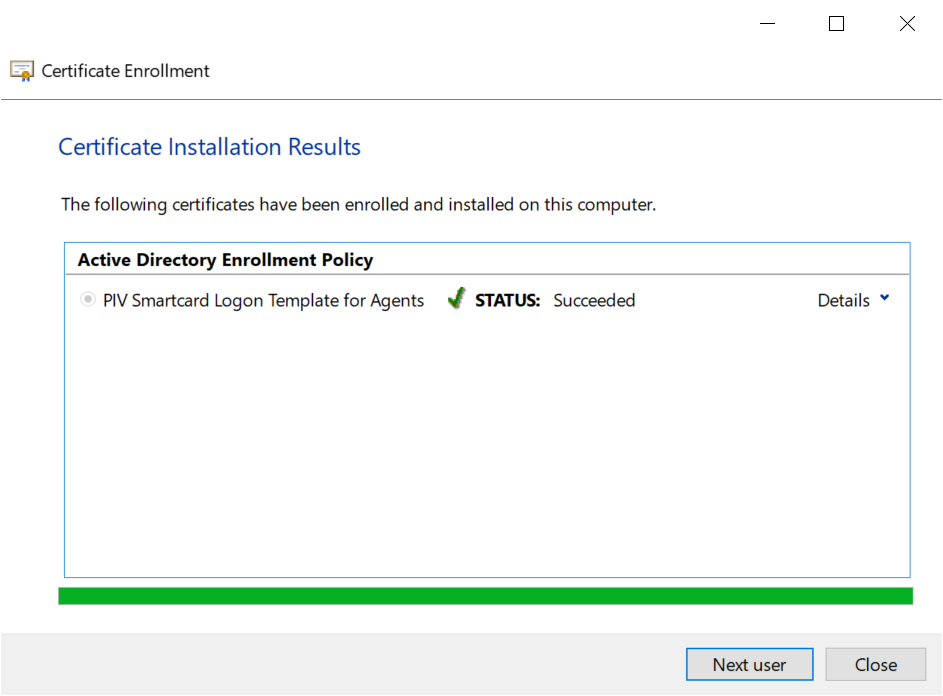
After the enrollment is successful, the smart card is ready for the target user,
The Agent can click 'Next user' to enroll for others or close to finish
The Agent can see the issued smartcard certificate in the Agent's personal store