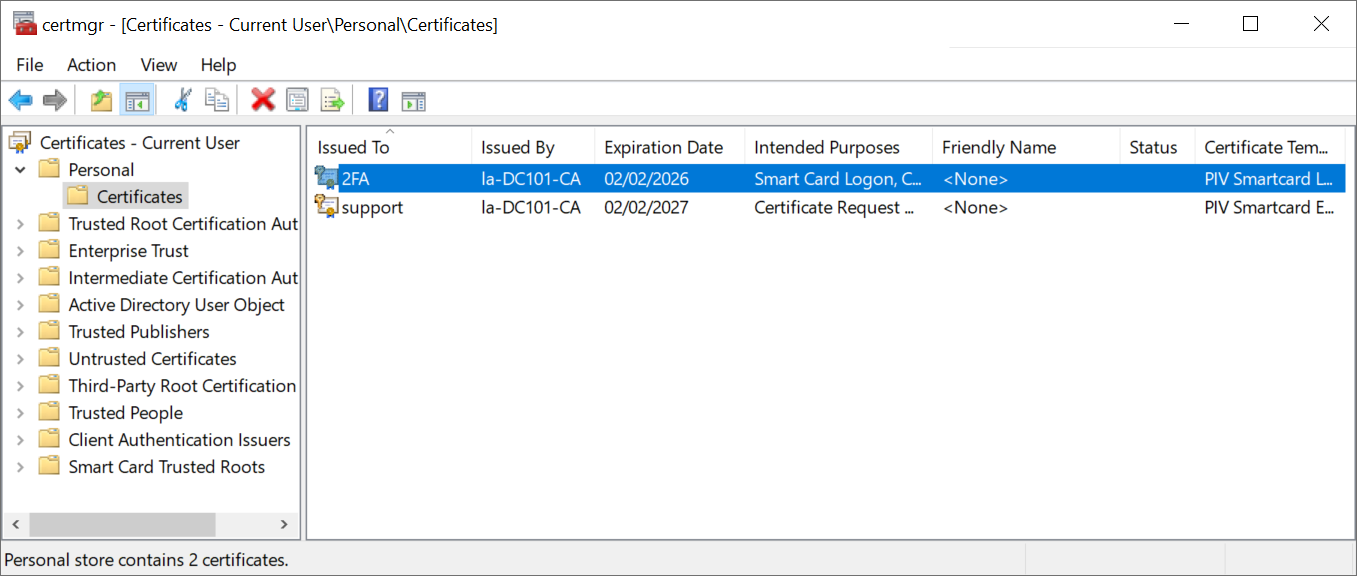
This is a task to carried out by an agent
Log in to the agent account
Enter "certmgr.msc" to run the Certificate Manager
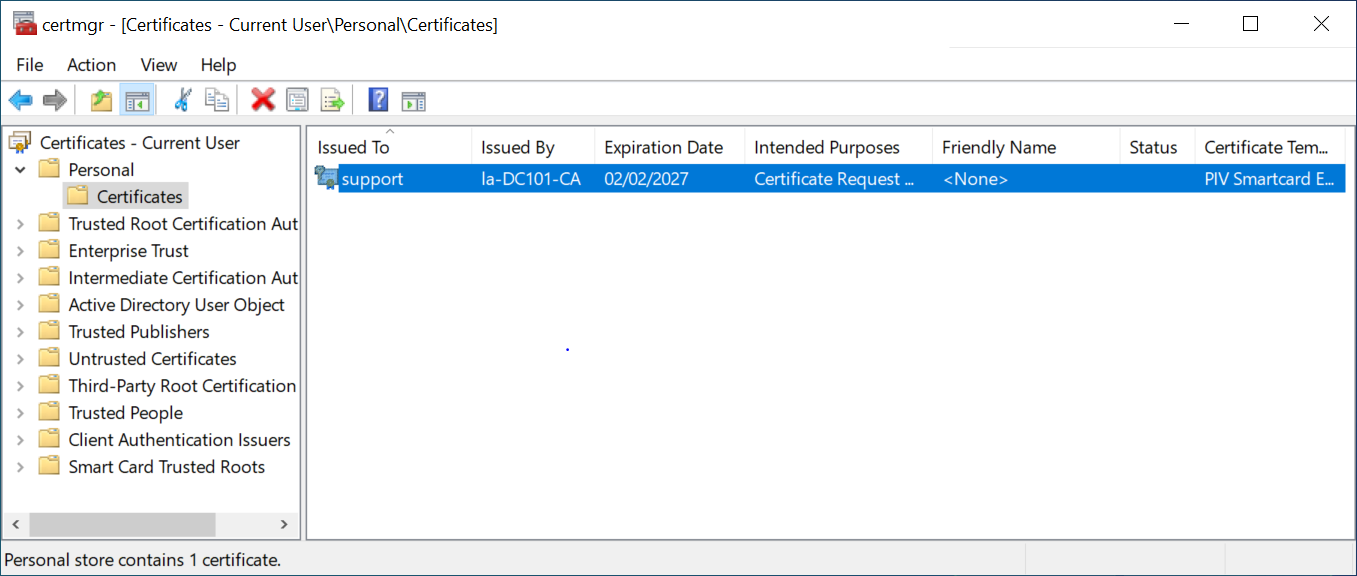
Right click the Certificate – Current User / Personal / Certificate,
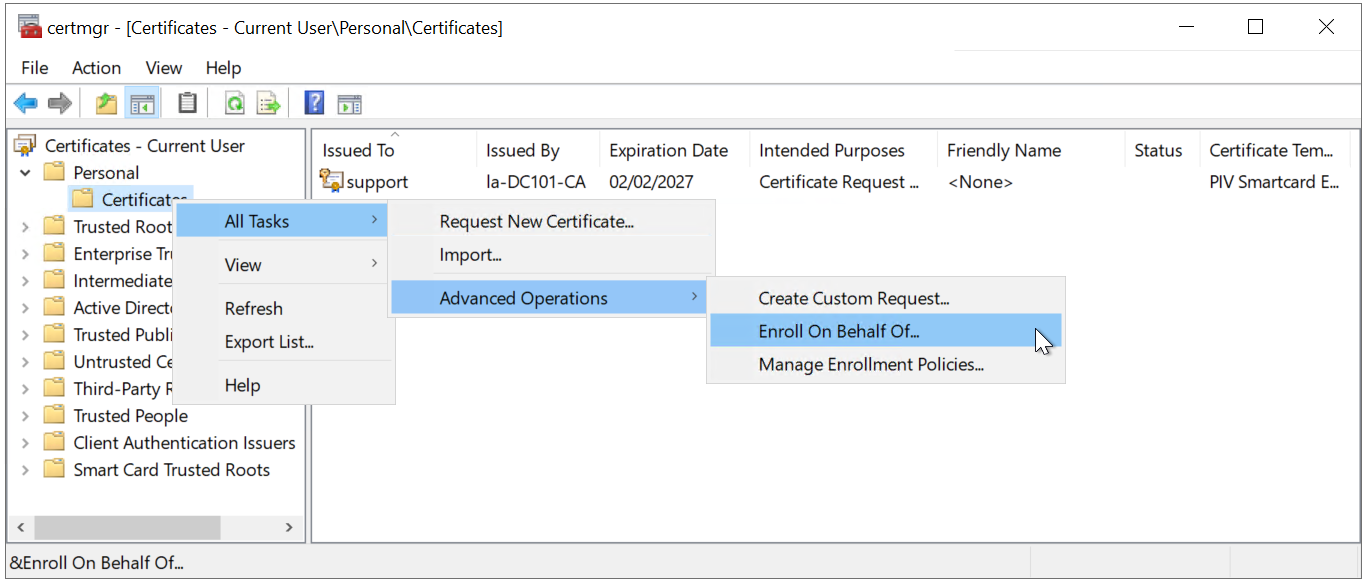
Select "Enroll on behalf of" from All Tasks / Advanced Operations.

Click "NExt"

Click "Next"

Click "Browse..."
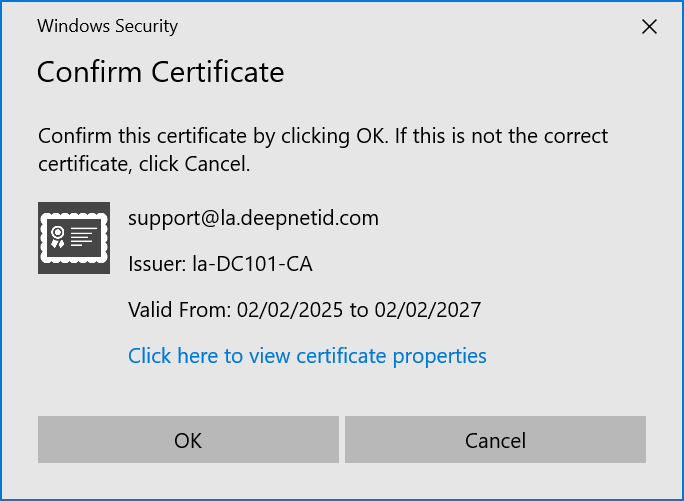
Click "OK"
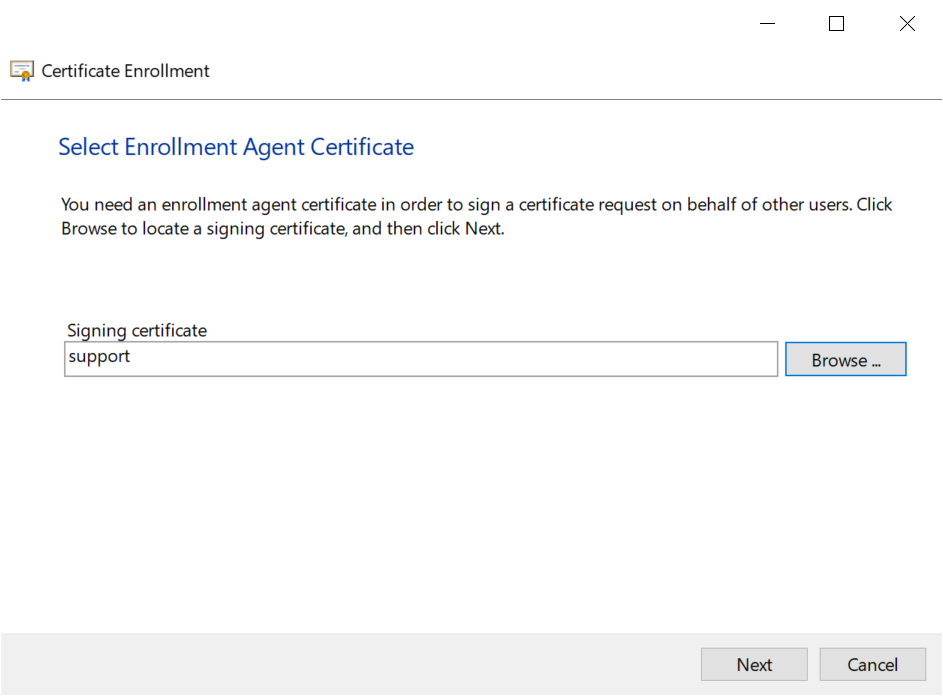
click "Next"
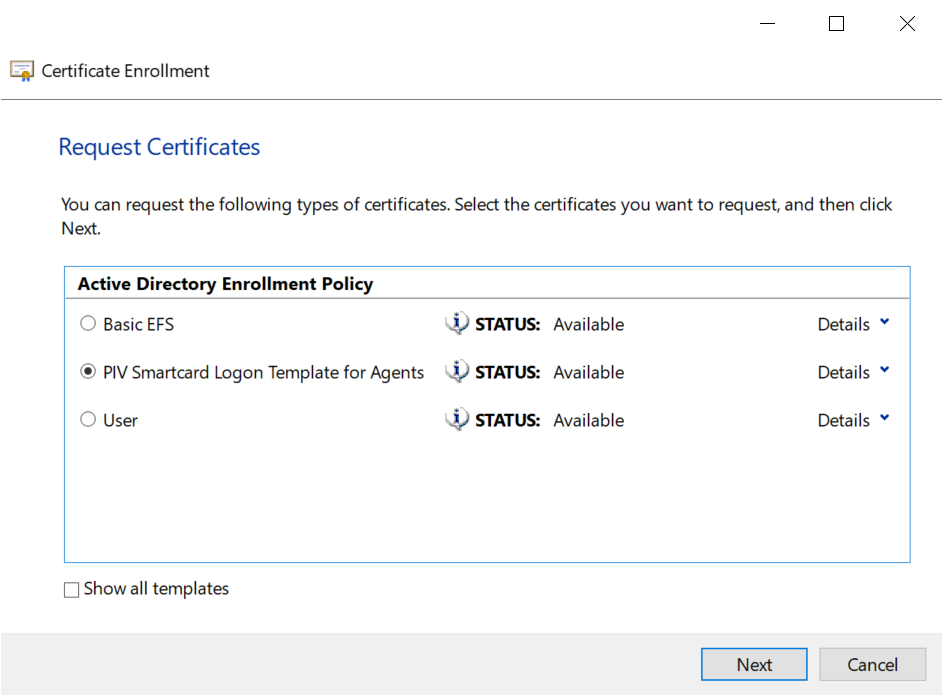
Select "PIV Smartcard Logon Template for Agent"
Click "Next"
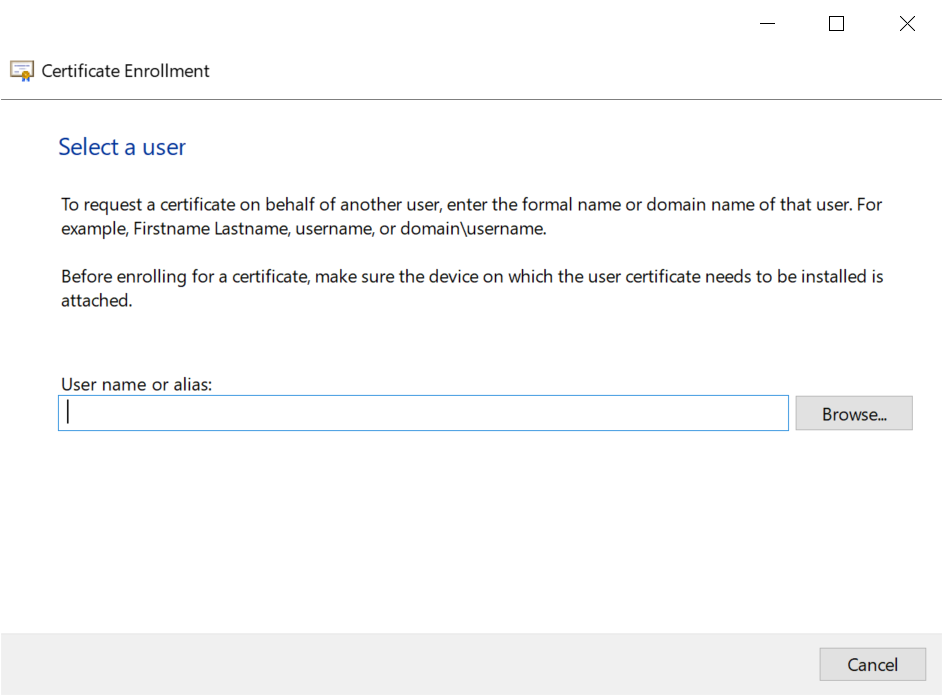
click "Browse..." to select the user

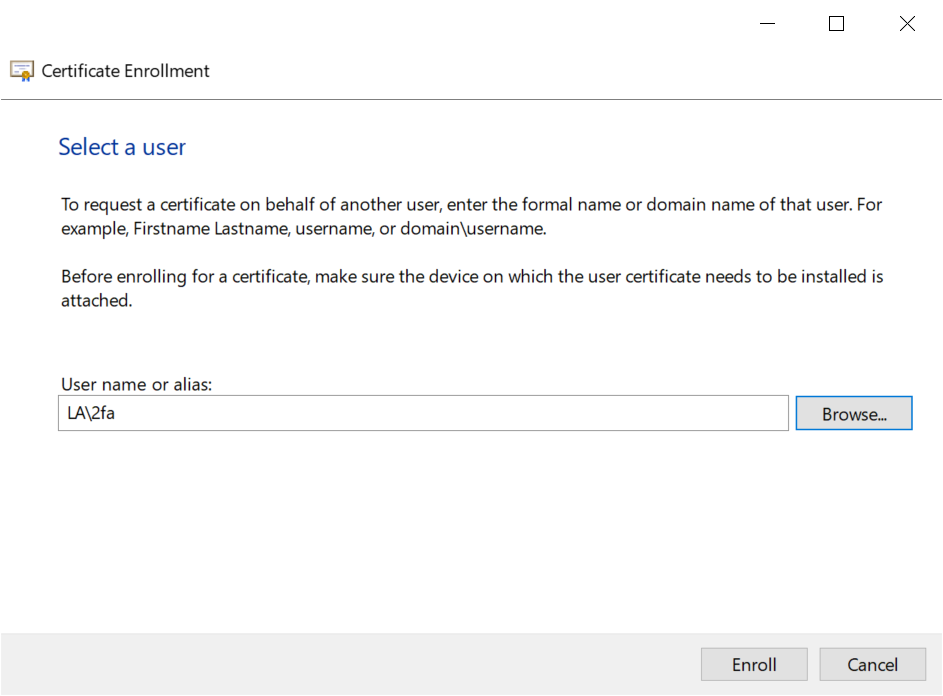
Click "Enroll"
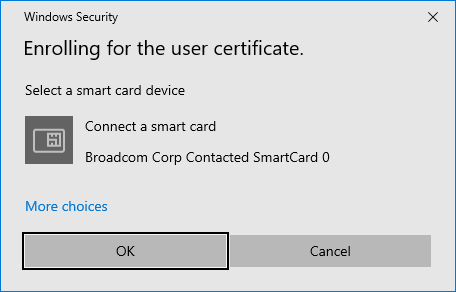
If you have more than one smartcard connected to your PC, then click "More choices" to select the smartcard
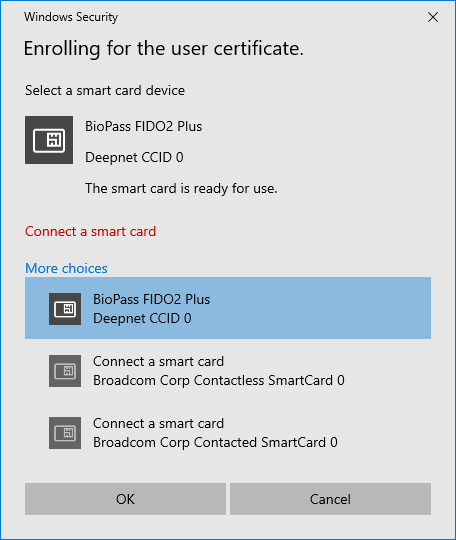
Select the smartcard, e.g. "BioPass FIDO2 Plus"
You will be prompted to enter the PIN of the smartcard
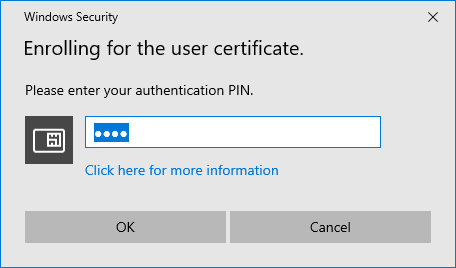
Enter the PIN
A certificate will be issued and saved into the smartcard
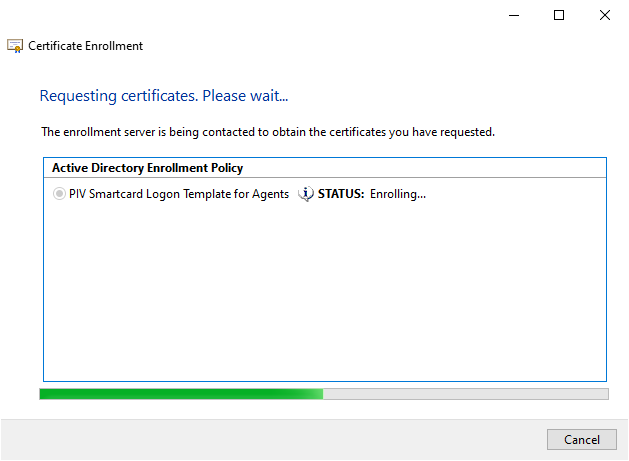
It might take a few seconds for the certificate to be saved into the PIV smartcard
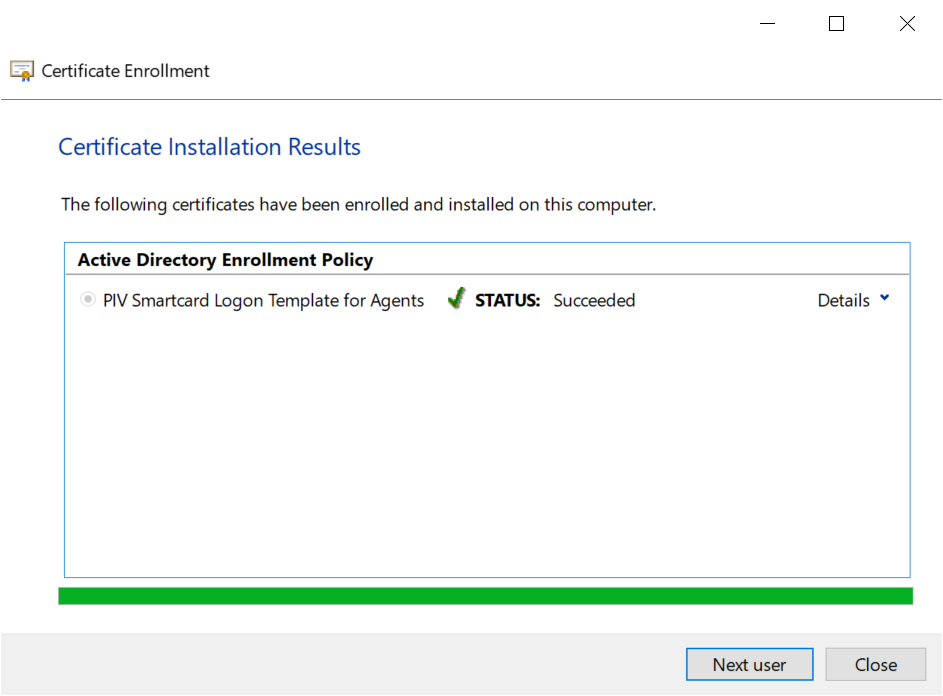
A certificate for the selected user has been successfully saved into the smartcard.
The Agent can click 'Next user' to enroll for others or "Close" to finish the process.
The certificates that have been issued are also stored in the Agent's personal certificate store.l The Agent can delete those certificates.