...
3.2 Adding the Template to the Certification Authority
Right-click the Windows Start button and select Run.
Type "certsrv.msc" and press Enter.
...
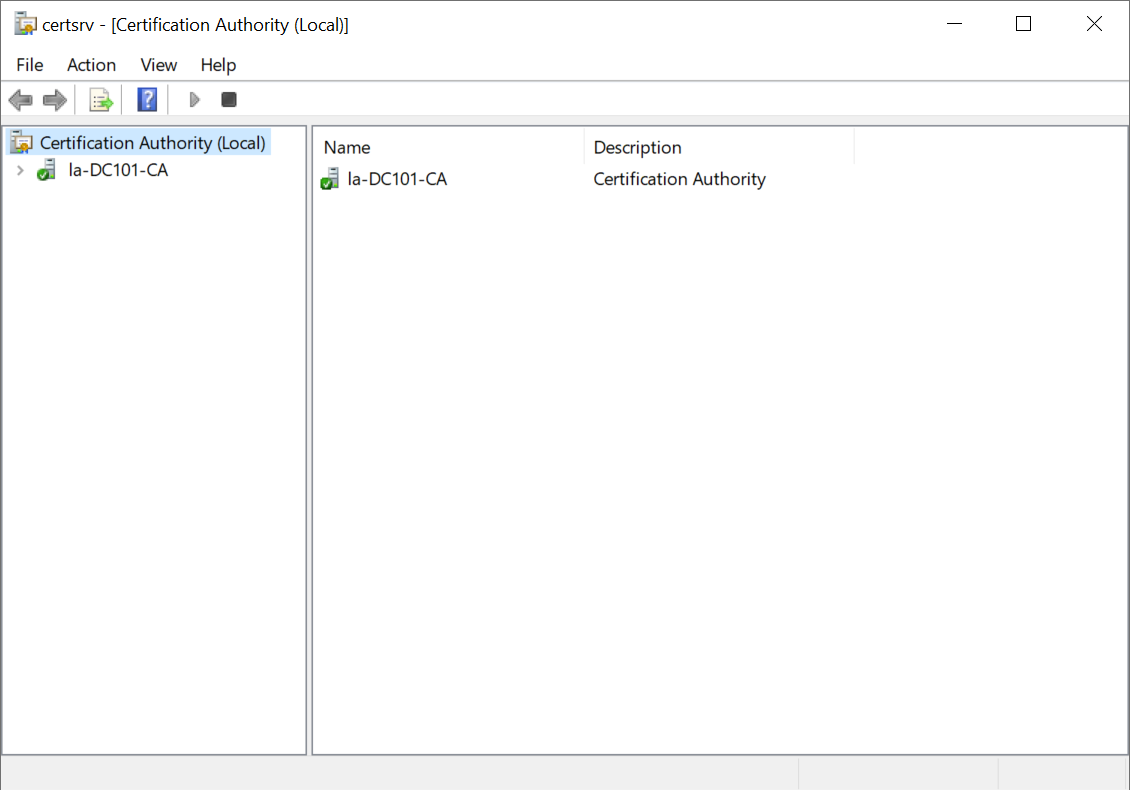
Double-click the name of your server,
...
e.g. "la-DC101-CA" to expand it
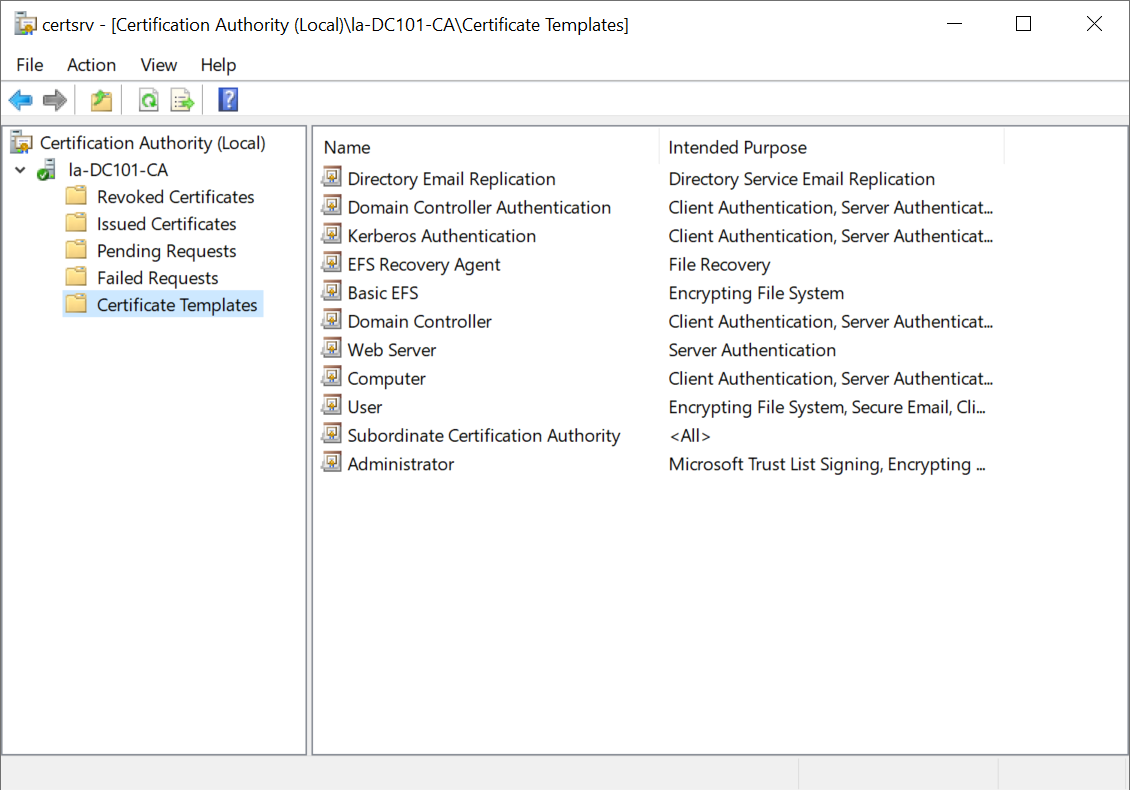
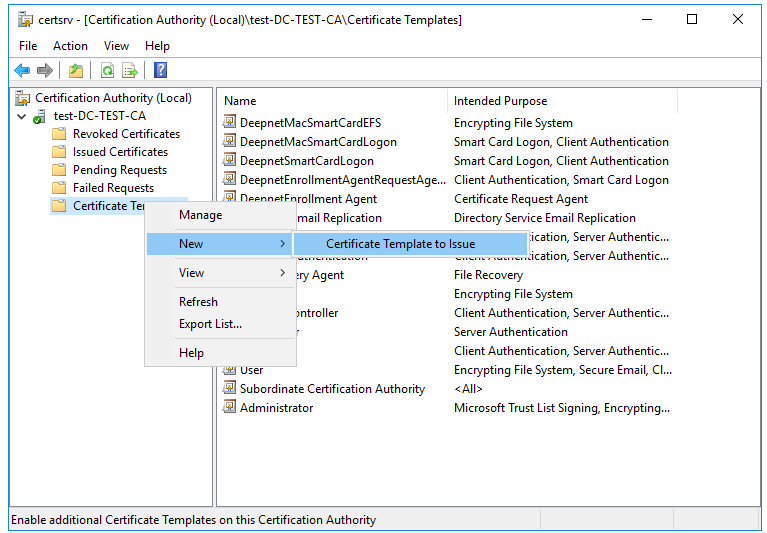
Right-click Certificate Templates
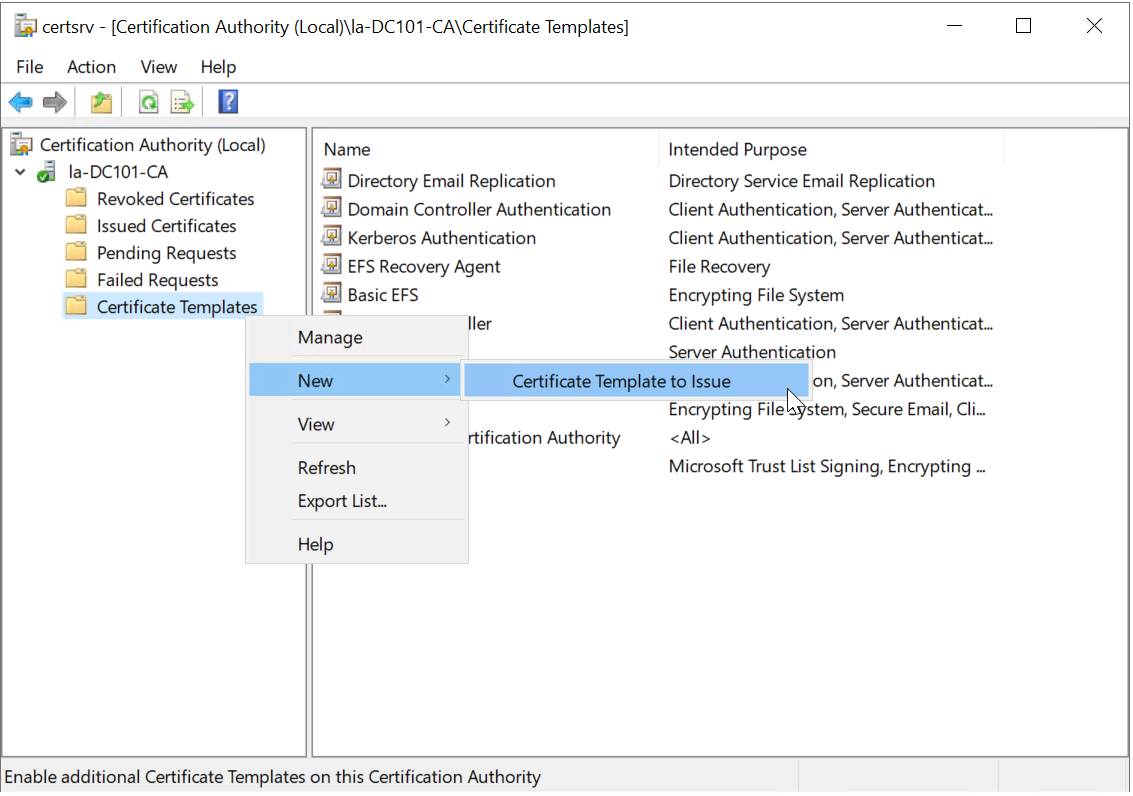
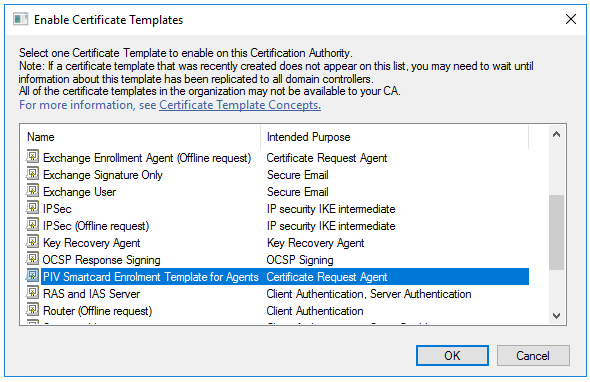
Select New and then select Certificate Template to Issue.
...
Find and select the
...
newly created
...
enrolment template, e.g. "PIV Smartcard Enrolment Template for Agent". and then click OK
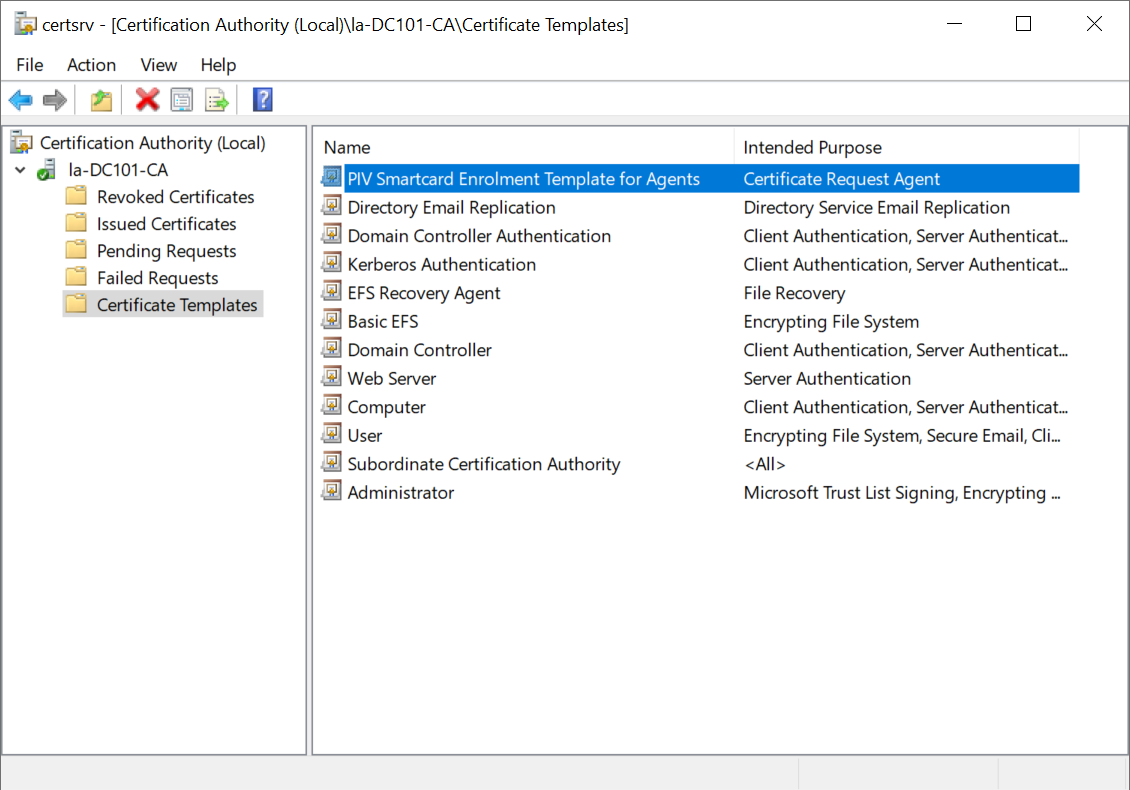
3.3 Issue Enrolment Certificate template to Agent
...
Enroll a Smart Card Certificate on behalf of others
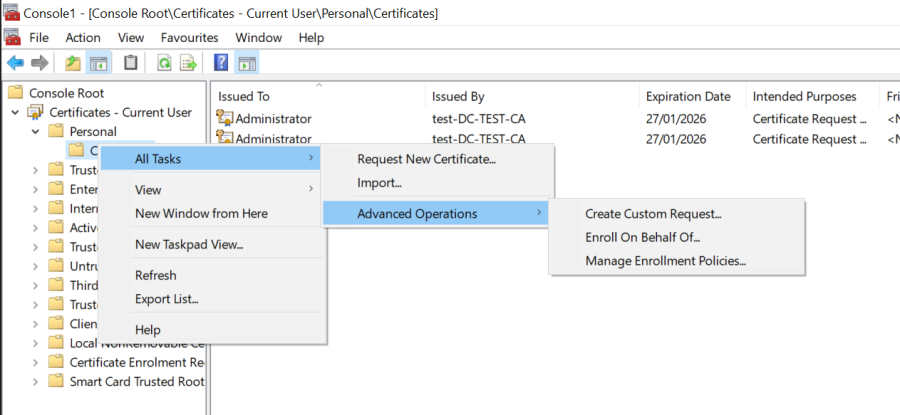
- Log in as the user that will do enrollment for others, then run certmgr.msc. Right click the Certificate – Current User / Personal / Certificate, and select "Enroll on behalf of" from All Tasks / Advanced Operations.
- Click through the "Before You Begin" screen, and on the "Certificate Enrollment" screen, click the "Browse…" button and select the enrollment agent certificate you have been issued in Step 3.1 .
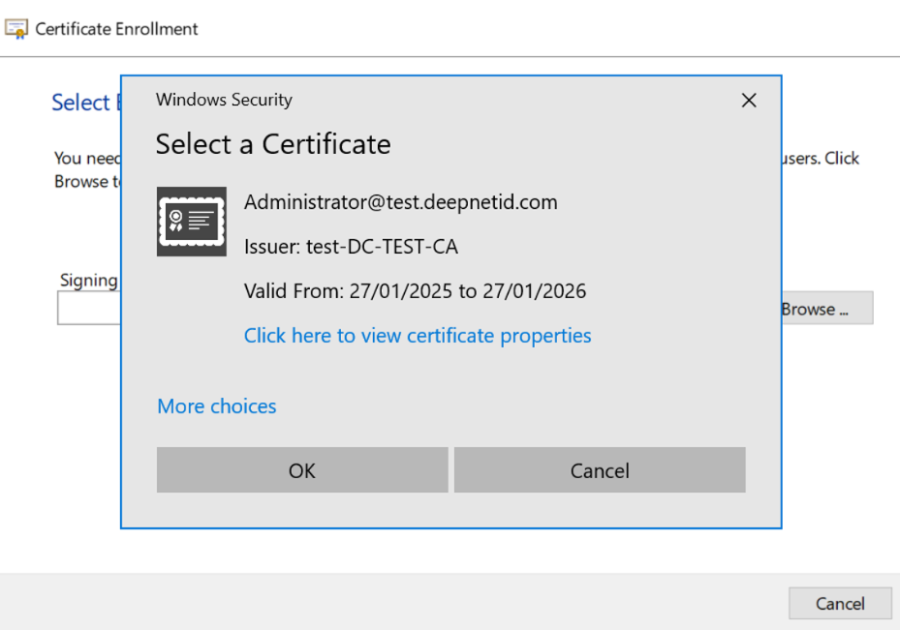
Click 'OK'.
- Note: If no Enrollment Agent certificate is available you will need to request one be issued to you.

- On the next page select the smart card enrollment certificate template, ie. PIV Smartcard Logon Template for Agents.
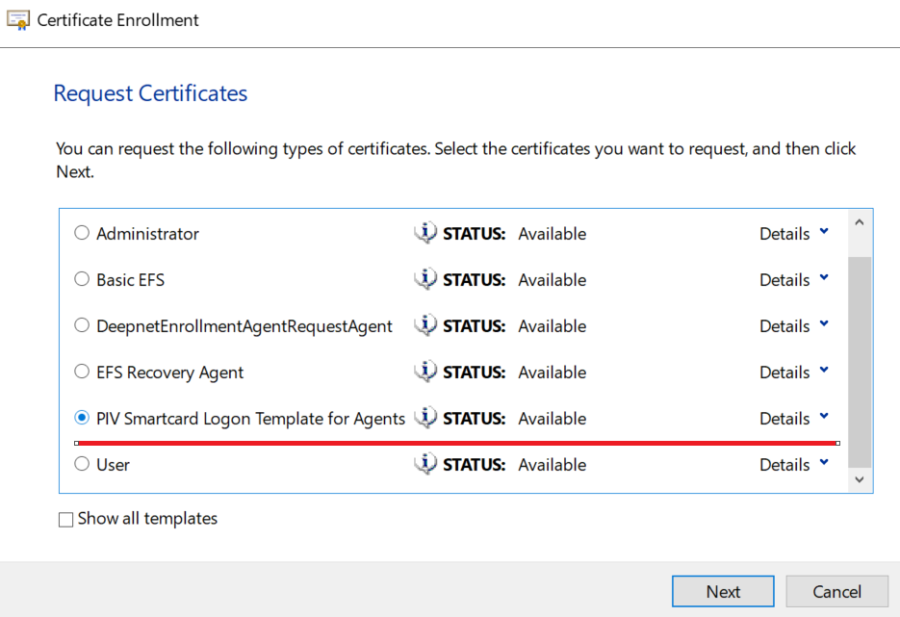
- Click Next and enter the target domain user you are going to enroll the certificate on the behalf of.

- Click Next, and it asks you to insert the user's smart card if it is not already inserted. Enter the PIN.
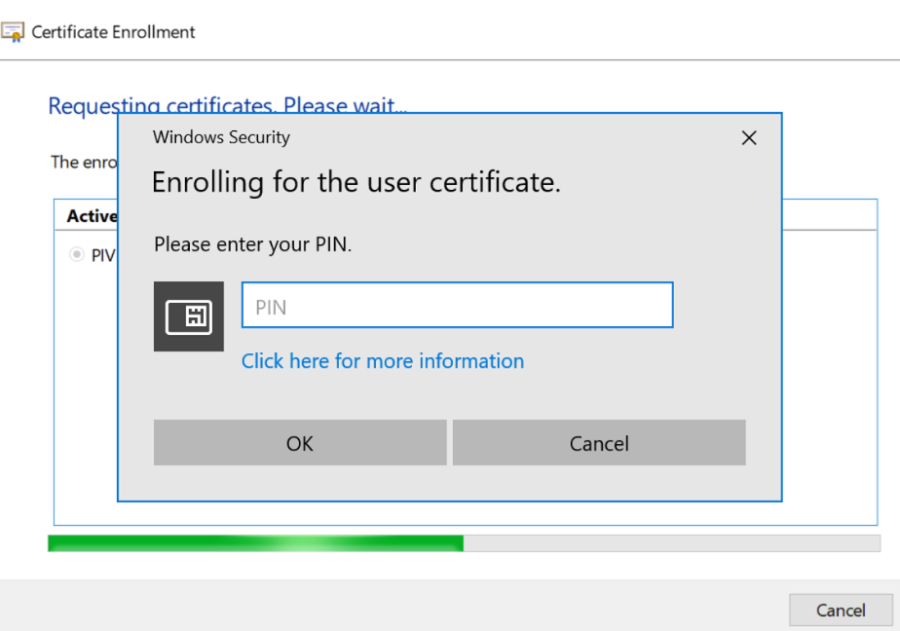
- If the enrollment is successful, the dialog will show the following:
- Click Next, and it asks you to insert the user's smart card if it is not already inserted. Enter the PIN.
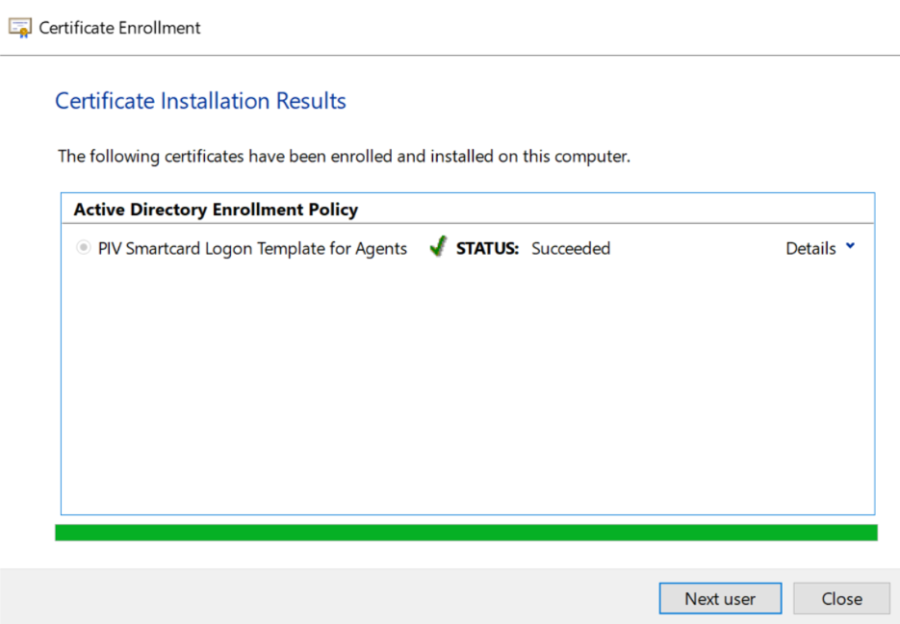
- After the enrollment is success, the smart card is ready for target user, and Agent can click 'Next user' to enroll for others or close windows.
- You can see the issued smartcard is listed in Agent's personal store.
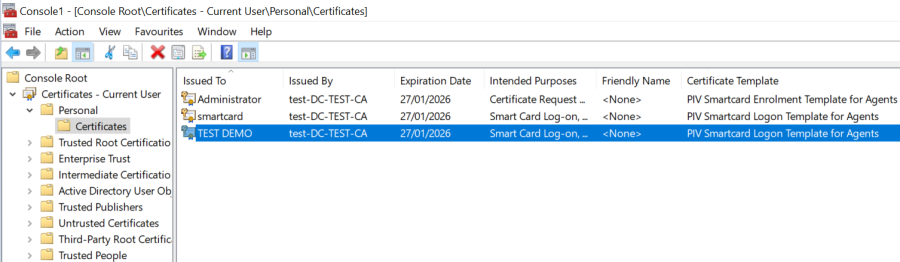
- Now, the smart card sign-in is ready for end user, and user is able to login domain with the issued smartcard.