Login to the Admin Console of SafeID Token Service at https://admin.safeid.io
Click "Directory" in the main menu
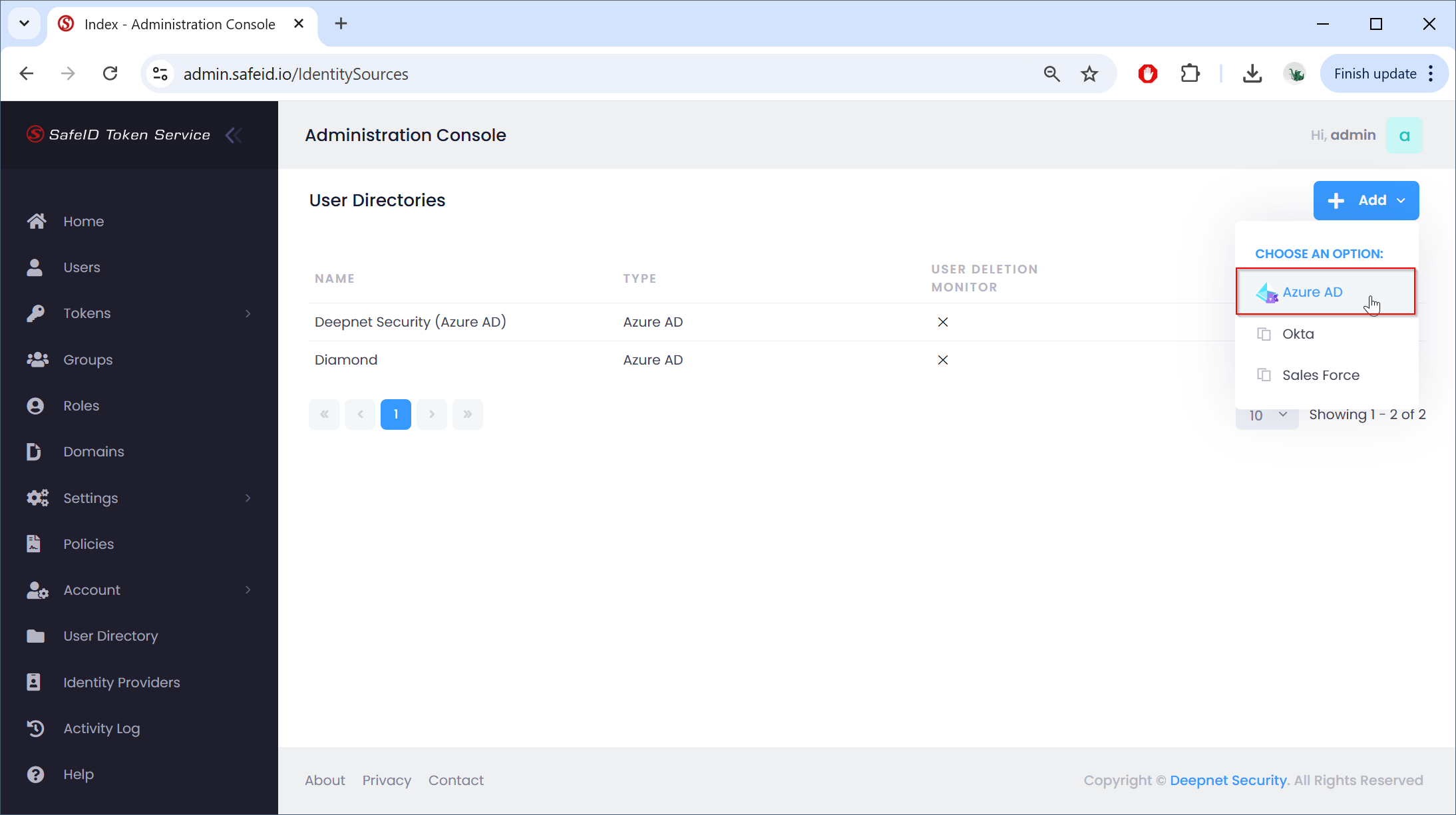
Click the "Add" button on the right, then select "Azure AD"
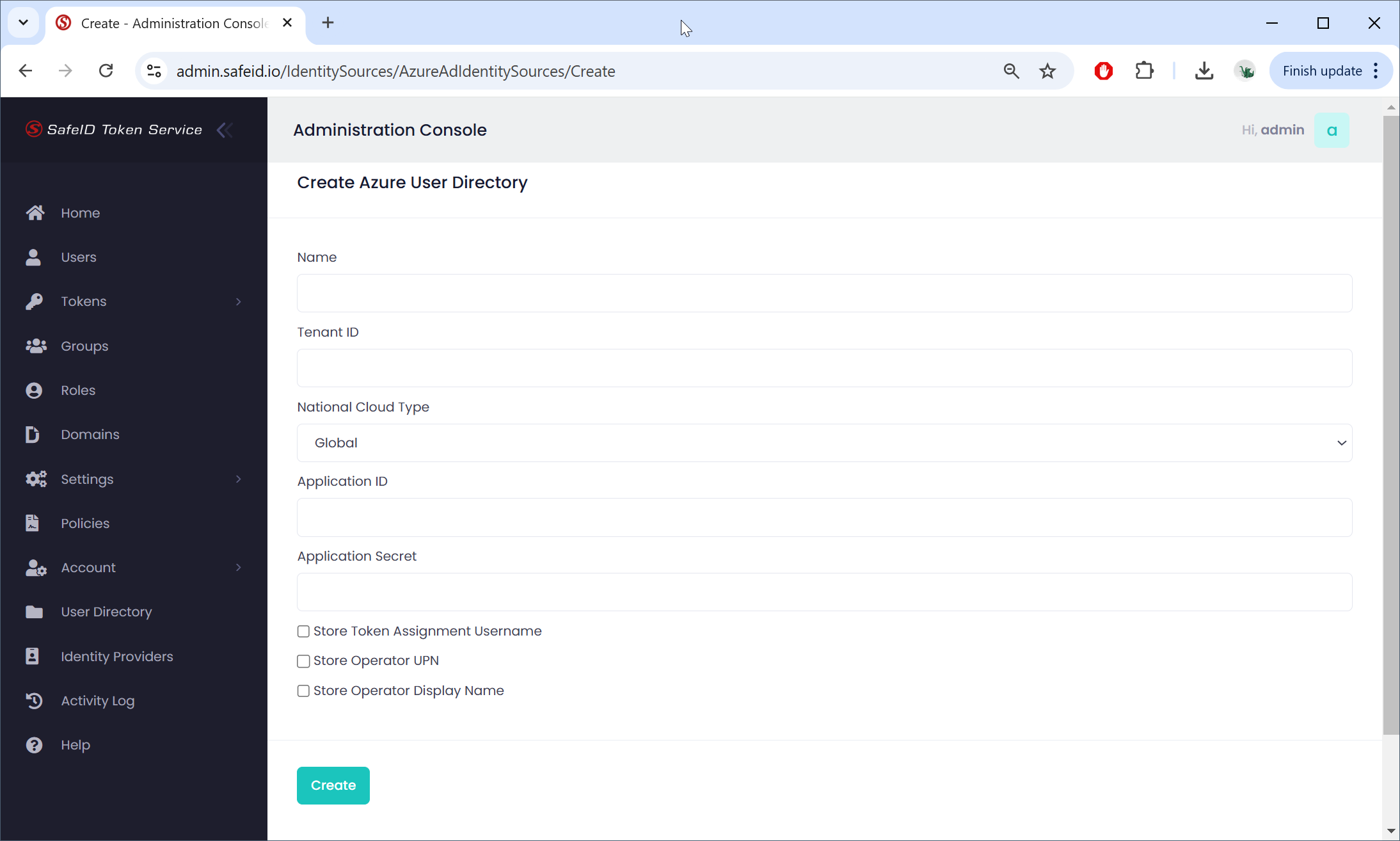
In the "Name" box, enter a name for the description
Fill in other boxes with the data from your Azure AD tenant and application.
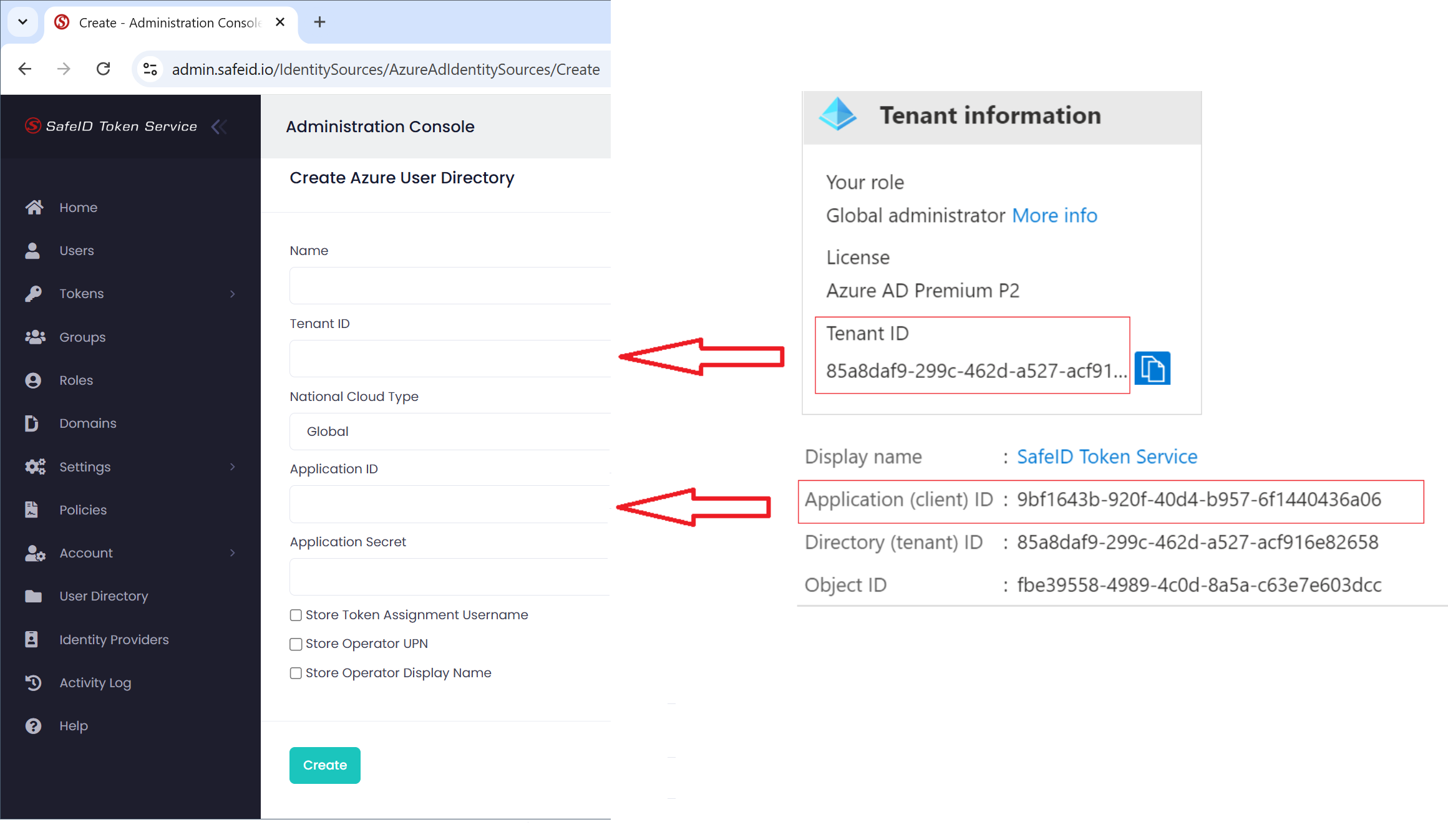
Fill in the Application Secret
Click "Create" to create the identity source
In order for the SafeID Token Service (STS) to access users and their tokens in the Azure AD, you need to provide it with an Access User account. Currently, Microsoft requires that the Access User has to have global admin privileges. Therefore, you must set up a service account that has global admin privileges, and provide this service account to STS as the access user account.
There are 2 options that you can select to provide the credentials (username and password) of the access user account to STS.
- Save the credentials of the access user in your account in STS
- Save the credentials of the access user in an Azure AD key vault
Related Articles
...