Login to the Admin Console of SafeID Token Service at https://admin.safeid.io
Click "Directory" in the main menu
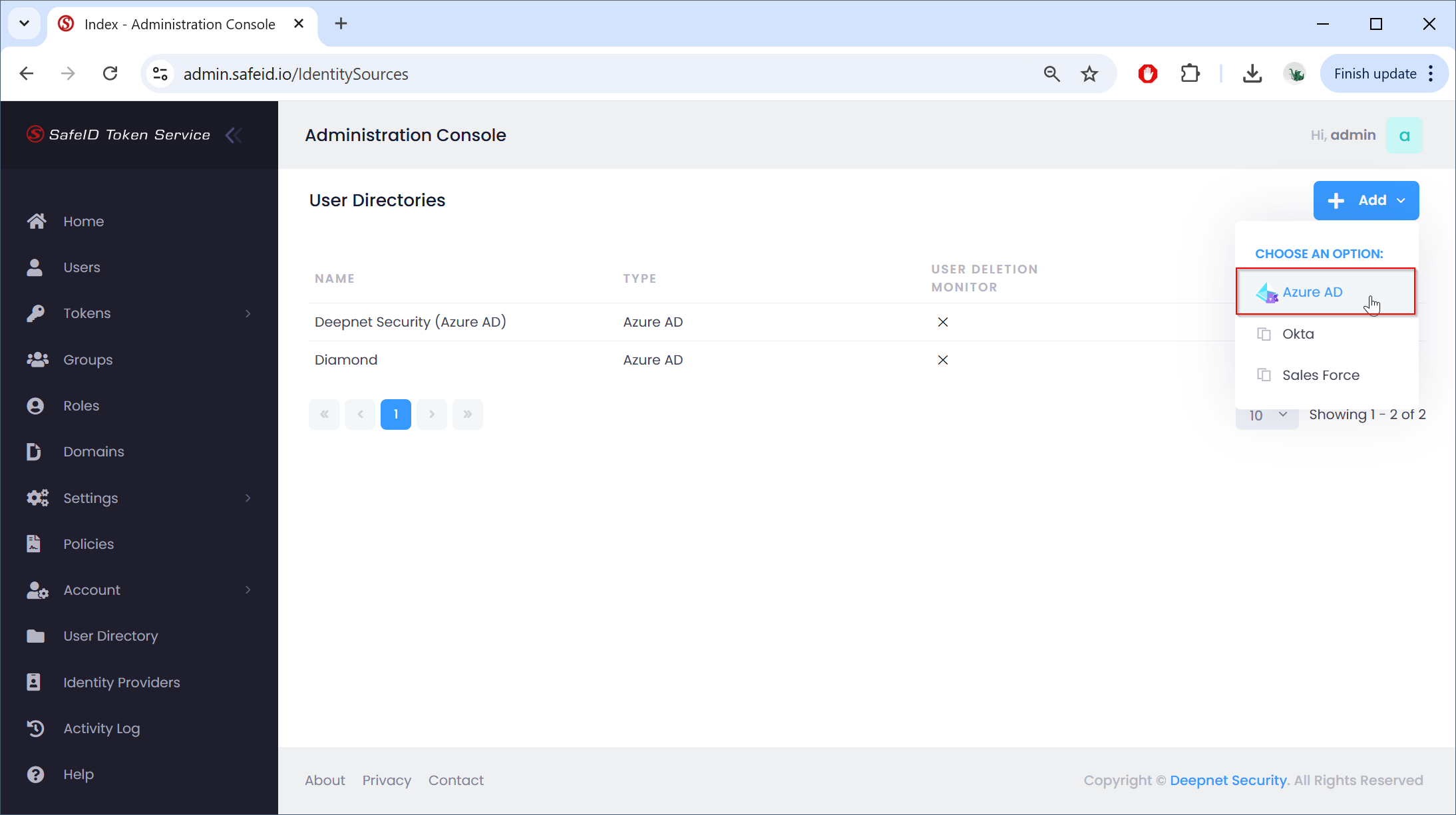
Click the "Add" button on the right, then select "Azure AD"
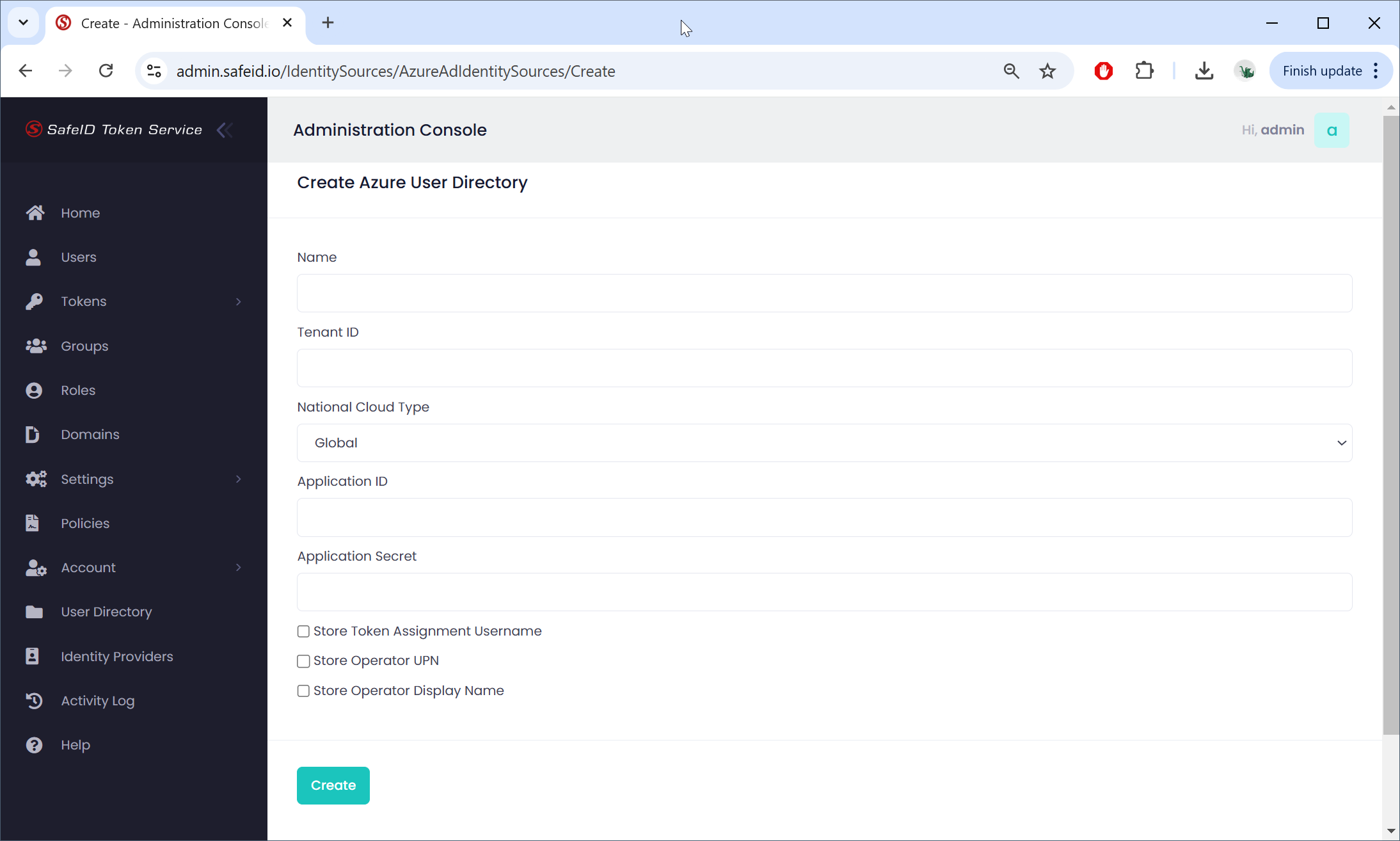
In the "Name" box, enter a name for the description
Fill in other boxes with the data from your Azure AD tenant and application.
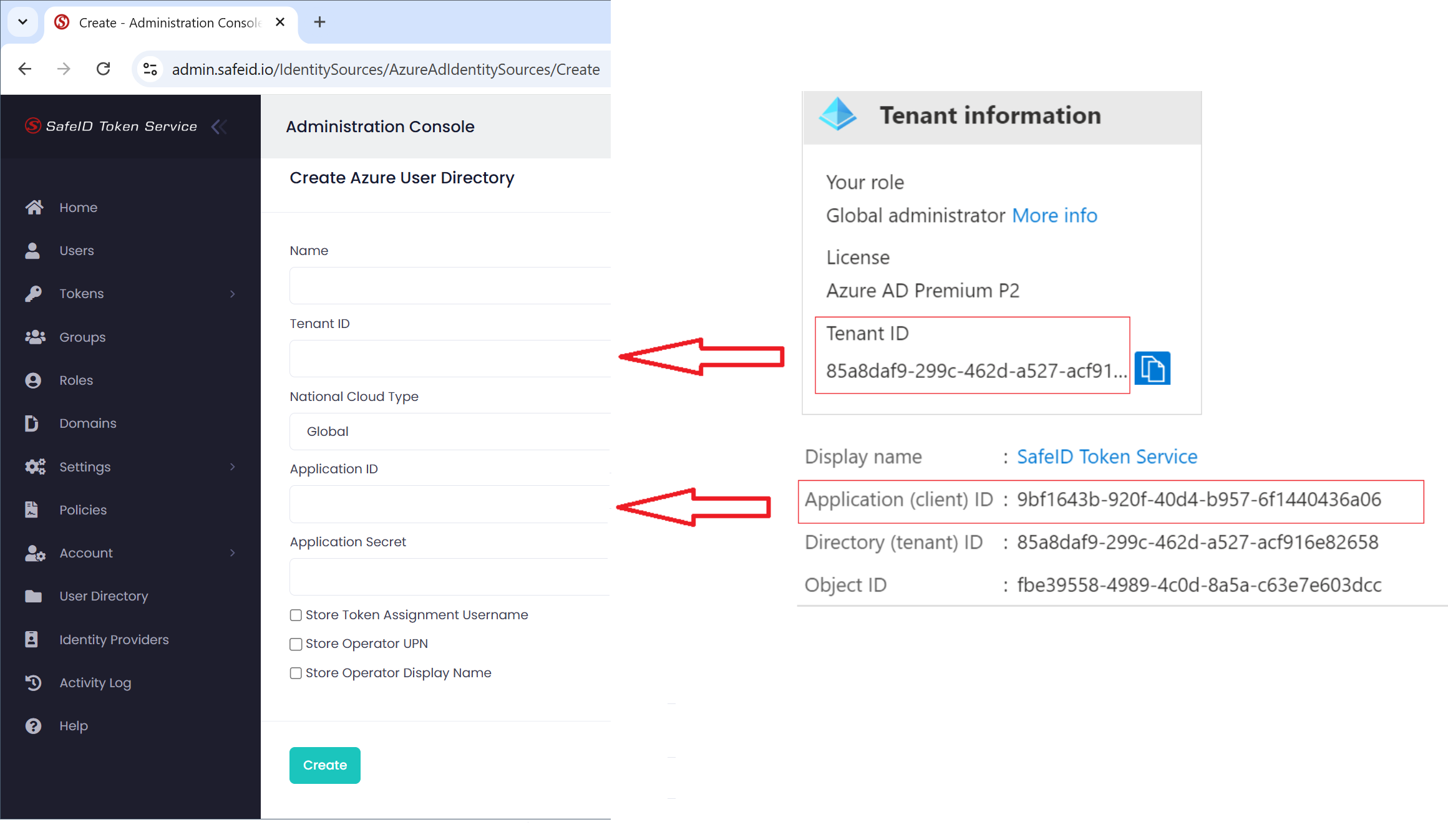
Fill in the Application Secret
Click "Create" to create the identity source