...
Normally an application will only have a single logon procedure, but it is possible that you might like to use more than one logon procedure with a single application (you might for example want to offer 2fa authentication to most of your users in a domain, but offer 3fa authentication to user in this domain who are members of a specific group).
...
It is important to note that if a group-held logon procedure are is being used, then a separate global logon procedure will also be required that provides the logon procedures steps that will be follow used during logon by users who are not members of the group.
Creating a group-held logon procedure
Since we will be working with logon procedures we first navigate to "Authentication | Logon Procedures";
...
In this example we have already protected the application "Reset Password Service" with a single logon procedure that has the same name as the application (this is our global logon procedure for the application), and has the following logon steps;
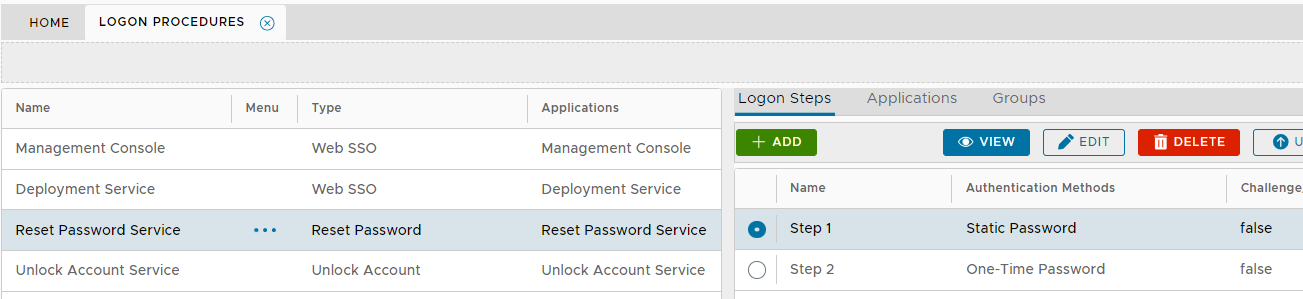
In this example, we will continue to use this global logon procedure for most users, but we will use a separate logon procedure for users that are members of an AD group.
...