- Log in to the management console in safe mode.

Navigate to "Directory | Users" , select the Domain "Management Console", then left click the context menu of the user account "sa" and select "Reset Password";
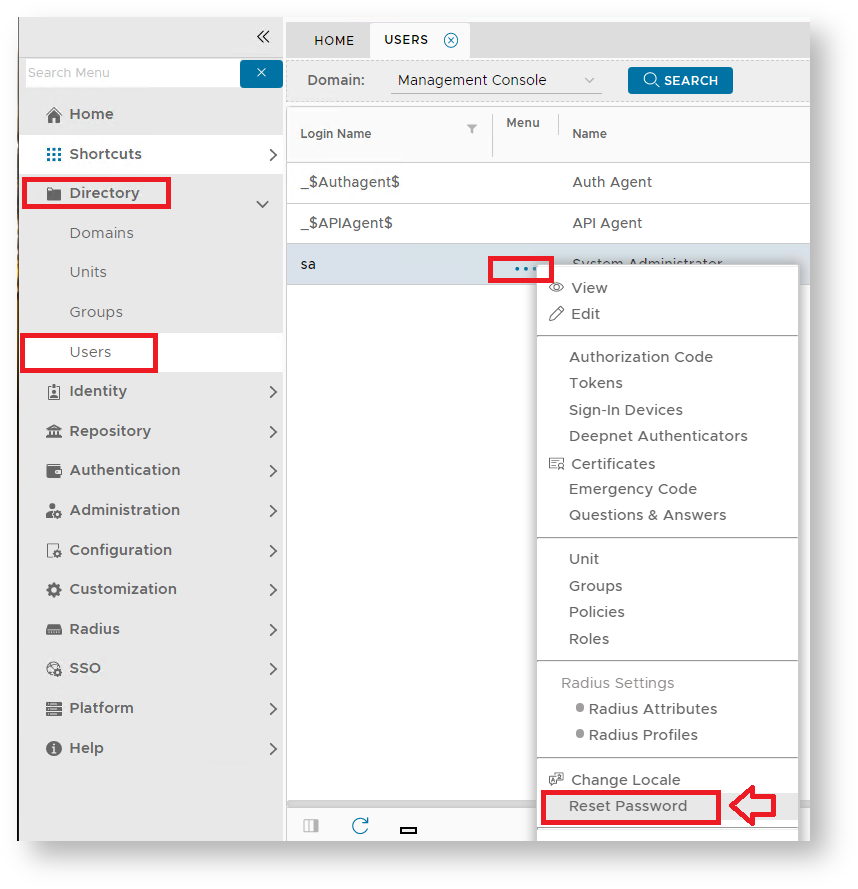
A new window will now open titled "Reset Password";
| Section | ||||||||||||||||||||||||||||||||||||||||||||||||||||
|---|---|---|---|---|---|---|---|---|---|---|---|---|---|---|---|---|---|---|---|---|---|---|---|---|---|---|---|---|---|---|---|---|---|---|---|---|---|---|---|---|---|---|---|---|---|---|---|---|---|---|---|---|
|
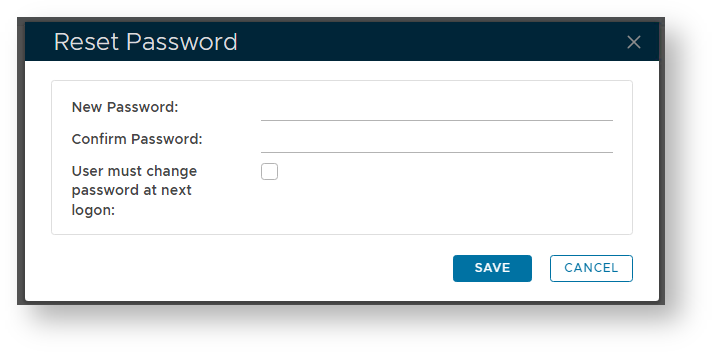
Enter and confirm the new password for the system administrator's account then click "Save".
The password for the system administrator will now be changed to your new password, and the management console can now be exited.
...