...
To enable the reverse proxy function in the IIS server, follow steps below.:
| Table of Contents |
|---|
Enable Proxy in the IIS Manager
Select the web server node (under "Start Page" if it is the first web server) from the list on the left pane in the IIS Manager console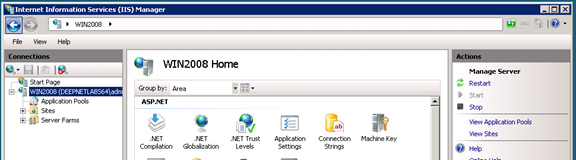

In the "features view" window (the window in the middle), find "Application Request Routing" and double click it

On the right pane, find the "Server Proxy Settings..." link and click it
Back to the middle pane, tick (enable) the first check box, "Enable Proxy"

Click "Apply" to save the change.
Enable Proxy in the DualShield IIS Agent


