- Right-click the Windows Start button and select Run.
- Type "certsrv.msc" and press Enter.
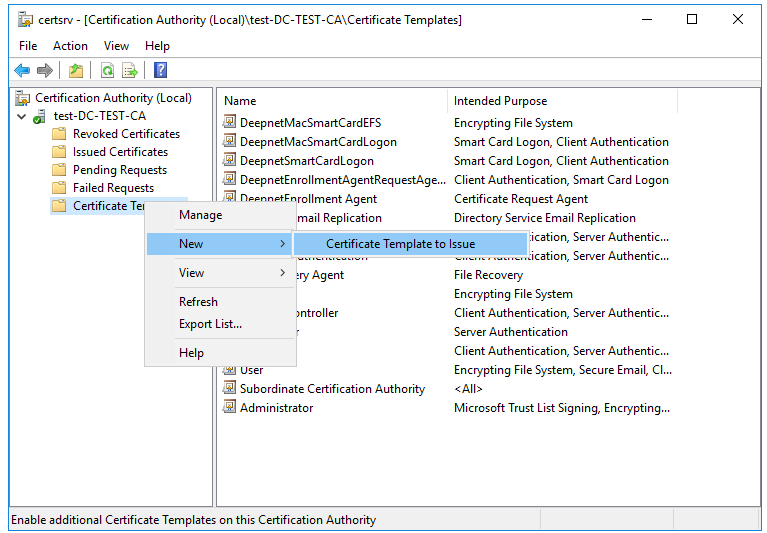
- Click Certification Authority, double-click your server, right-click Certificate Templates, select New and then select Certificate Template to Issue.
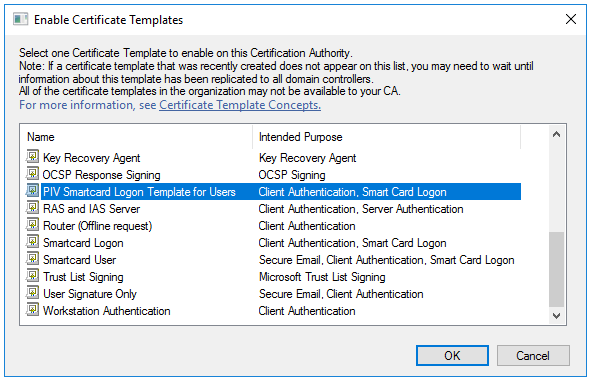
- Locate and select the recently created self-enrollment template, and then click OK