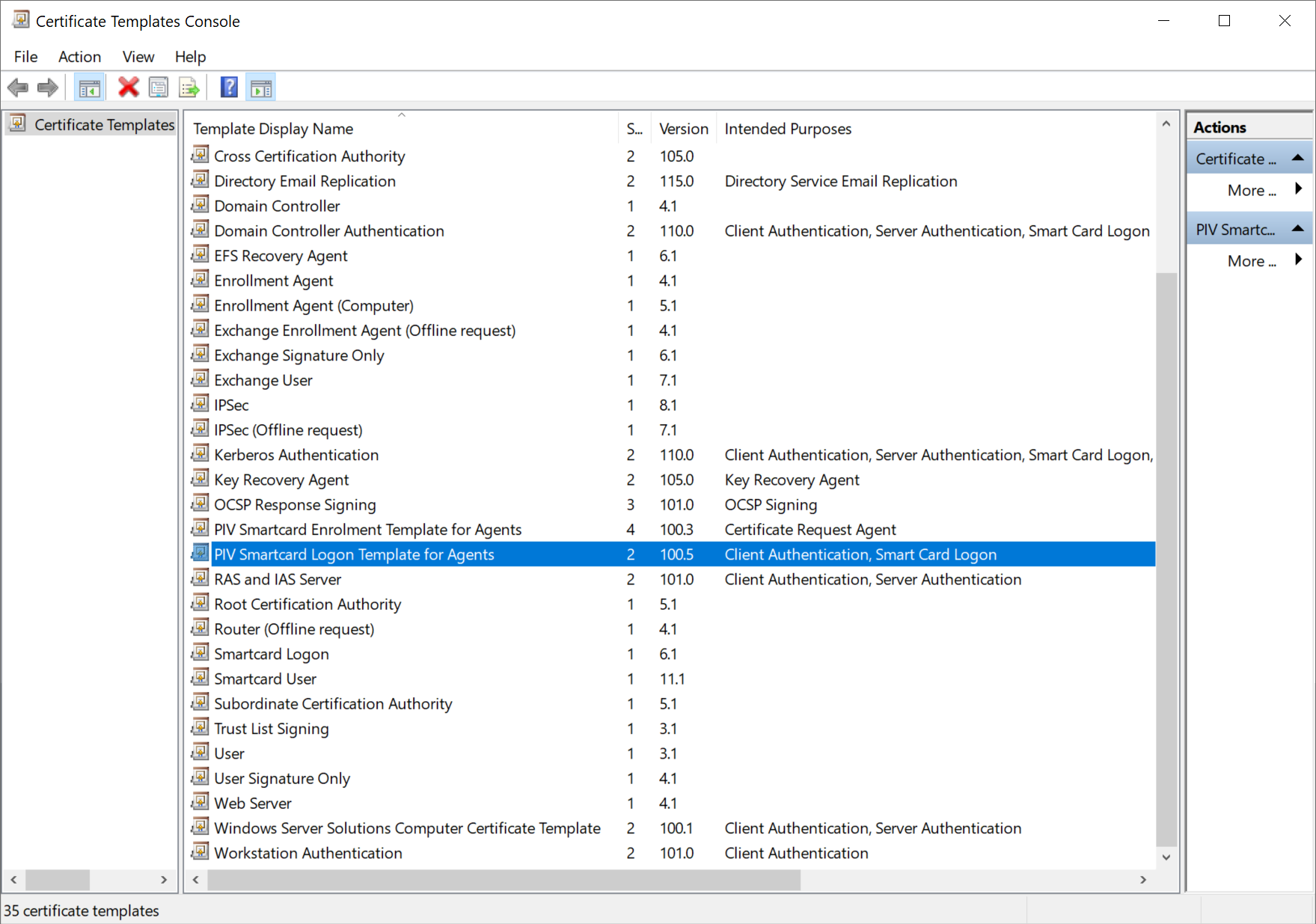
In order to be able to issue a smart card certificate on behalf of another user, the Smart Card User or Logon template needs to be adjusted to require the Enrolment Agent certificate for enrolment.
In the Certificate Templates Console, duplicate the Smartcard Logon template.
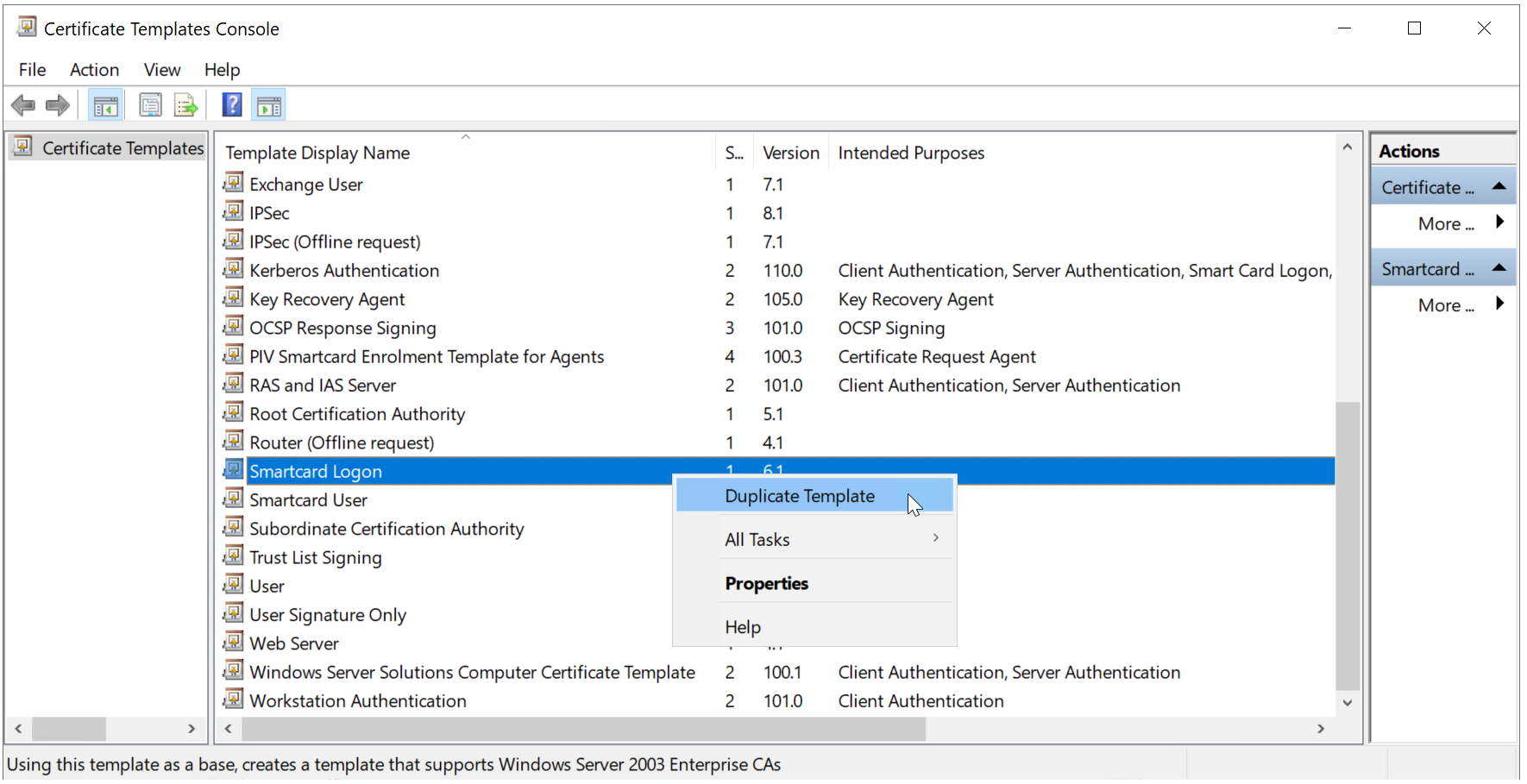
Right click "Smartcard Logon", and then select "Duplicate Template"
First, the Compatibility tab is selected
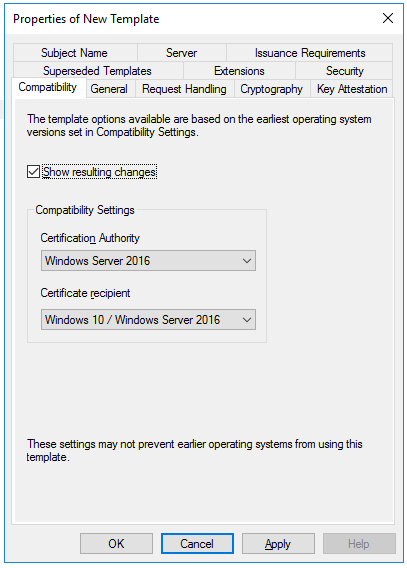
In the Certification Authority box, select the OS version of the CA server
In the Certificate recipient box, select the oldest OS version of the client machine in the domain
Next, select the General tab
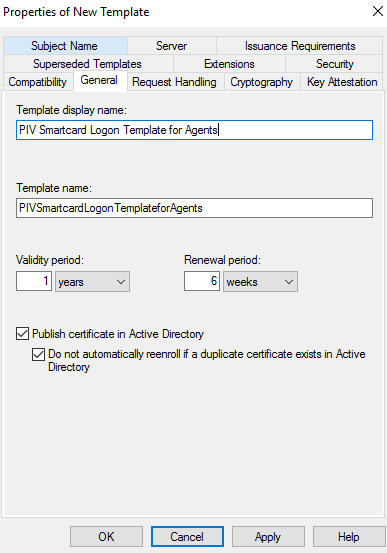
Provide the name of the template, e.g. "PIV Smartcard Logon Template for Agents"
Optionally, you might want to change the Validity period and Renewal period
Enable the option "Publish certificate in Active Directory"
Next, select the Request Handling tab
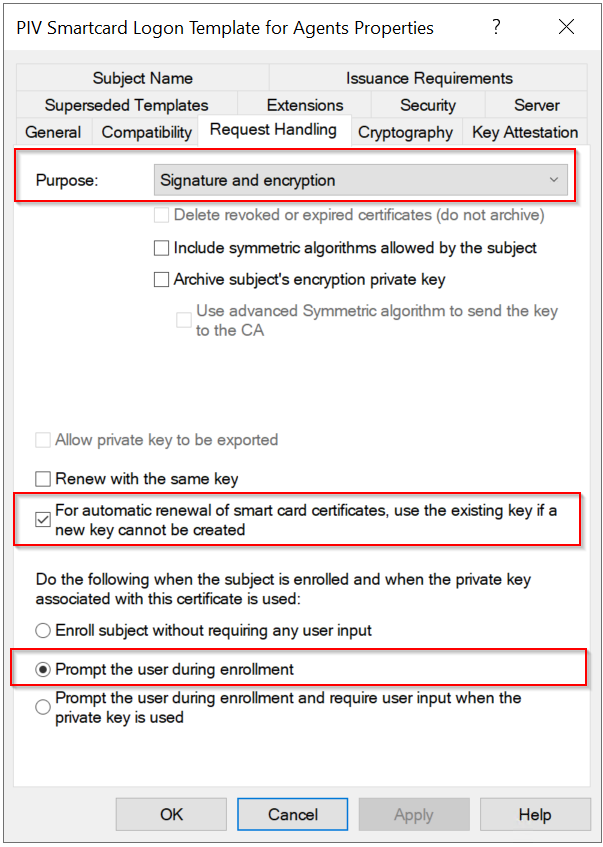
Make sure that you have selected the options as highlighted above
Next, select the Cryptography tab.
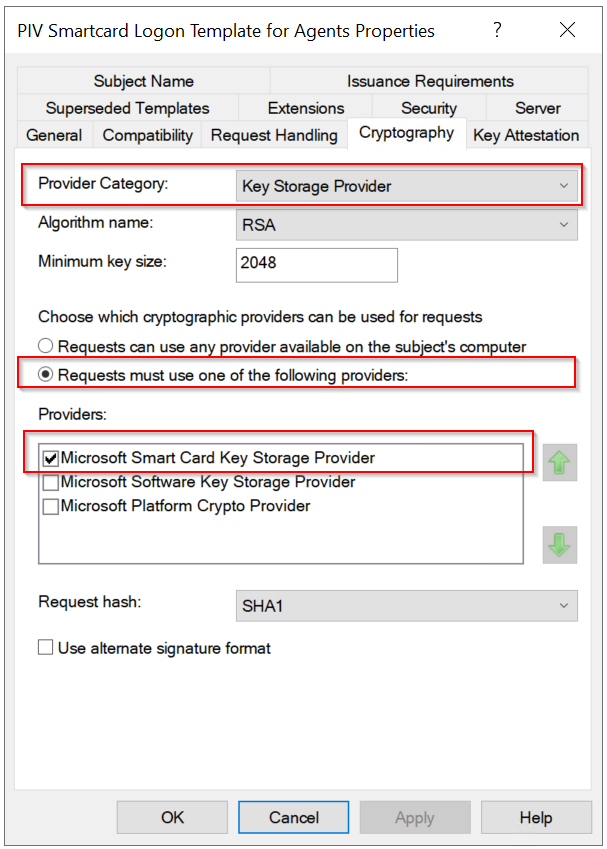
Make sure that you have selected the options as highlighted above.
Next, select the Insurance Requirements tab
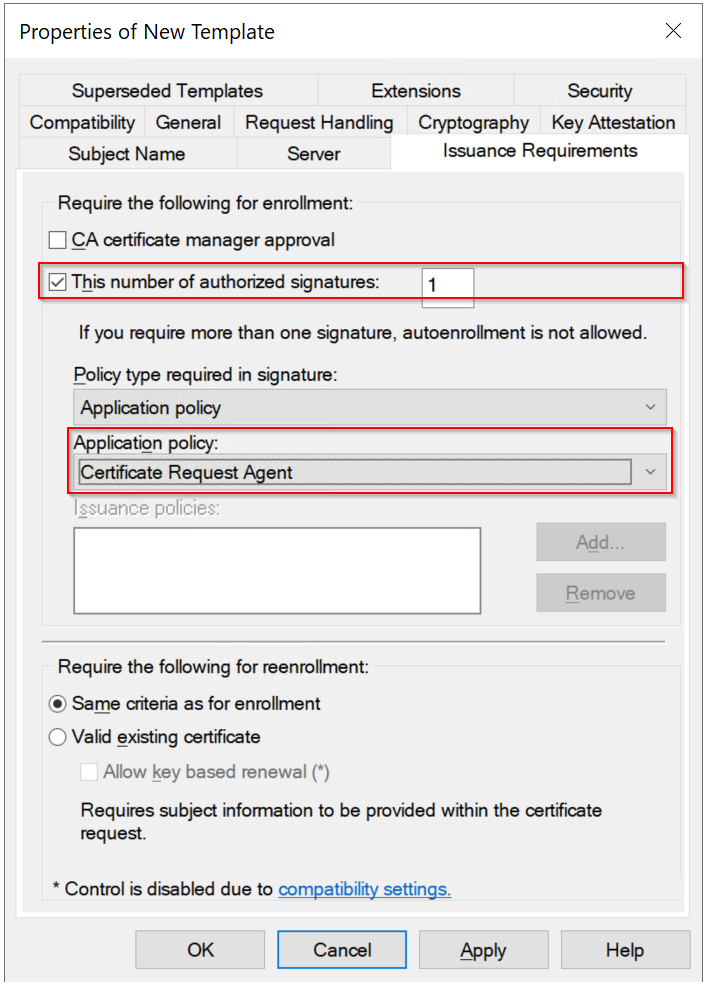
Make sure that you have selected the options as highlighted above.
Next, select the Security tab,
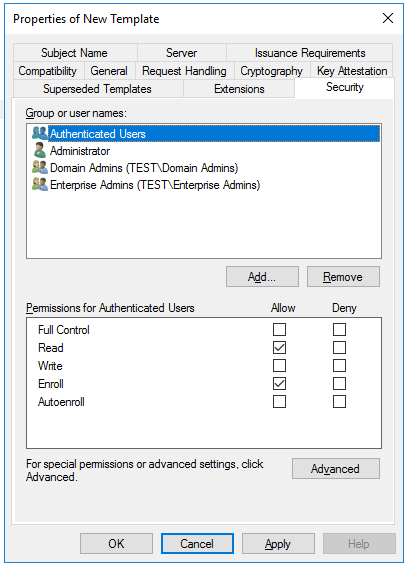
Make sure that the Read and Enroll permissions are enabled for the user or group of users who will be setting up the smart cards for logon.
Click Apply, and then click OK to close the template properties window.