The Deepnet Security online TOTP code generator can be accessed at the URL below.
https://www.deepnetsecurity.com/tools/totp-generator/
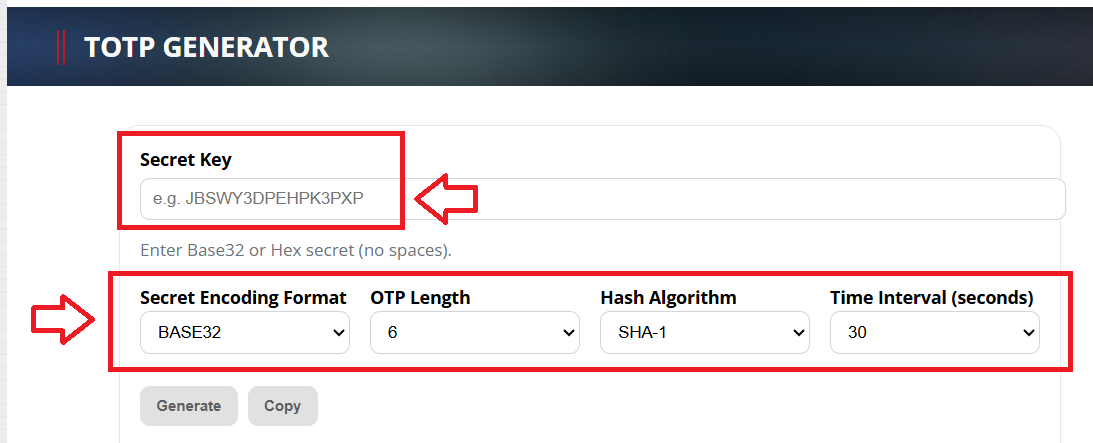
- At "Secret Key", fill in the secret key (seed) data that matches the serial number of the token you are testing
- At "Secret Encoding Format", select the format that matches the format in your CSV file (for azure this will be Base32)
- At "OTP Length", select "6 digits"
- At "Hash Algorithm", select "SHA-1"
- At "Time Interval", select either "30 seconds" or "60 seconds" (This depends upon use. Commonly, it is 30 seconds).
When you have supplied all the details above, click  , and OTP codes will now start to be generated using the supplied seed data;
