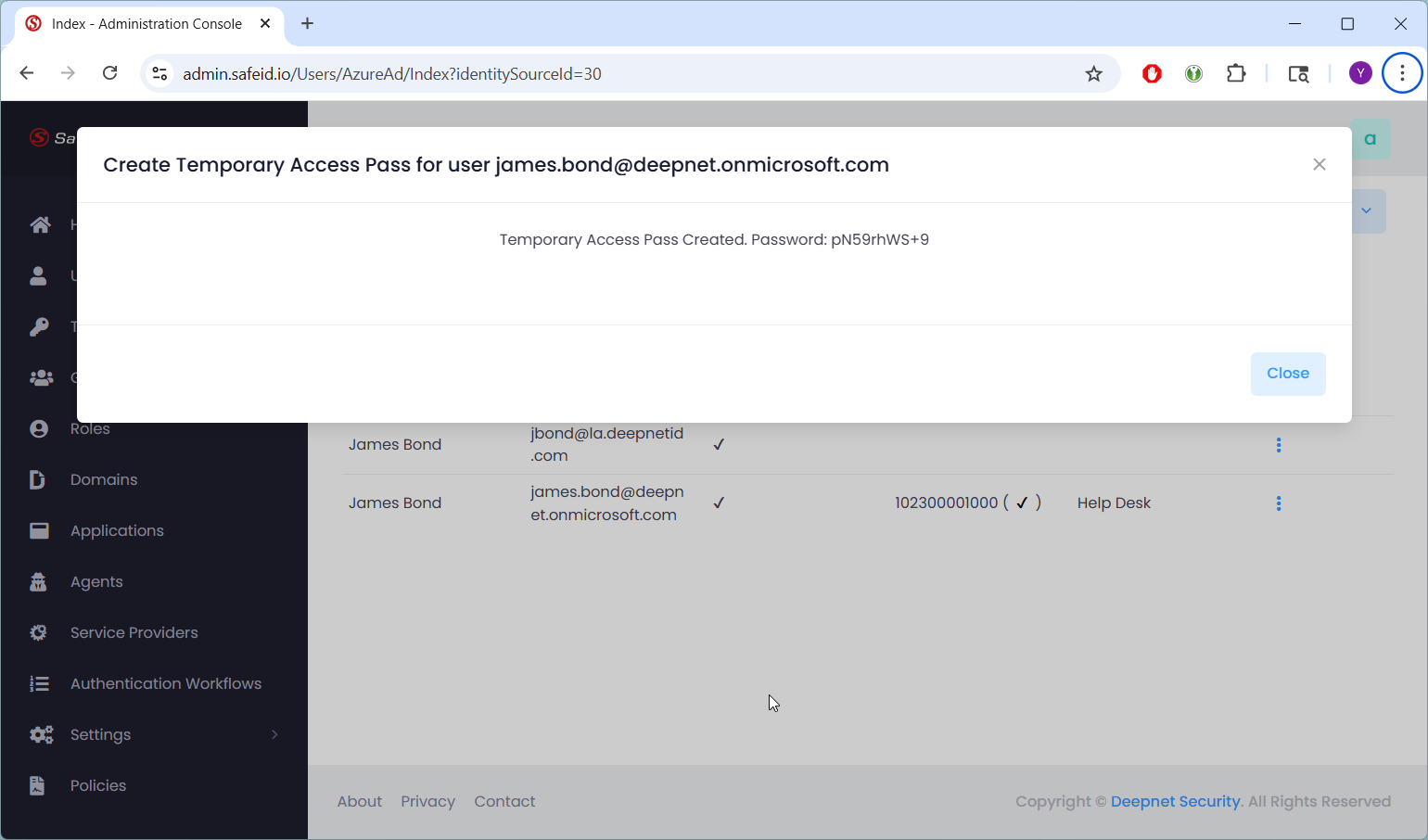
In the STS admin console,
- Navigate to "Users"
- Select the User Directory, e.g. "Deepnet Security"
- Search for the targeted user, e.g. "James Bond"
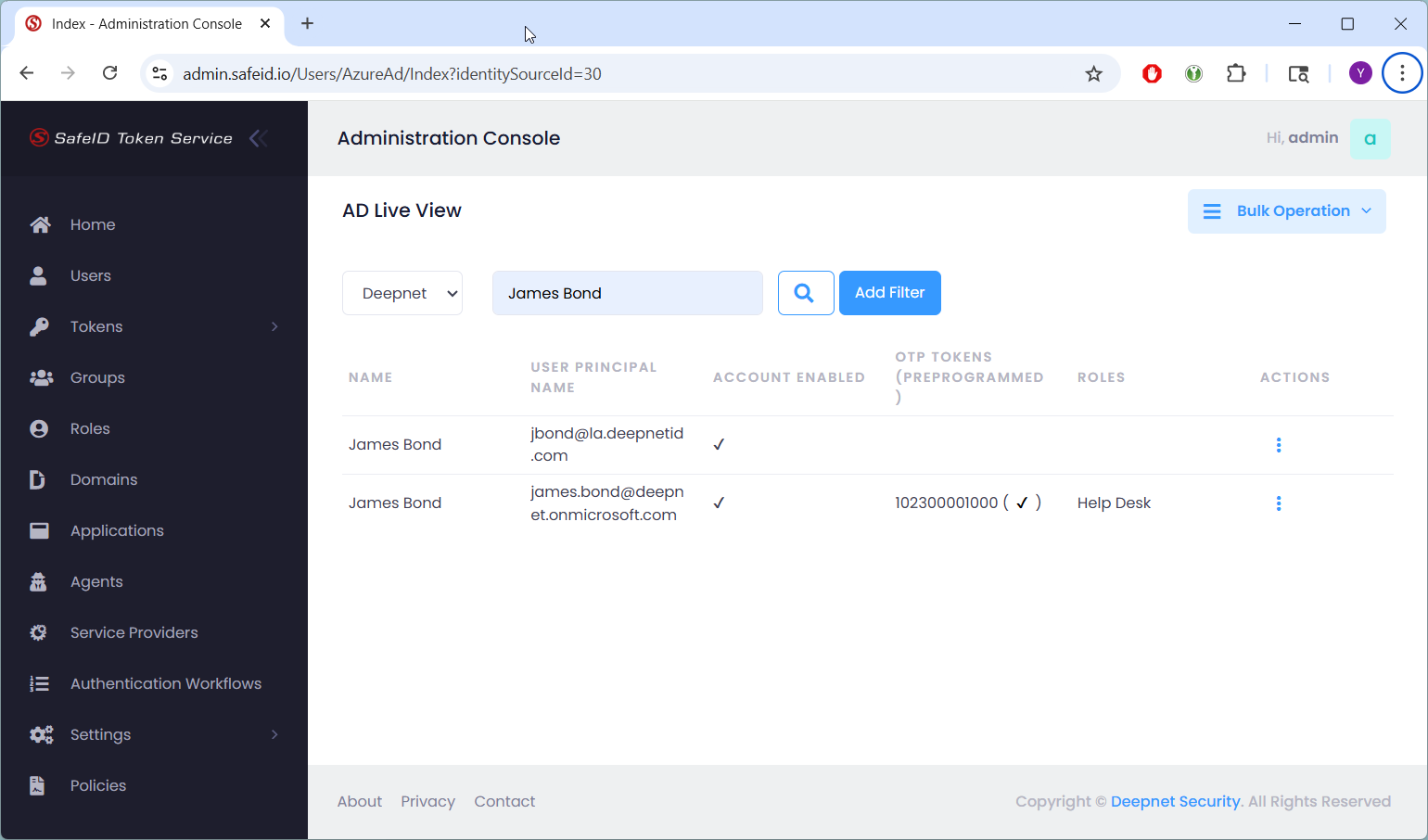
Click the Actions menu of the targeted user
Select "Create Temporary Pass"
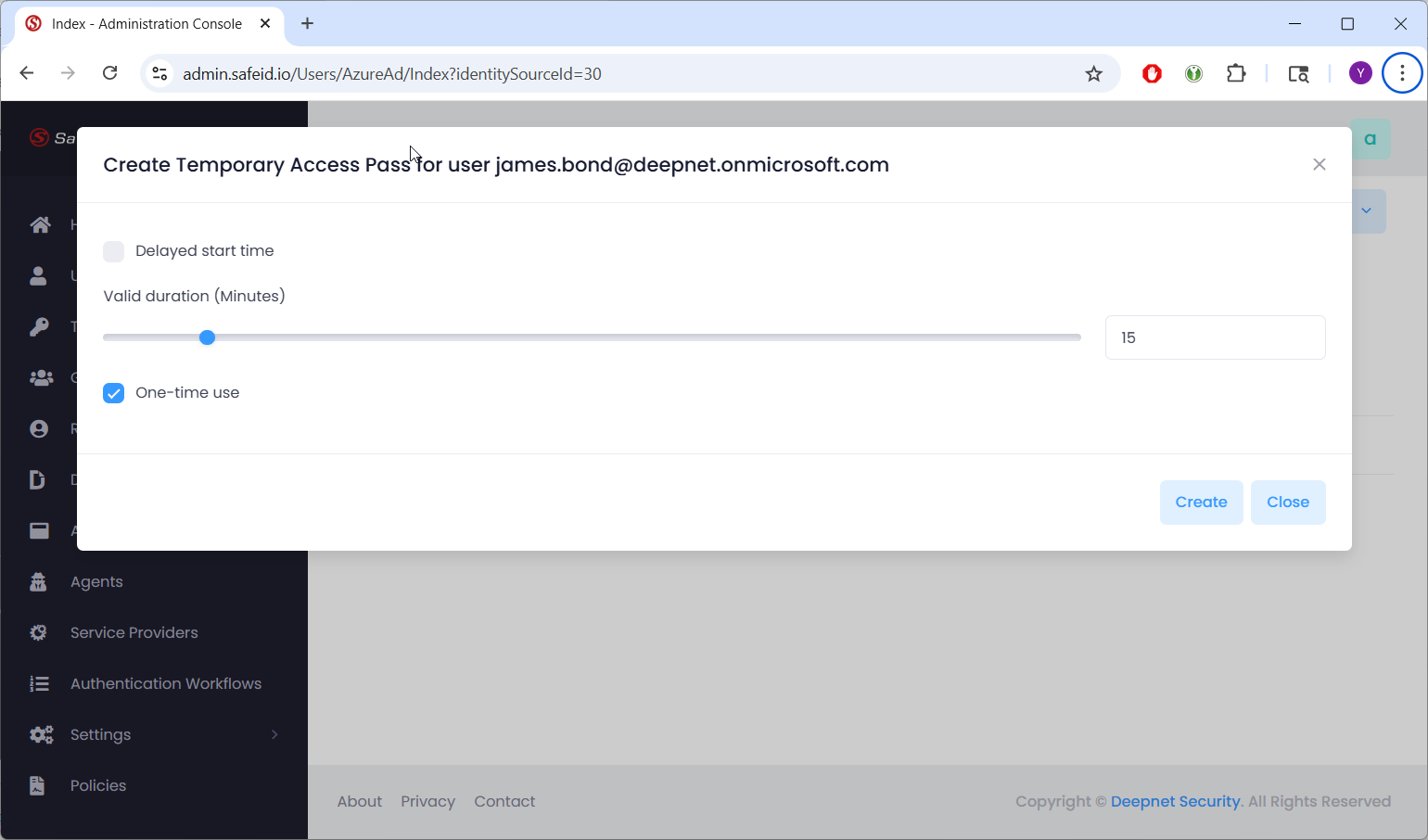
You can change the validity duration and one-time use options, if you wish
Click the "Create" button to create a temporary access pass for the user