The authentication protocol used is EAP - PEAP/TLS. Therefore an SSL certificate will be needed in the RADIUS server settings.
You can either import an existing SSL certificate
In the Admin Console, select "Repository | Certificates | Server Certificates"
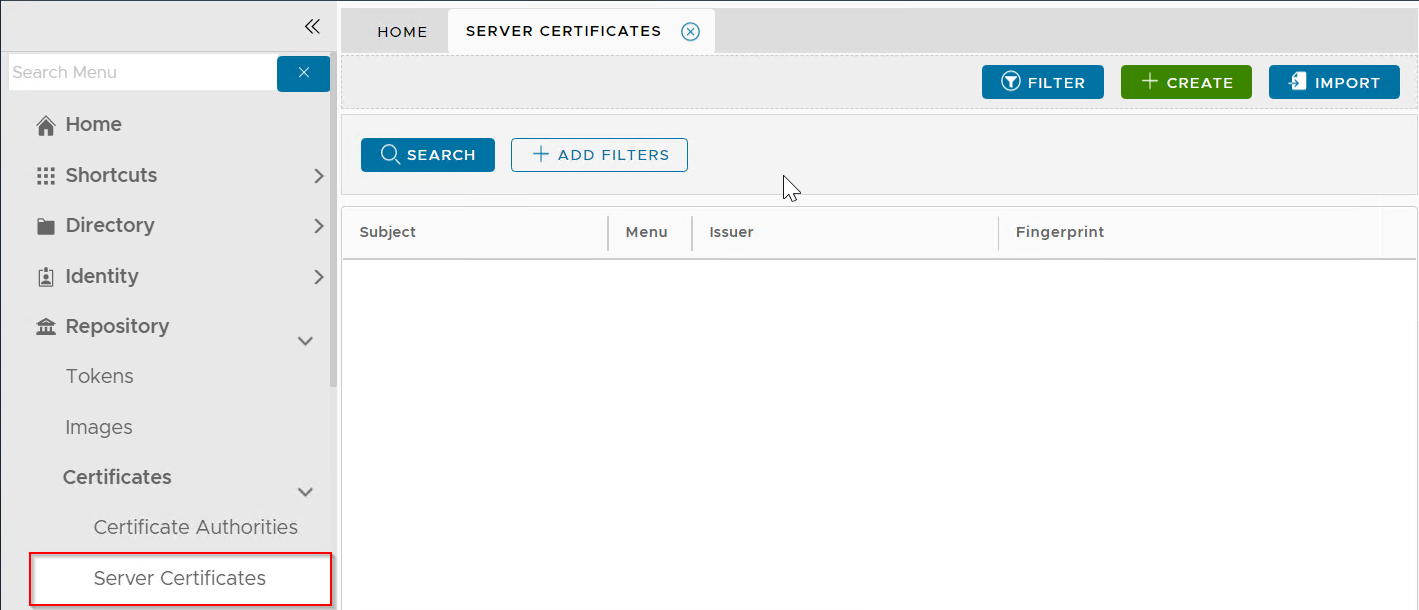
Click the "Import" button
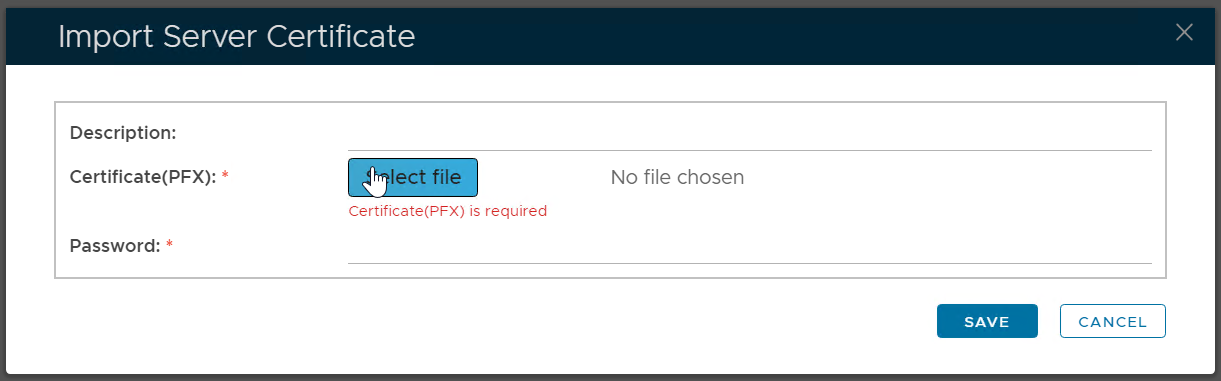
Enter a description
Select the certificate PFX file to be imported
Enter the password of the PFX file
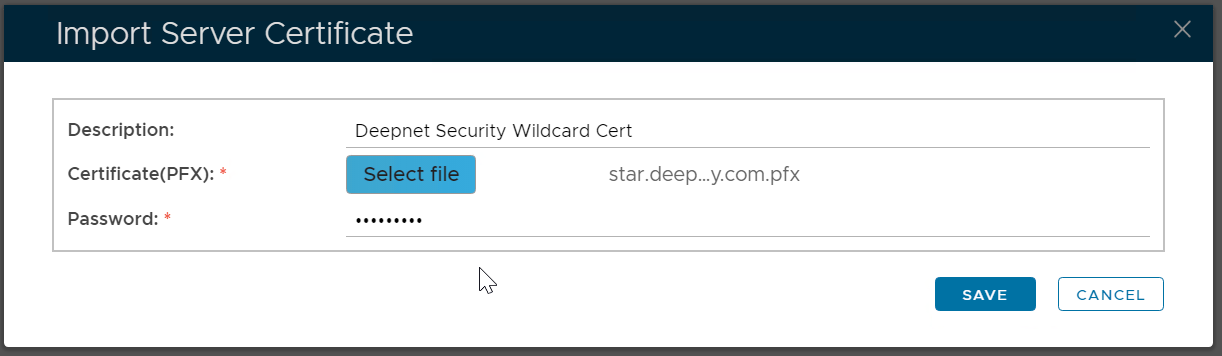
Click "Save"
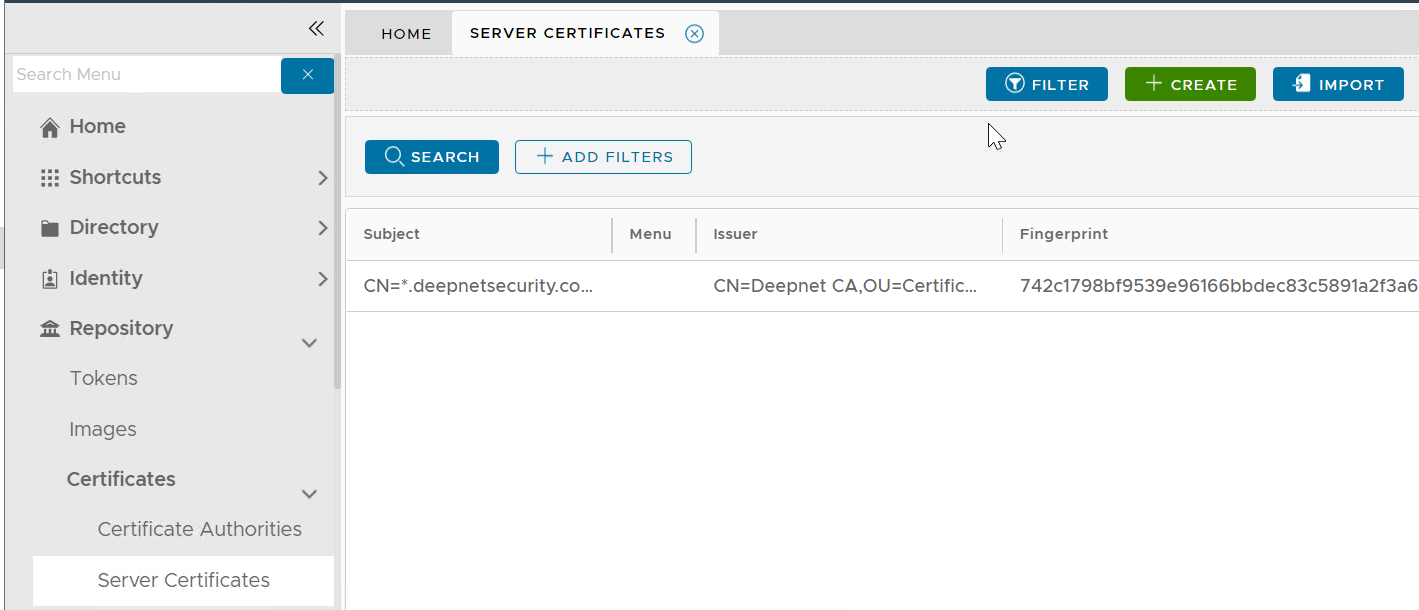
Please note that this does not automatically update the web certificate of your DualShield consoles. If you wish to do that then...
Navigate to "SSO | SSO Servers", click the context menu of "Single Sign-On Server"
Select "Replace Certificate" from the context menu

The "Replace Console Certificate" window will pop up:
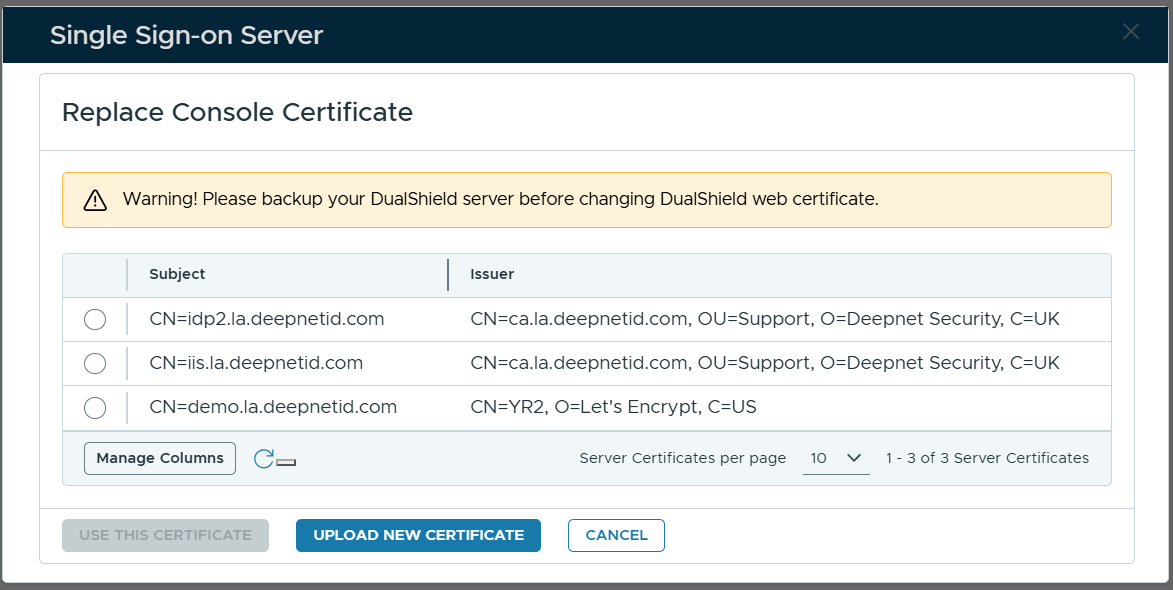
Select the certificate to be used
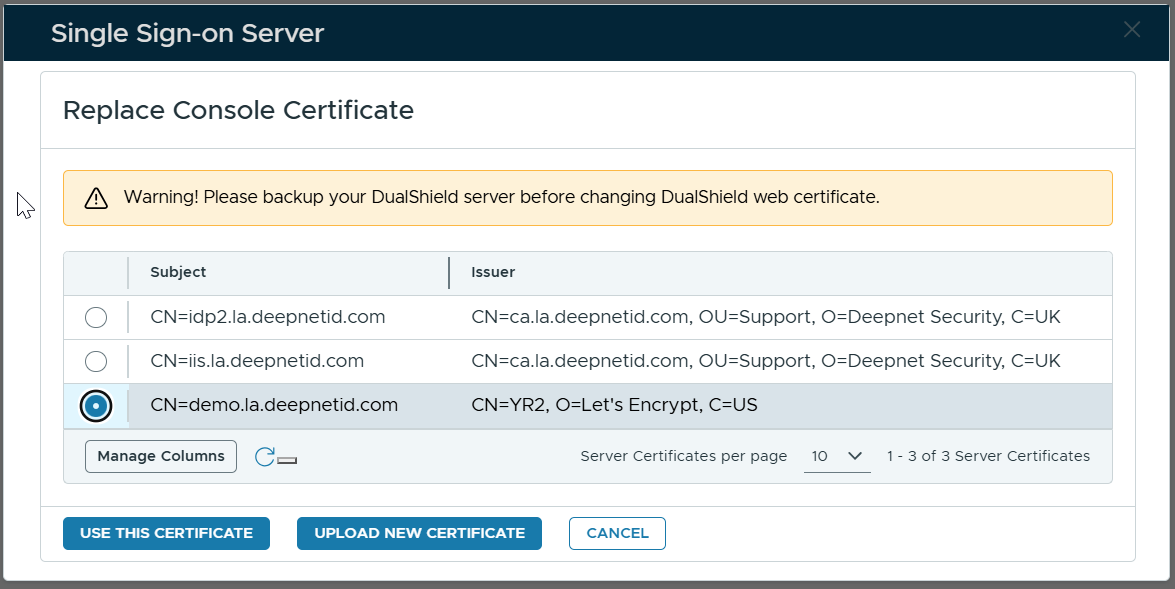
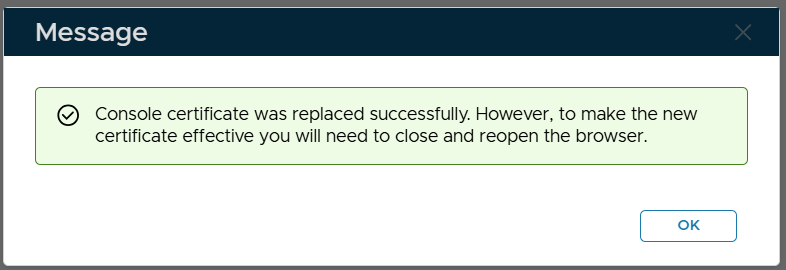
Click "Use This Certificate"
Or, you can apply for a new SSL certificate