Login to the DualShield Service Console (DSC)
Find the MobileID token, click its context menu
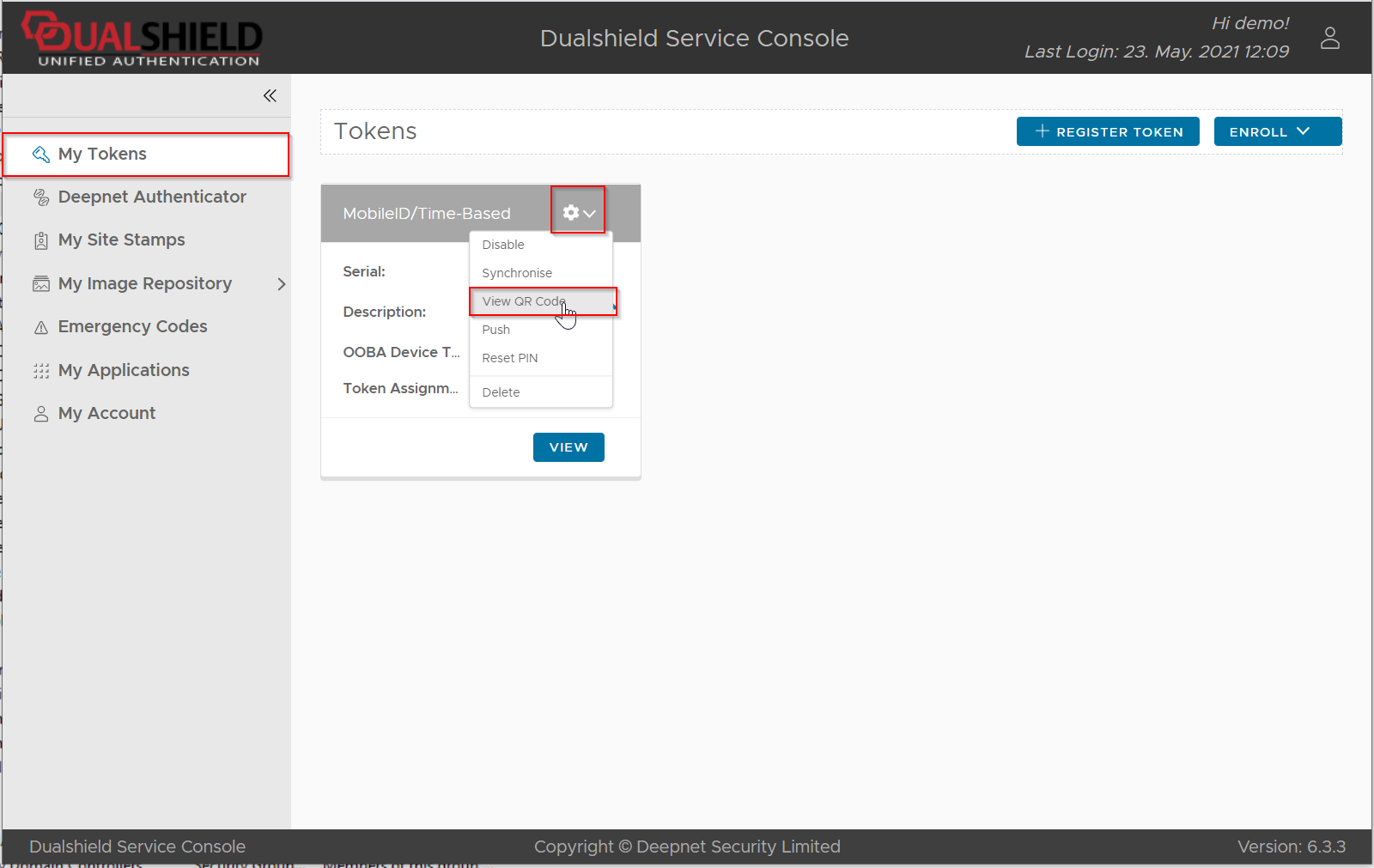
Select "View QR Code" from its context menu
Login to the DualShield Service Console (DSC)
Find the MobileID token, click its context menu
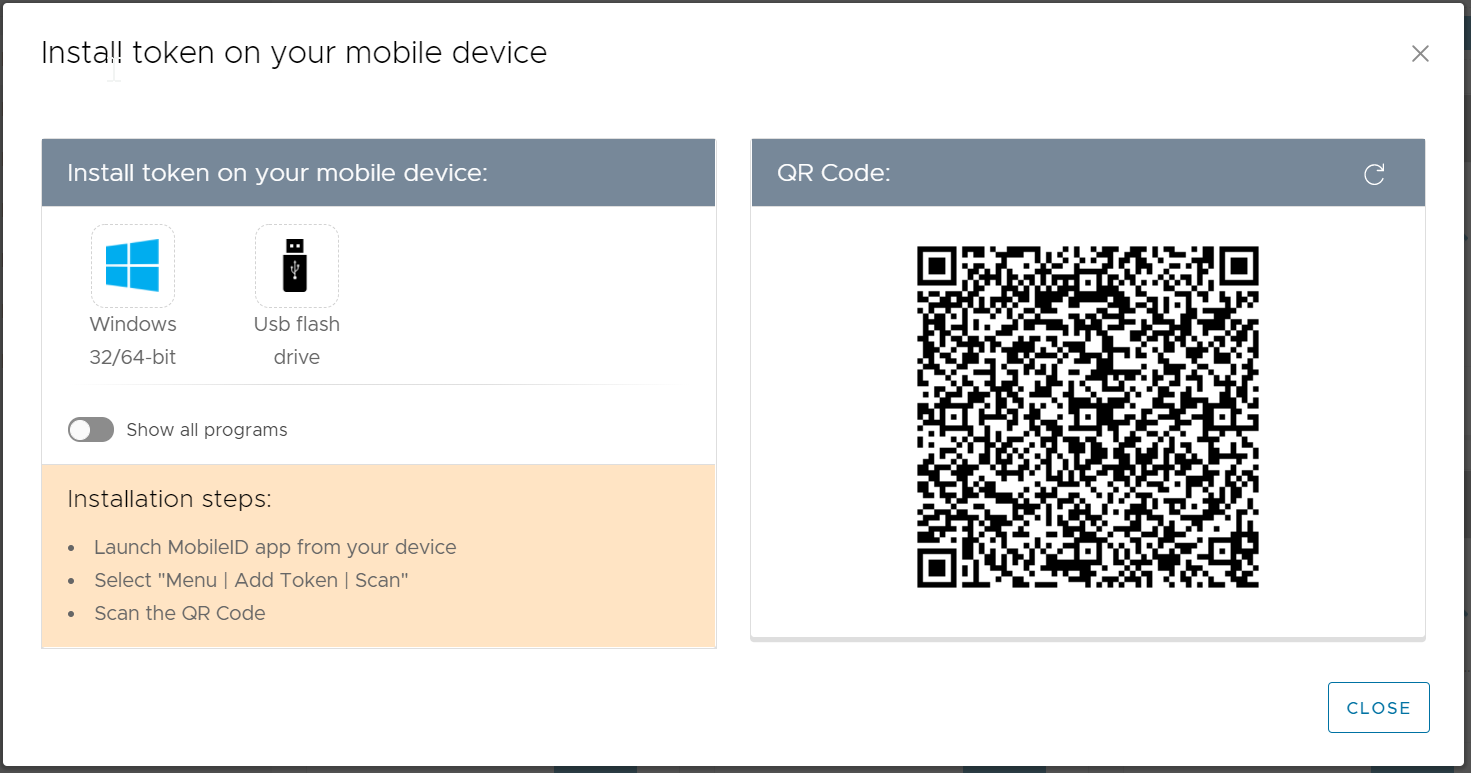
Select "View QR Code" from its context menu