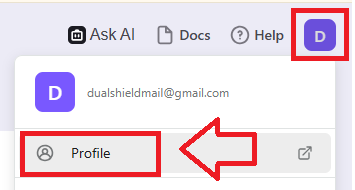
Sign in to the your Logto account, then after clicking on your user icon select the option "Profile";
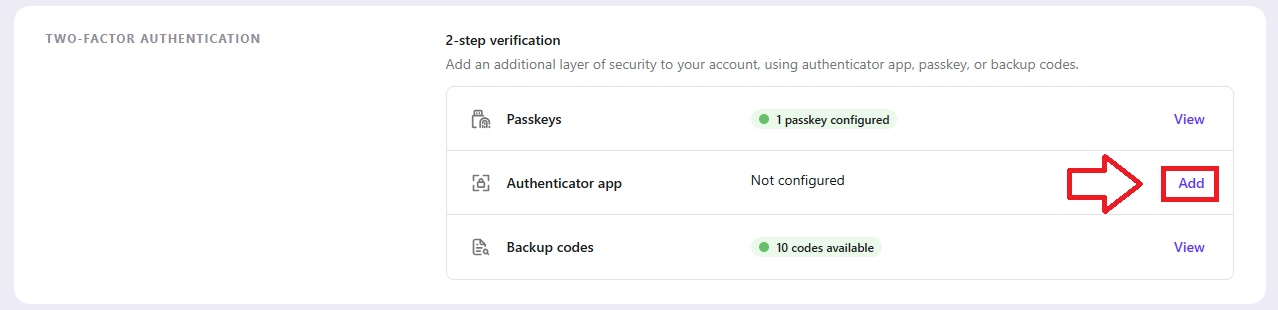
In the section "Account Settings", scroll down to the "Two-Factor Authentication" section, then against the option "Authentication app", click on the "Add" link;
You will now need to verify that you have permission to make this security change, and will be prompted to verify your identity;
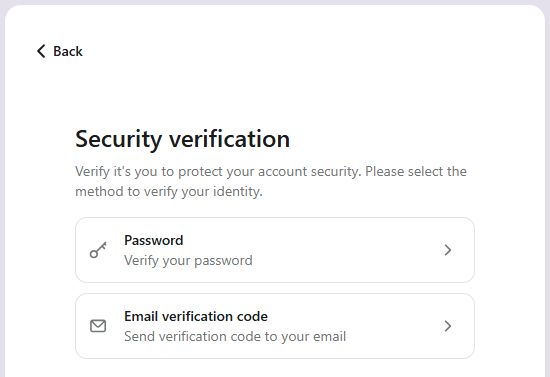
Select one of these options, then after verification you will be presented with a QR code that can be used to burn onto your programmable token;
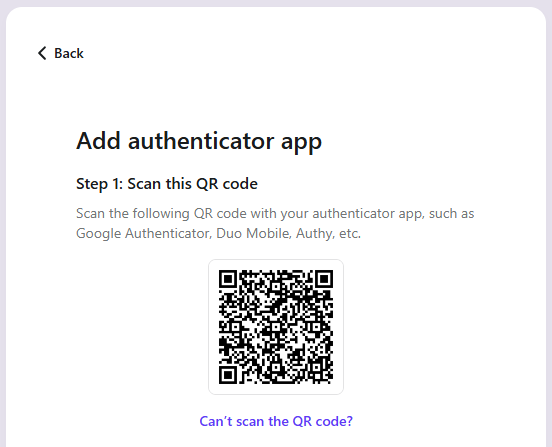
You can use the QR code to program our programmable tokens using the instructions found in the following procedure;
Once you have programmed your token you will need to verify it with Logto.
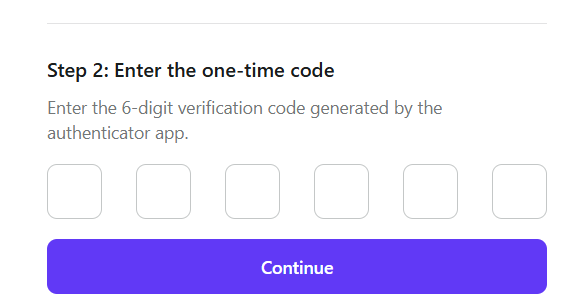
Obtain a 6 digit code from your recently programmed token, then copy it to the the boxes below the area titled "Enter the one-time code", then click  ;
;
After you have submitted your 6-degit code you presented with confirmation that the authentication method has been added as a new authentication method;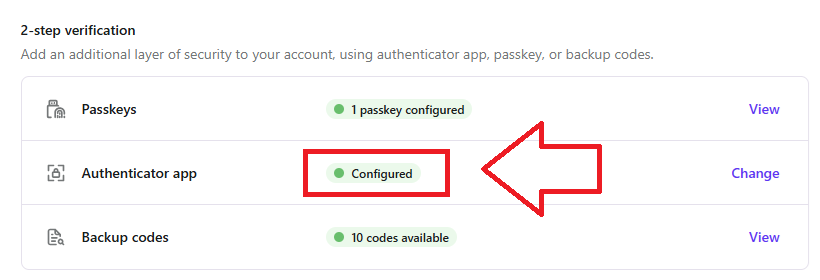
Your programmable token is ready to supply OTP codes when you next login to your Logto account.