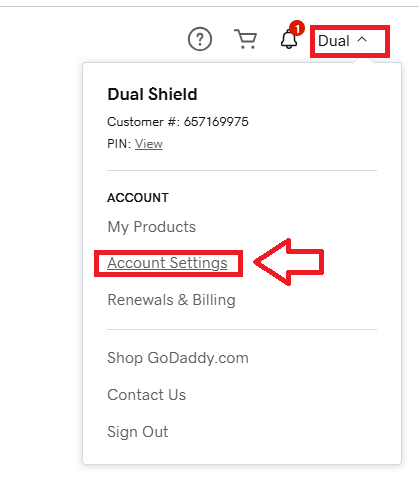
Sign in to the you GoDaddy account,, then select "Account Settings" (see below);
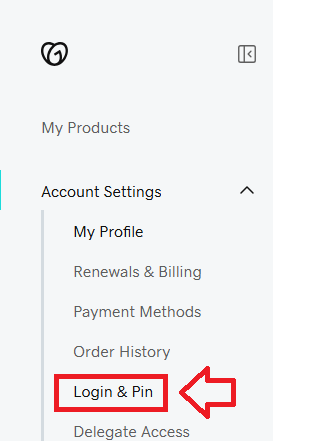
Next select the option "Login & Pin";
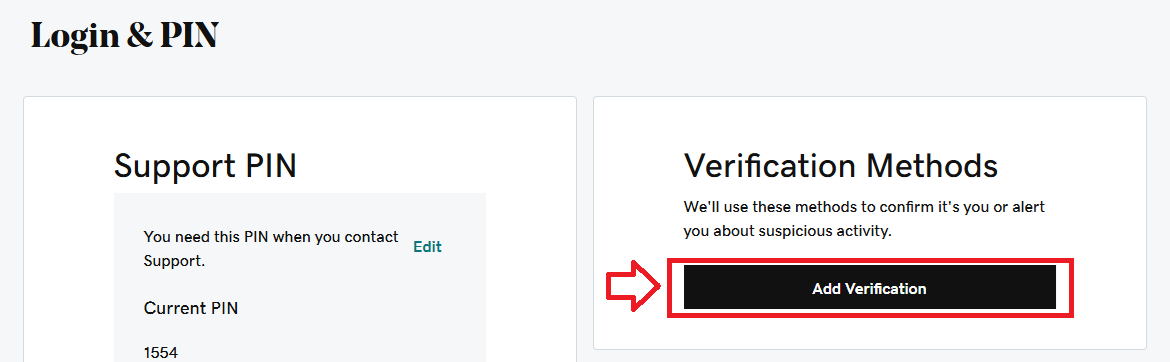
A new window titled "Login & Pin" will now open, in the section "Verification Methods" click on the button "Add Verification";
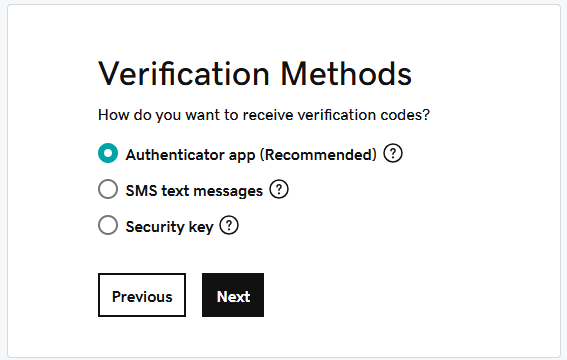
Keep the recommended verification method (Authenticator app) selected and click  ;
;
You will then be presented with a QR code;
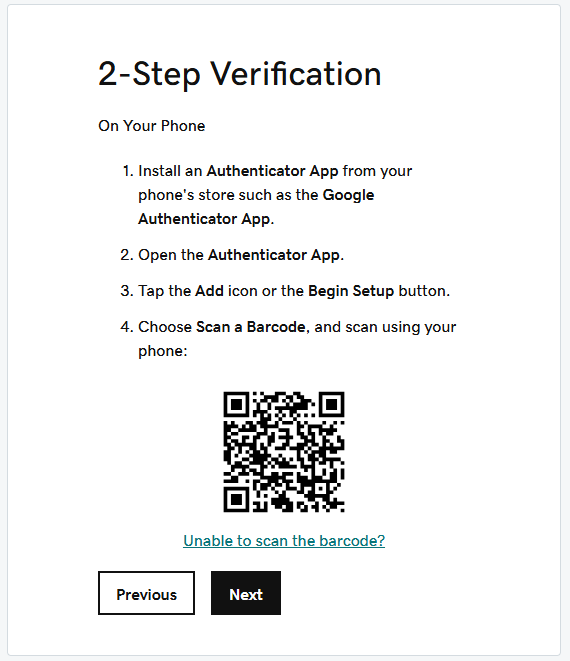
You can use the QR code to program our programmable tokens using the instructions found in the following procedure;
Once you have programmed your token you will need to verify it with GoDaddy.
Obtain a 6 digit code from your recently programmed token, then copy it to the GoDaddy verification prompt (see below);
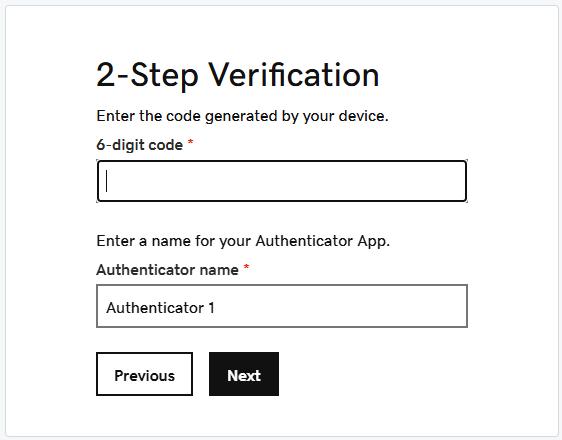
Name your Authenticator something like SafeID Token, then click 
Confirmation will be shown about the newly added authentication method, alongside options to obtain backup codes;
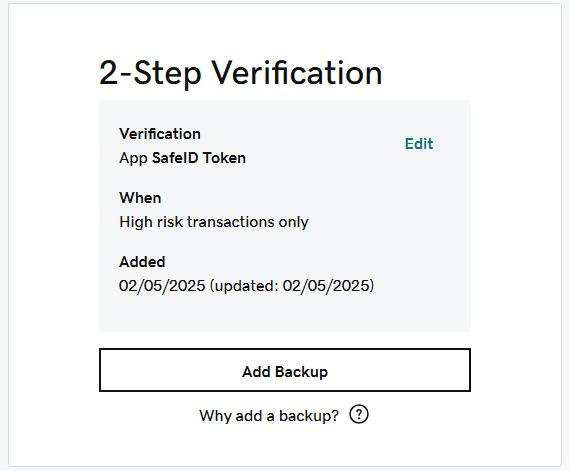
You are now ready to use your programmable token as an OTP source when you next log in to your GoDaddy account.