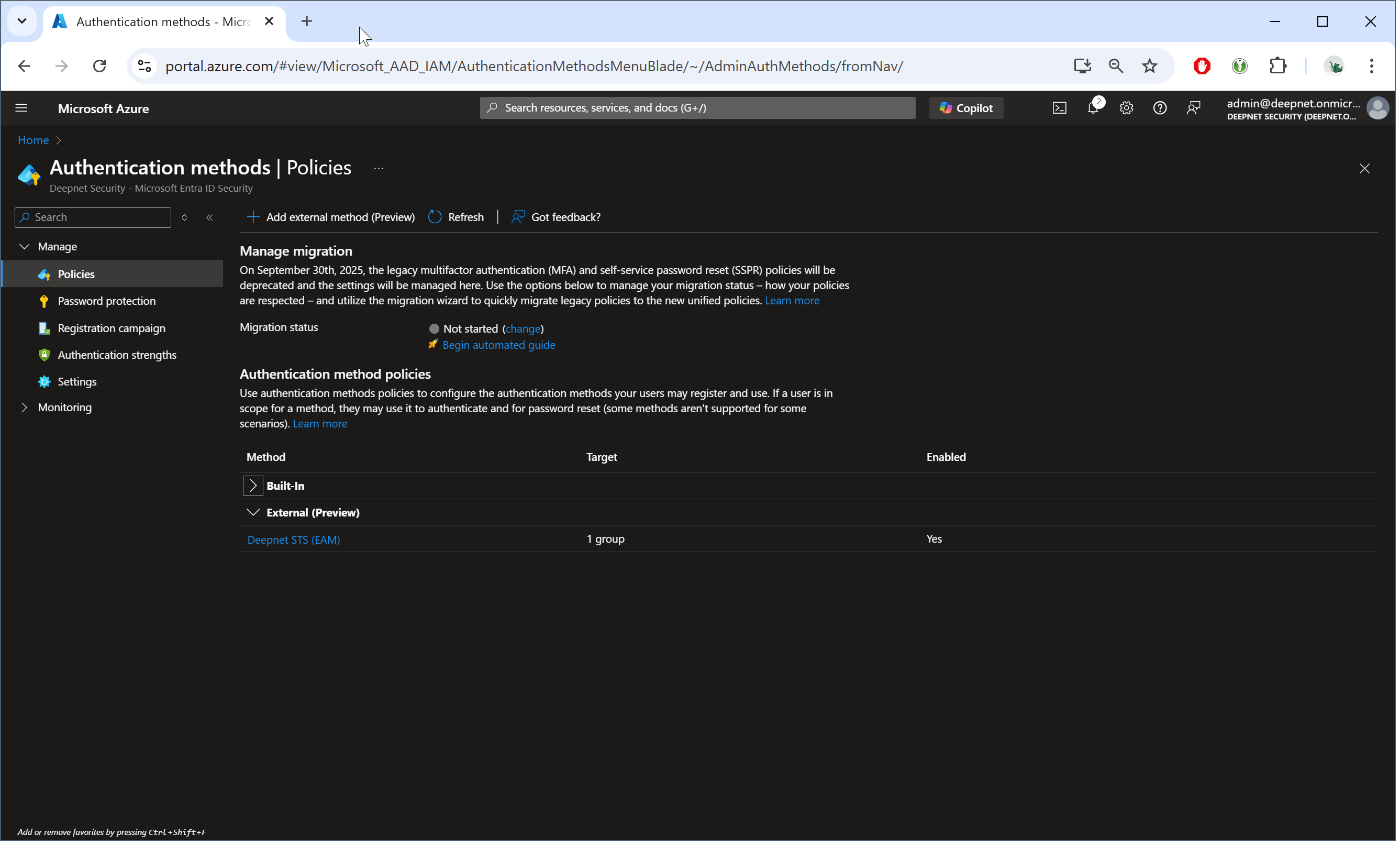
...
| Field | Value | Remark |
|---|---|---|
| Name | name of the new external authentication method, e.g. "Deepnet STS (EAM)" | |
| Client ID | GUID of the service provider created in STS (for EAM integration, e.g. "Entra ID EAM" ) for EAM integration | |
| Discovery Endpoint | https://admin.safeid.io/api/EntraEam/Metadata | for Cloud Customers Only |
| App ID | 705c9081-40c1-4259-85d7-9a25235a1a6f | for Cloud Customers Only |
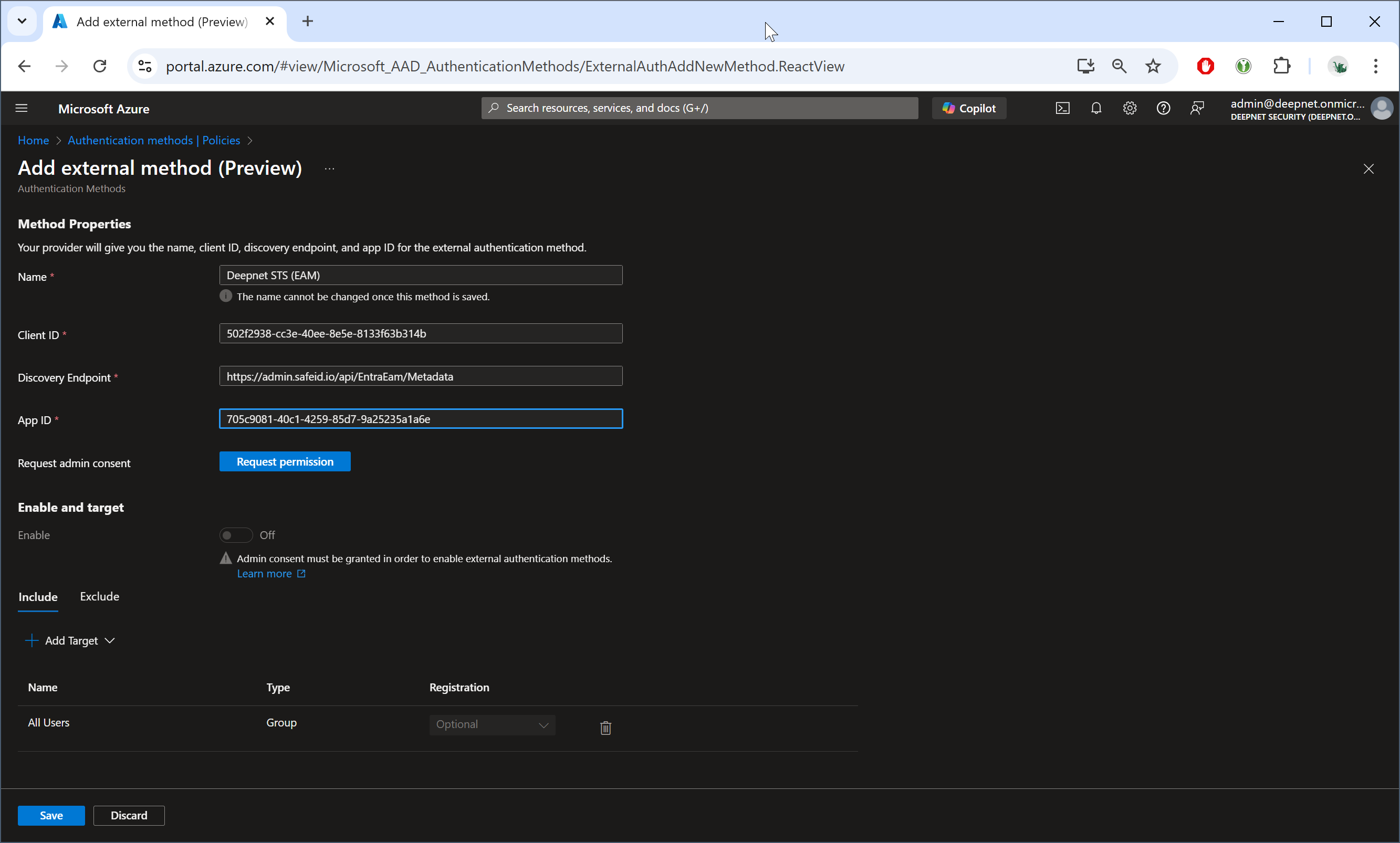
grant permission....
Next, click the button "Request permission"
A browser window will pop up and ask you to select an account.
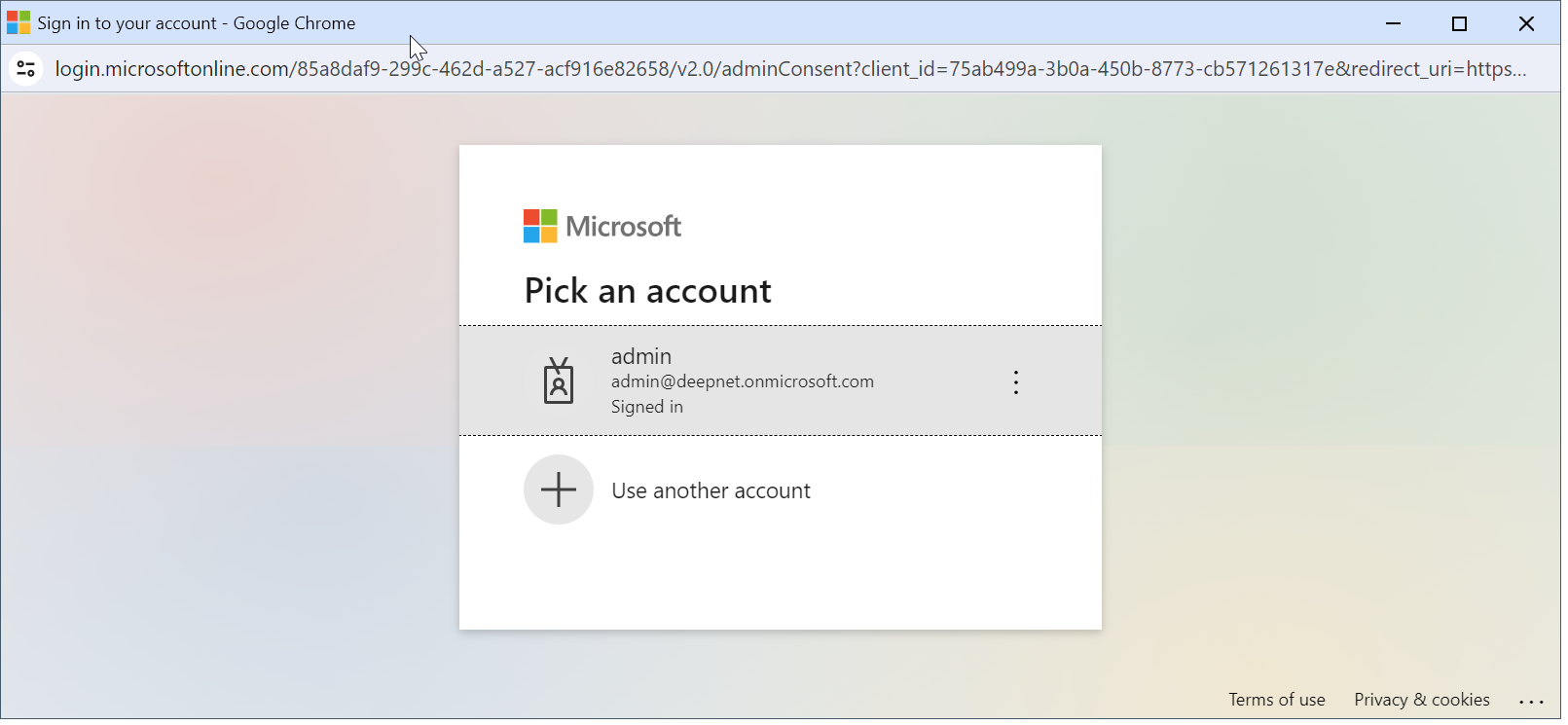
Please select an admin account for your Entra tenant.
The Microsoft "Permission requested" window will be prompted:
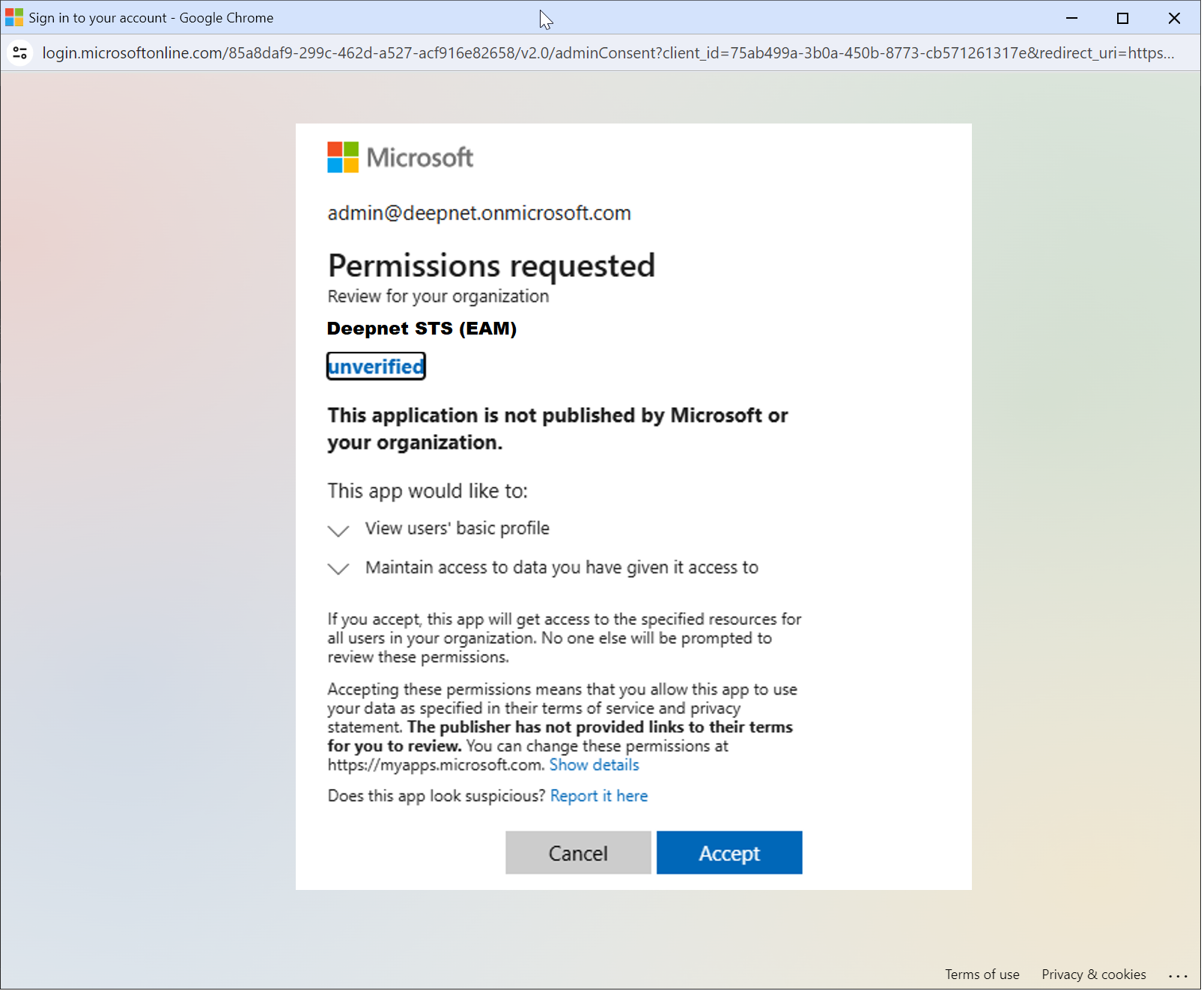
Click "Accept"
You should now see "Admin consent granted"
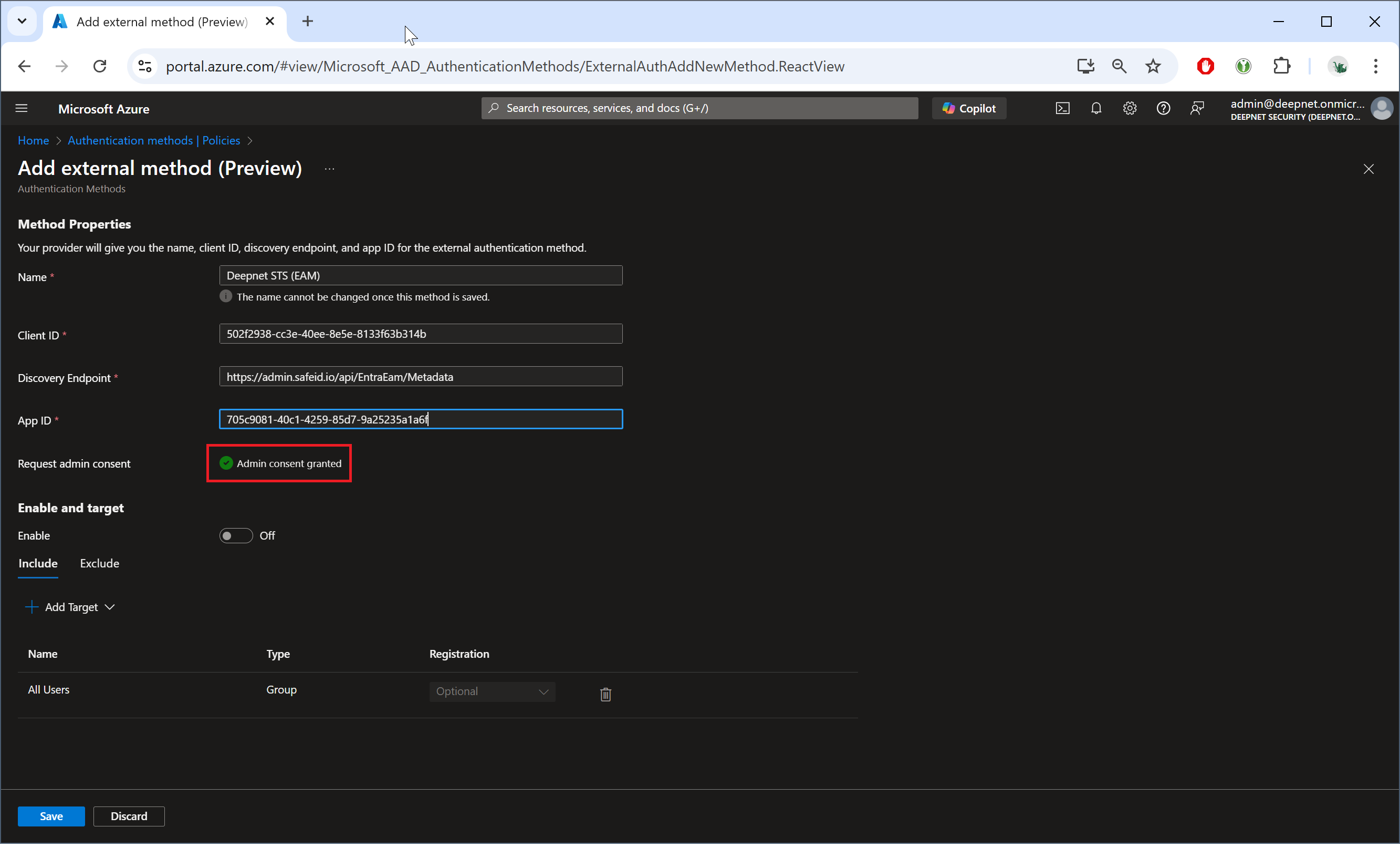
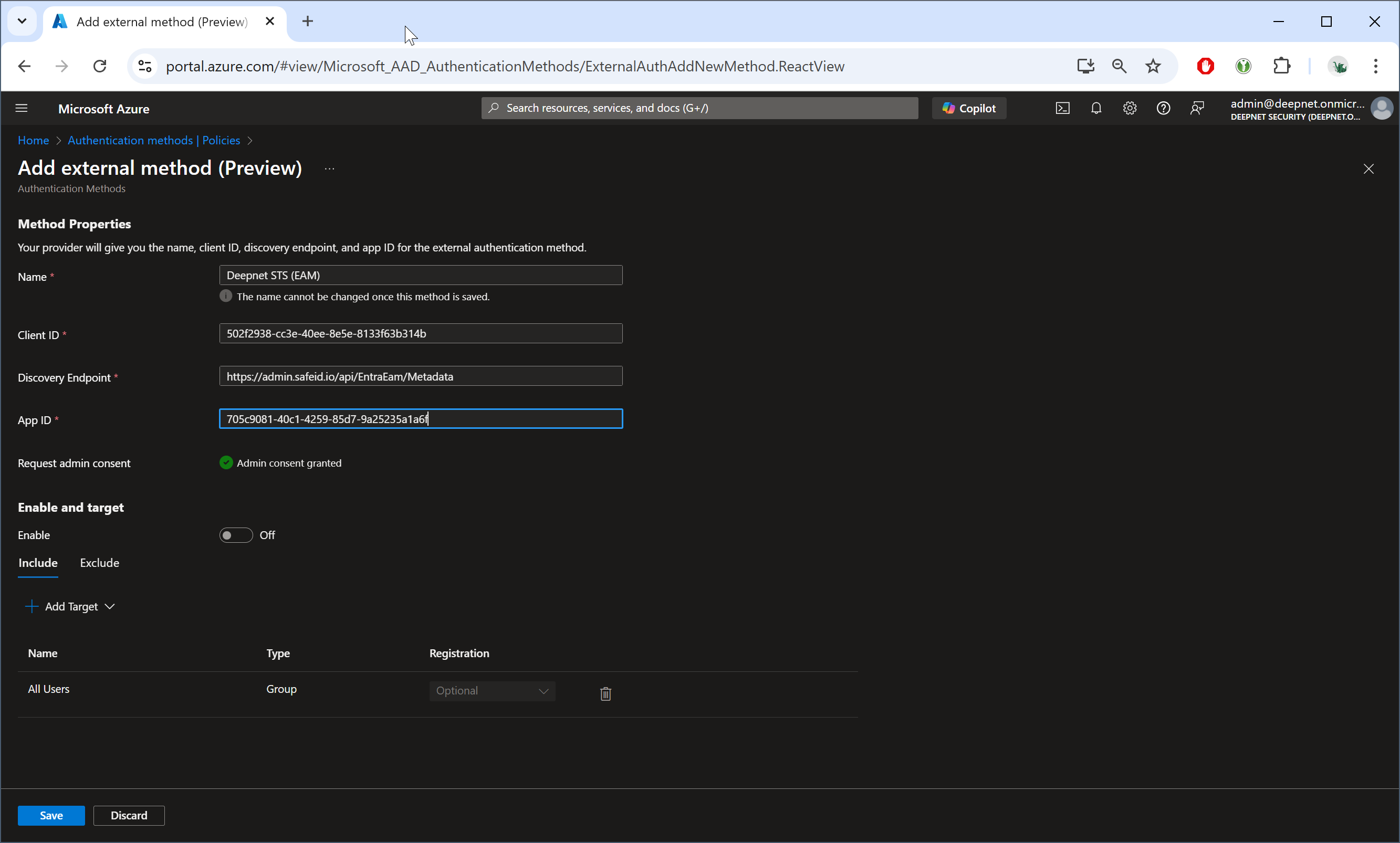
Now, click the "Enable" toggle underneath "Enable and target" section
...
Click "Save" to save the new external authentication method.