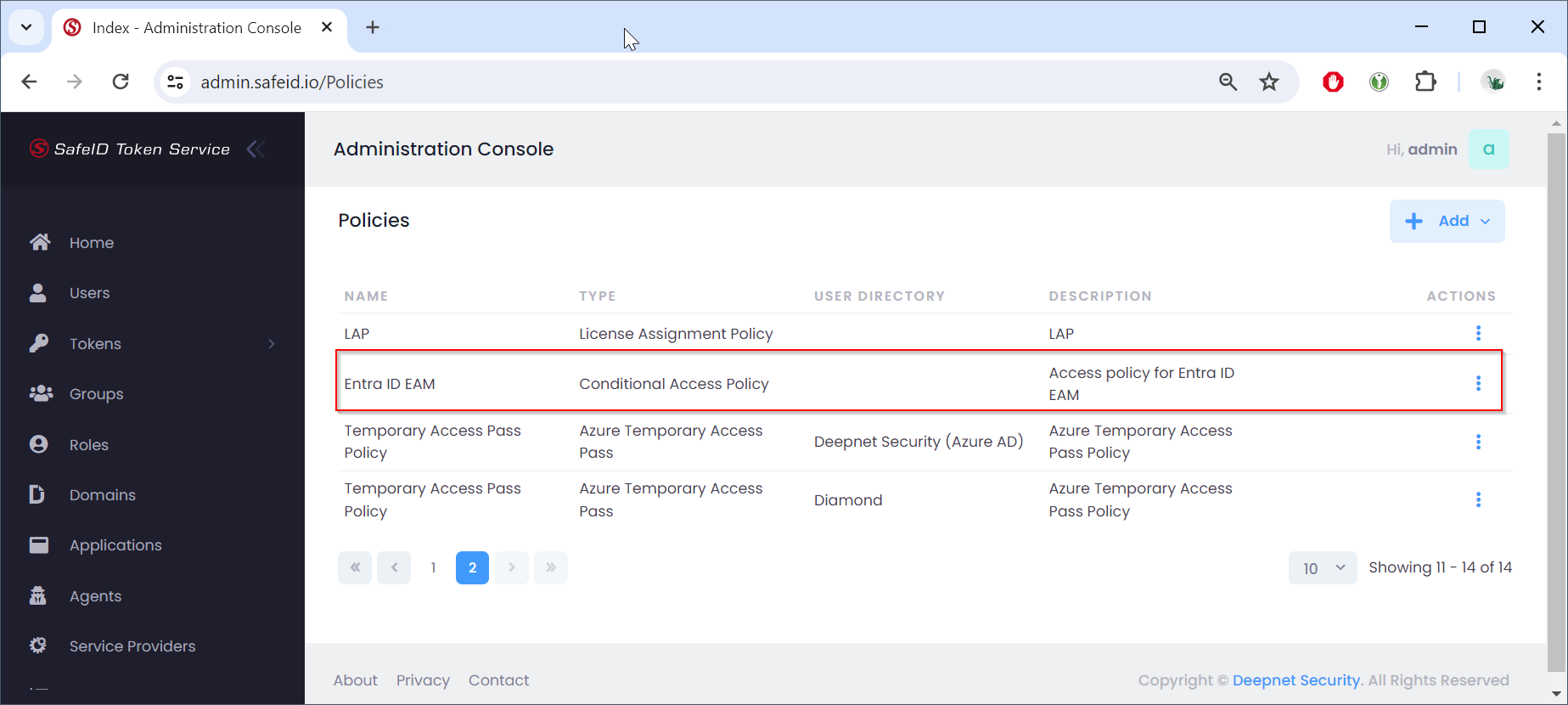
Sign in to the STS admin console
- Navigate to "Polices"
- Click the "+Add" button
- Select "Conditional Access Policy"
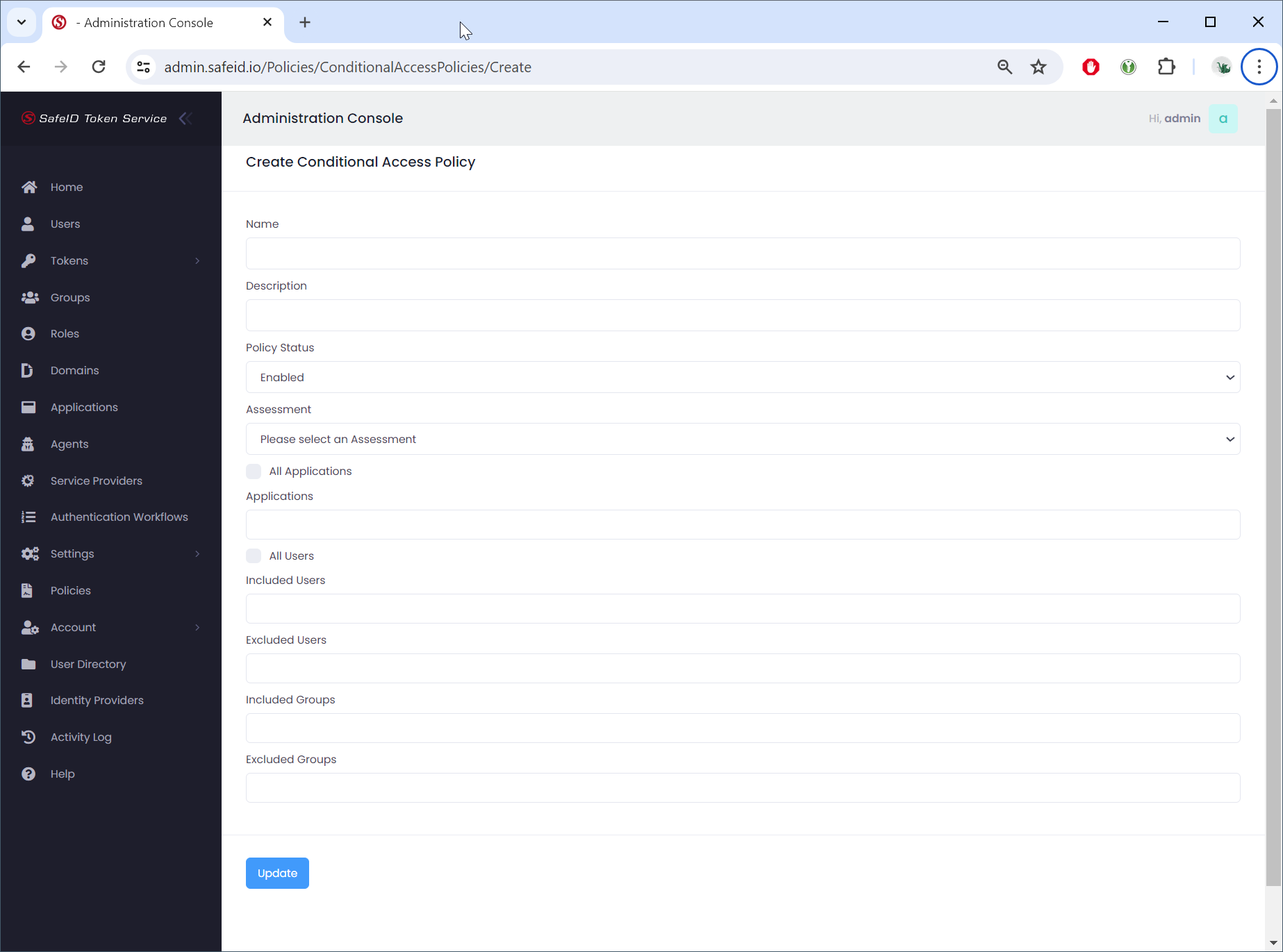
Fill in the policy name
Specify the
- Assessment
- Authentication Workflow
- Applications
- Users or User Groups to be included or excluded
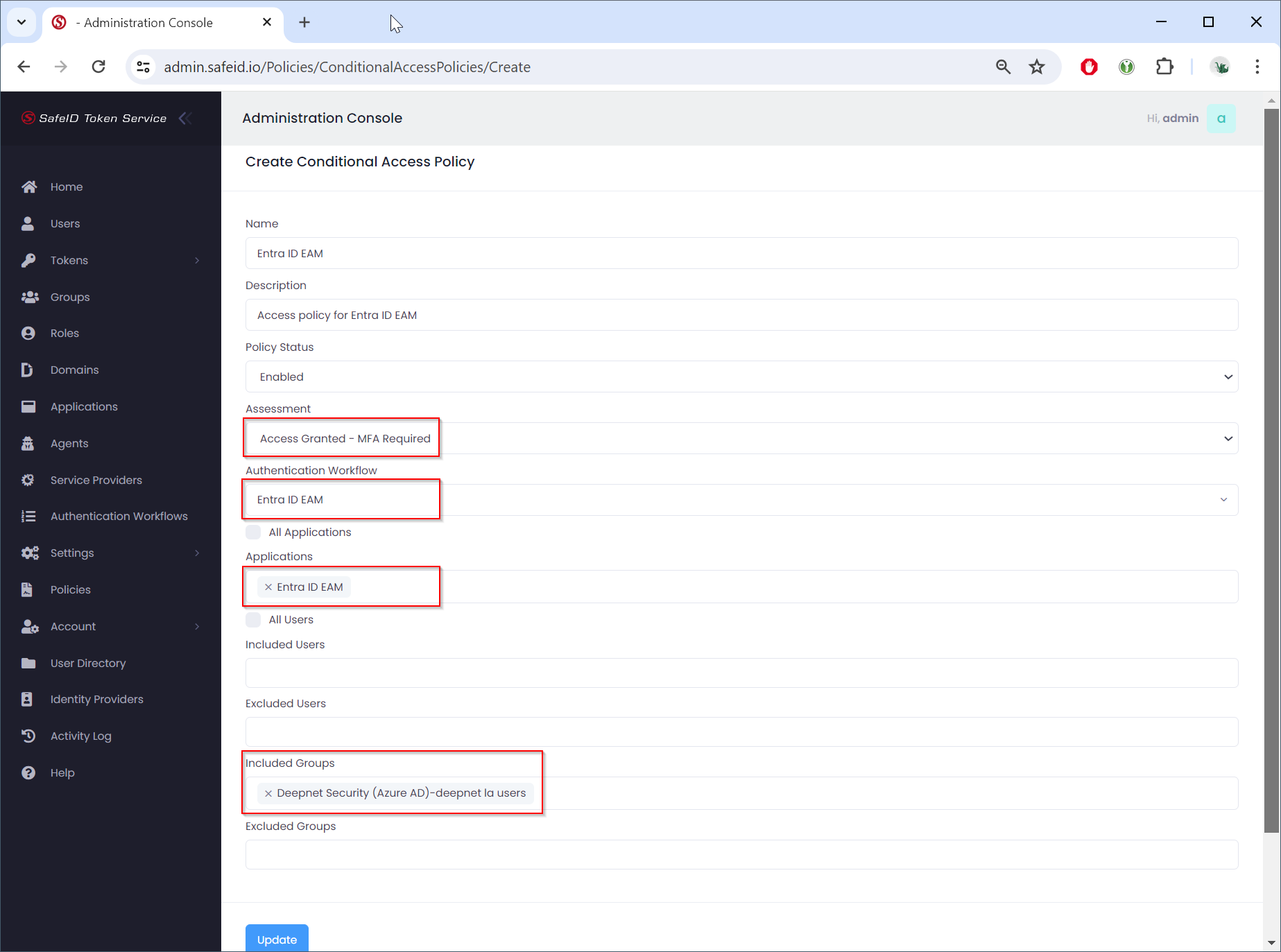
Click "Update" to save the policy