...
3.1 Create a Smartcard Enrolment Template for Agents
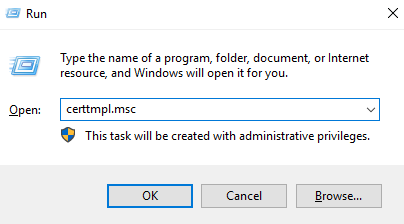
To create a smartcard enrolment template, you need to run the Certificate Templates Console
Press Win+R, type "certtmpl.msc" and press Enter.
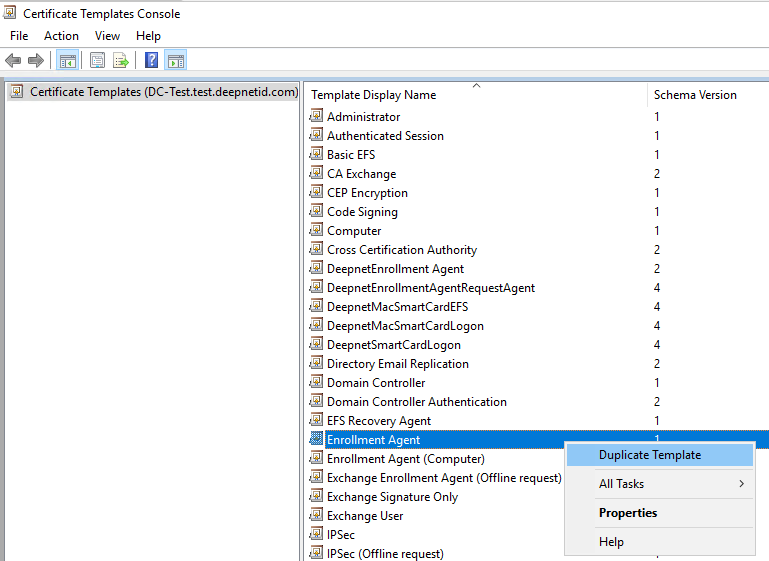
In the Certificate Templates Console, select Certificate Templates in the left pane
NextClick Certificate Templates, right-click Enrollment Agent, and select Duplicate Template.
First, the Compatibility tab is selected
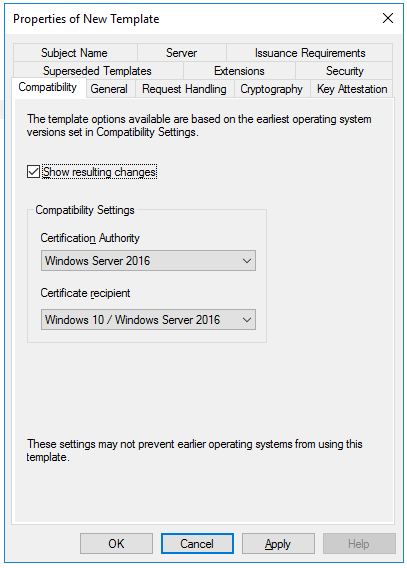
In the Certification Authority box, select the OS version of the CA server
In the Certificate recipient box, select the oldest OS version of the client machine in the domain
Next, select the the General tab
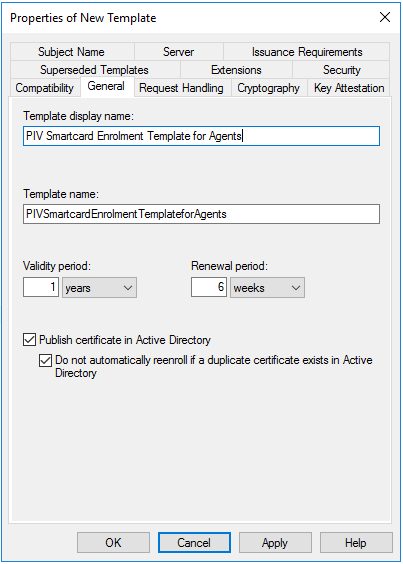
Enter the name and display name of the template Next
Optionally, you might want to change the Validity period and Renewal period
Enable the option "Publish certificate in Active Directory"
Next, select the Request Handling
...
Select "Requests must use one of the following providers", and then in the Providers list select the Microsoft Base Cryptographic Provider v1.0.
Next, select select the Security tab,
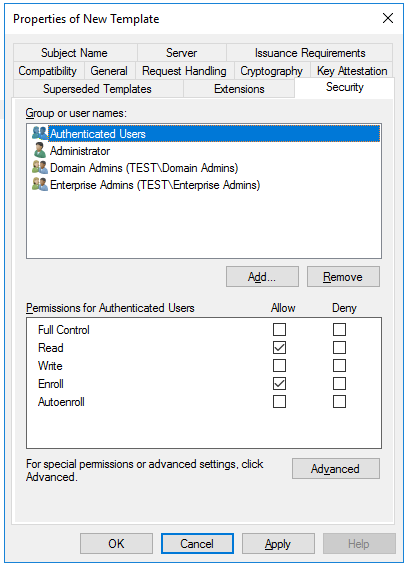
Make sure that the Read and Enroll permissions are enabled for the user or group of users who will be setting up the smart cards for logon.
...
Close the Certificate Templates windowConsole.
3.2 Adding the Template to the Certification Authority
...