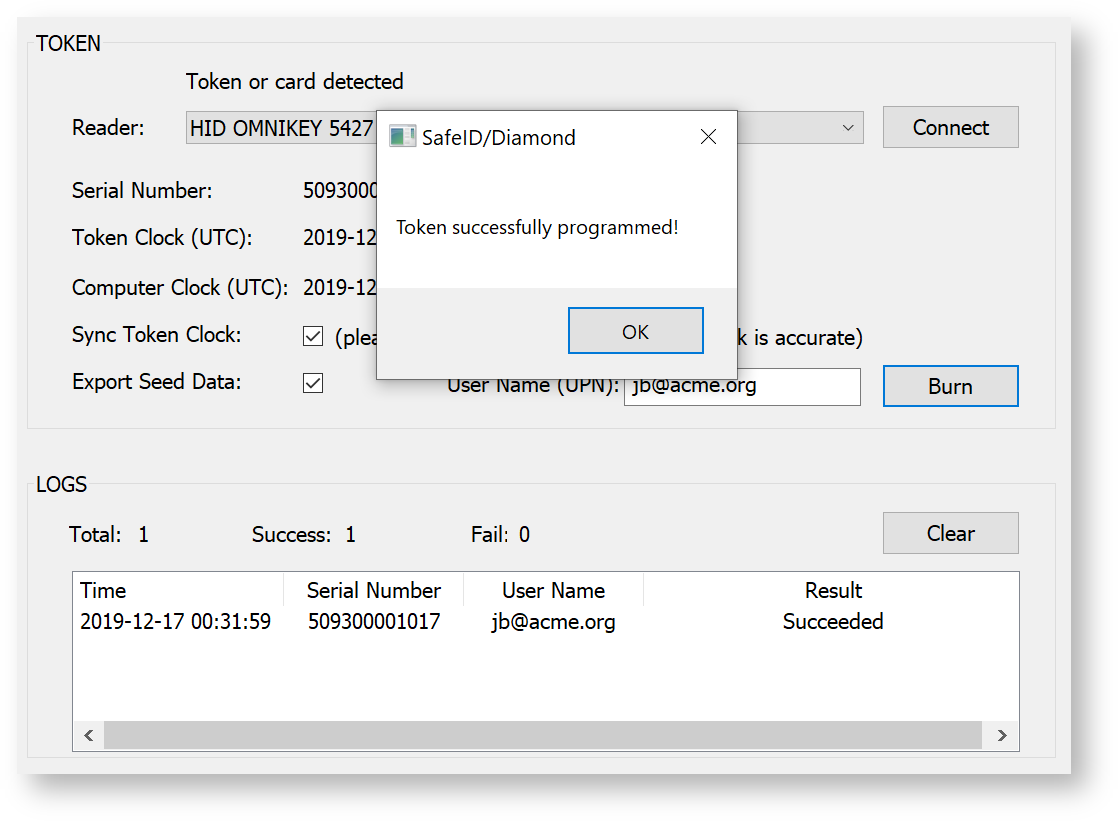
To program a token, launch the programming tool, SafeID-Programmer.exe
Follow follow 4 simple steps below:
- Obtain Seed
- Connect Reader
- Place Token
- Burn Seed
...
| Expand | ||
|---|---|---|
| ||
You can also load seed data directly from a file. The seed file must be in CSV format, containing 2 columns of data, i.e. Serial Number and Based32 encoded Secret Key.
|

Step 2: Connect Reader
Plug in the reader to the USB port of your computer, and select the reader from the "Token Reader" down-down lit


Click "Connect"

The tool should display "Token reader connected" and the time of the computer clock.
Step 3: Place Token
To program a token, you need to switch on the token device into the programming mode.
Press the power button on the device and hold the button down for 3 seconds until it displays "programming mode" on its LCD screen
Place the token on the reader. You should hear a beep sound, and the light on the reader should turn green.
The tool will now display the token's serial number and time details:
Step 4: Burn Seed
Before burning the seed into the token, you must make sure the following options are correctly set:
| Option | |
|---|---|
| Token Slot | Select the slot you want to program & save the token |
| Time Step | |
| Algorithm | |
| OTP Length | |
| Sync Token Clock |
To burn the seed into the token, click "Burn"