There may be a requirement to protect a PC that is not joined to the domain or even connected to the same network. We have a solution for this. It is fairly easy to set up, but there are a few extra prerequisites needed in order to get this working
Prerequisites
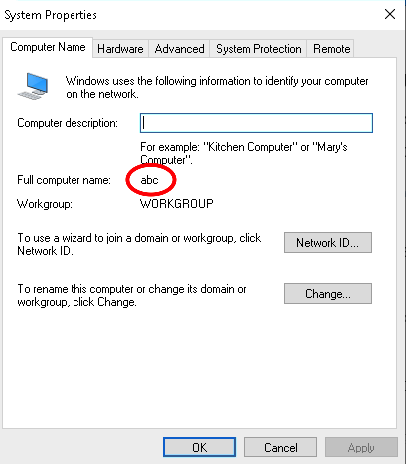
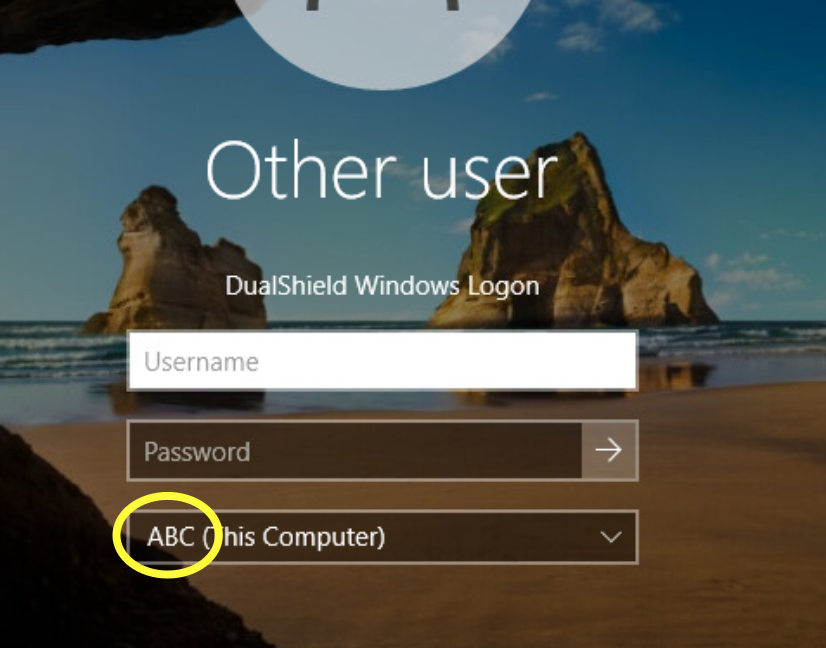
Make a note of the host name of the computer. In this case it is 'ABC' |
|
Create some local user accounts and make sure the Administrator account is active.
|
|
Create a Virtual Domain
Login to the DualShield Administration Console and go to Identity>Identity Sources Click on  on the top right. on the top right. It is recommended to specify the hostname of the Non-Domain joined machine as the friendly name of this identity source. Also, make sure the Type is set to SQL Click Finish |
|
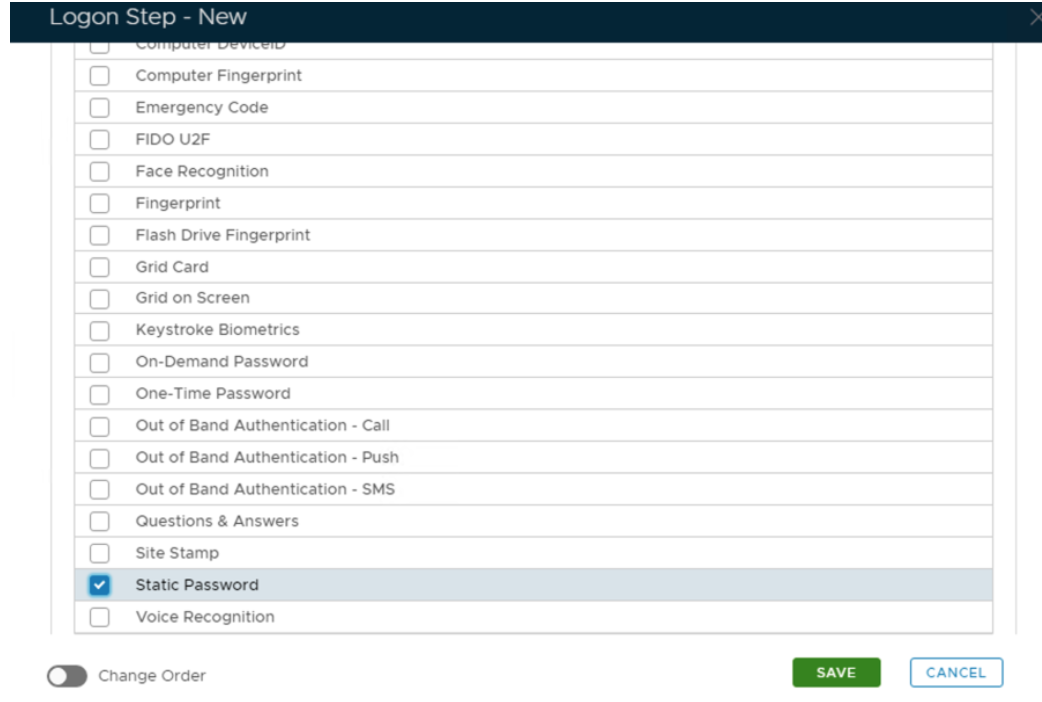
In the Logon Steps Dialogue box, click the  button.
Tick the desired authentication method, e.g. Static Password |
|
Click Save.
Repeat to add extra steps.
| I have added two steps; Static Password and One-Time Password |
|
Create an Application
Authentication> Applications |
|
Click on on the top right.
In the new Application window, please enter the following information: | Option | Value |
|---|
| Name: | Enter a friendly name | | Realm: | Select your Realm | | Logon Procedure: | Select the Logon Procedure you had created in the previous step |
Click: Save |
|
Bind the Application to an SSO Server Agent
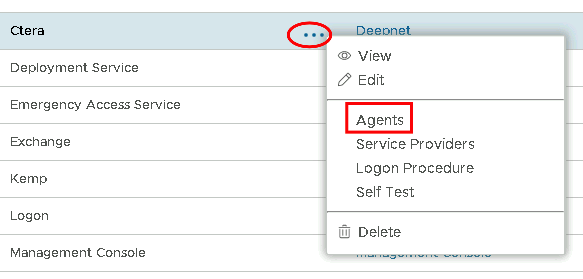
Select the drop down menu corresponding to the Application you will be using and click on Agents. |
|
Tick the box of the SSO Server you will be using and click Save below. |
|
Create a Service Provider Profile
Go to SSO>Service Providers |
|
Click on on the top right.
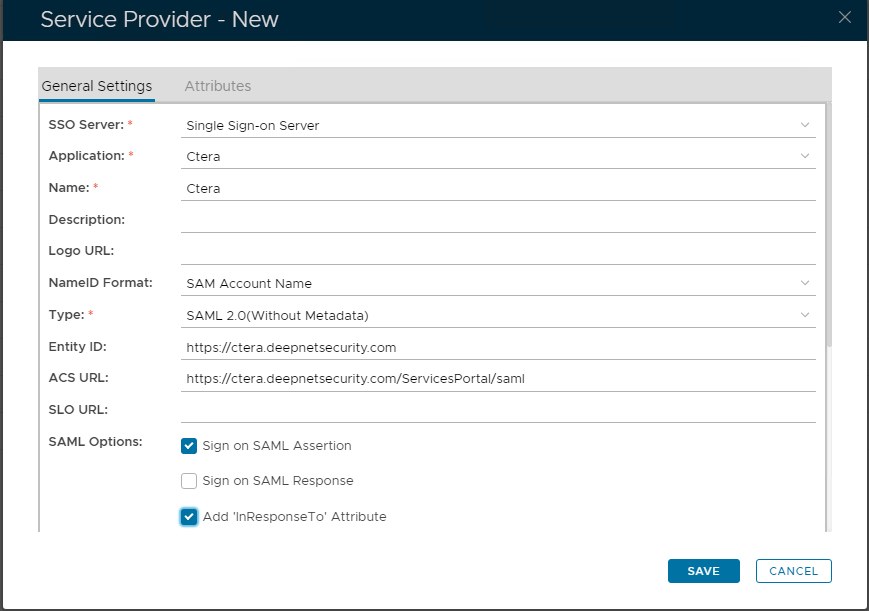
Fill in the details as per screenshot on right and make sure you select SAML 2.0(Without Metadata) as Type. |
|
Now fill out Entity ID and ACS URL. | Option | Value |
|---|
| Entity ID: | | | ACS URL: | |
|
|
The completed Service Provider dialogue box will look like this: |
|
Click Save.
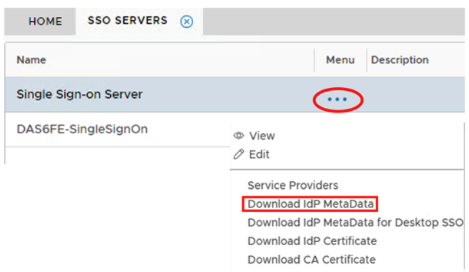
Download the IDP Metadata file.
Select the drop down menu corresponding to the SSO server you will be using and click on Download IDP Metadata. |
|