Configure Client Authentication in GlobalProtect Gateway
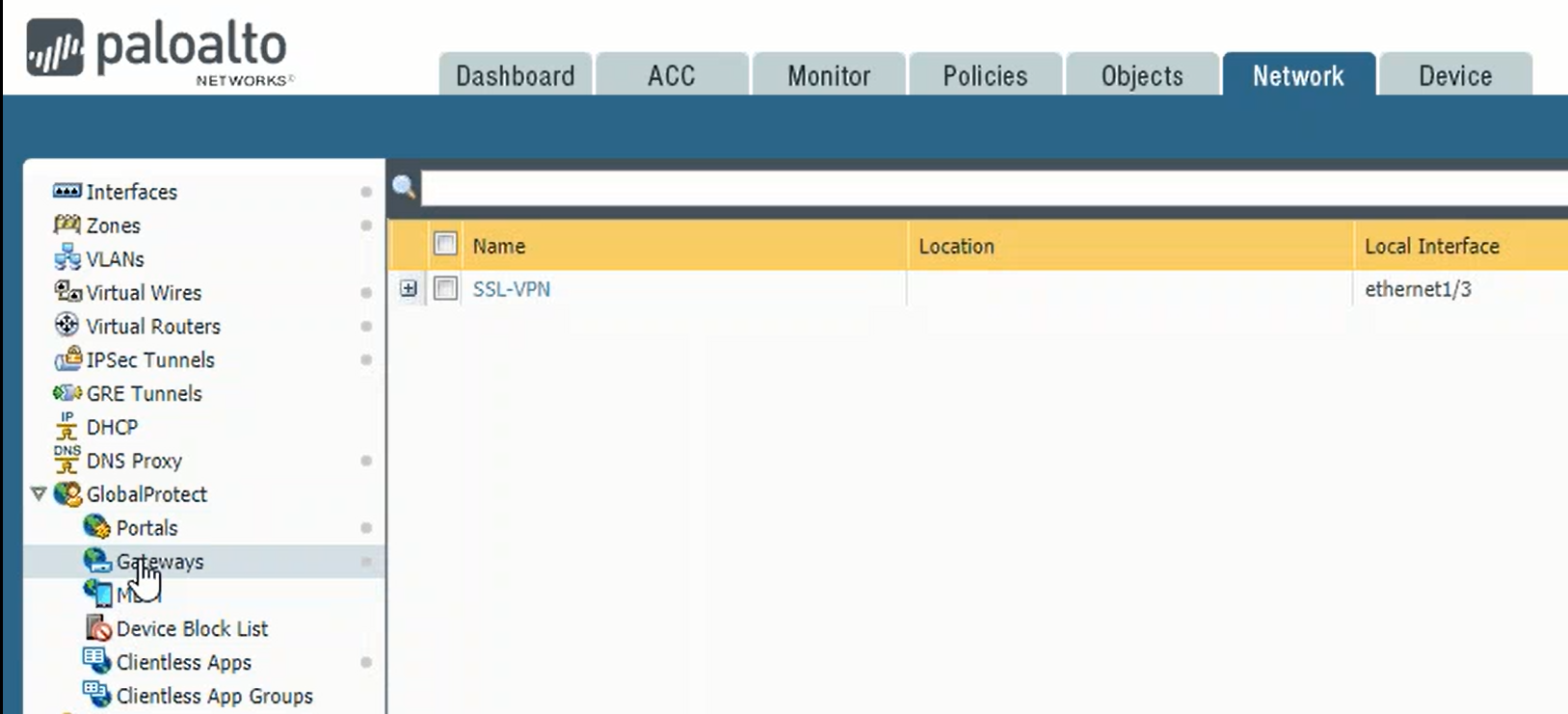
On theNetworktab, navigate toGlobalProtectthenGateways
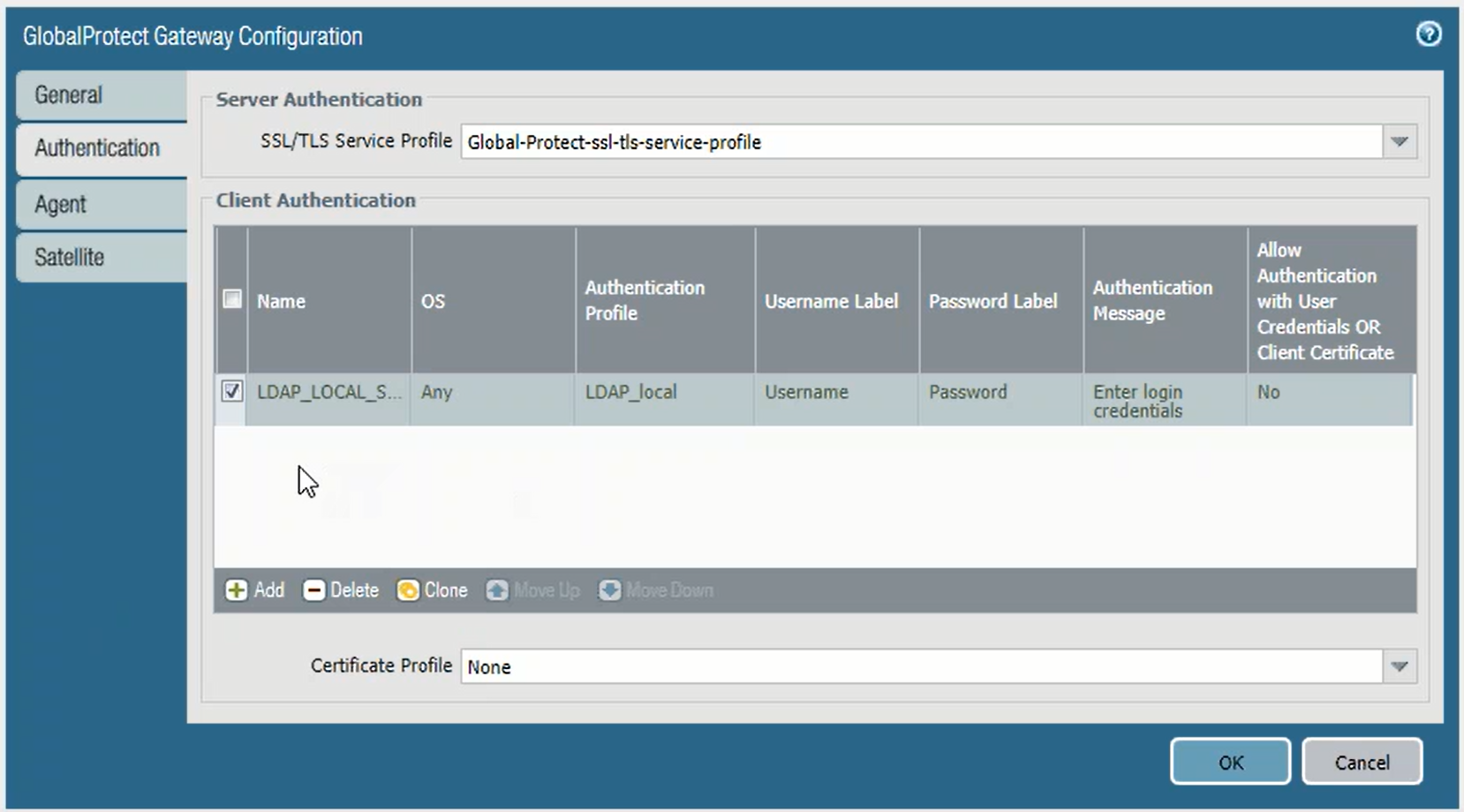
Click on your configured GlobalProtect gateway, e.g. SSL-VPN, to bring up the configuration window.
Click the Authentication tab
In the Authentication tab, remove the current client authentication if any
Click the Add button to add a new client authentication
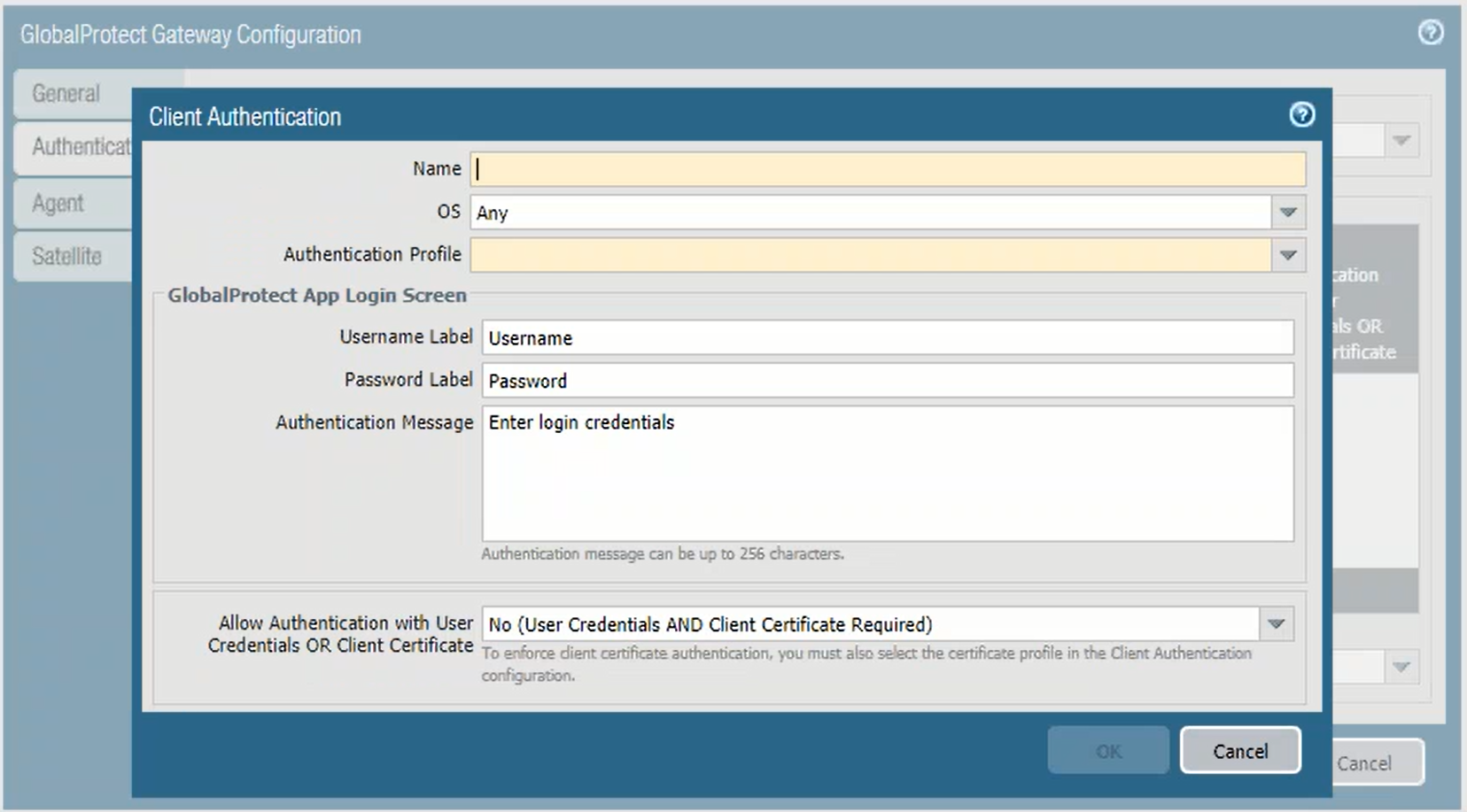
Client Authenticaiton window
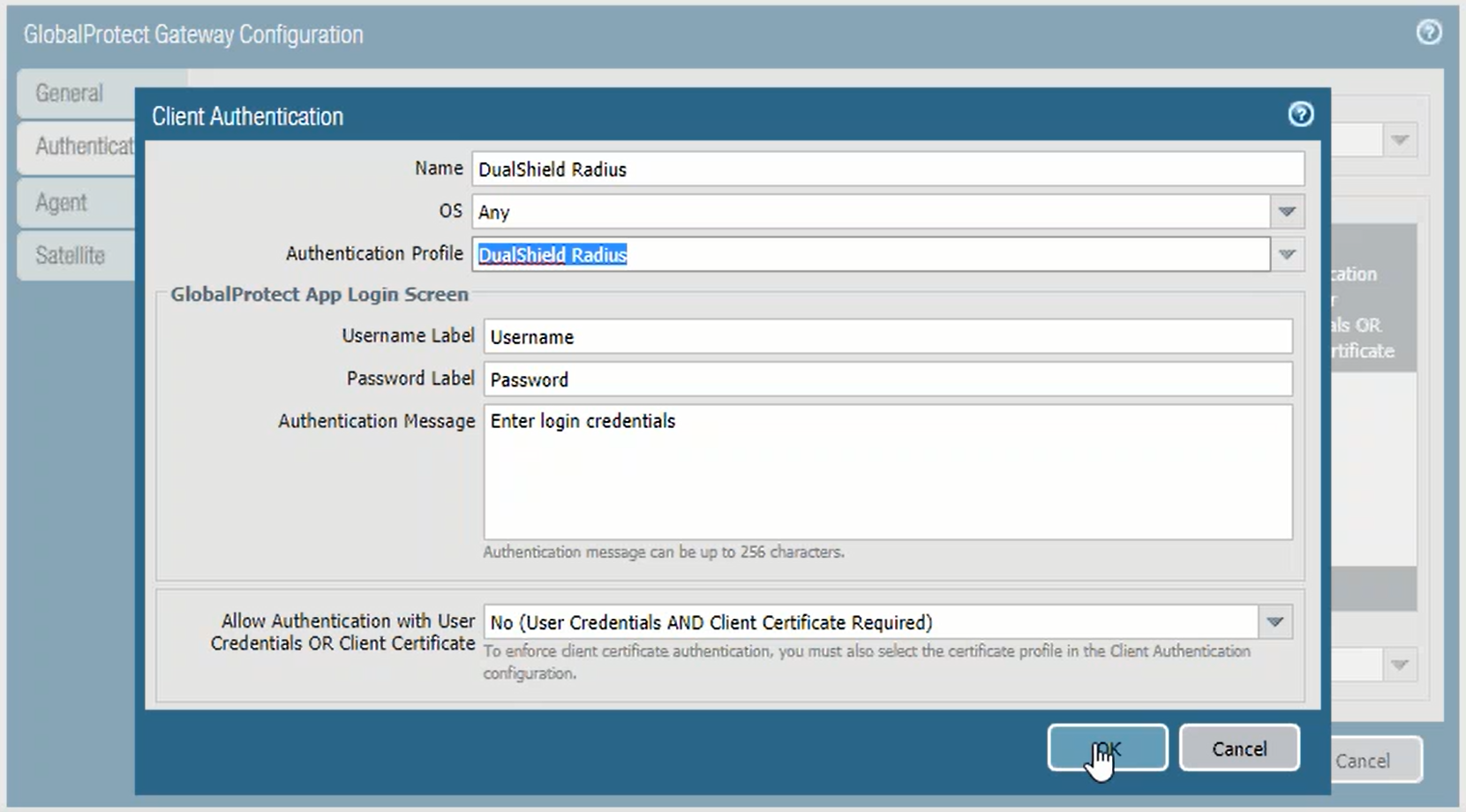
In Name field, enter DualShield Radius, or any descriptive name you like
In Authentication field, Select the authentication profile created in a previous step, e.g. DualShield Radius
Click OK to save the settings
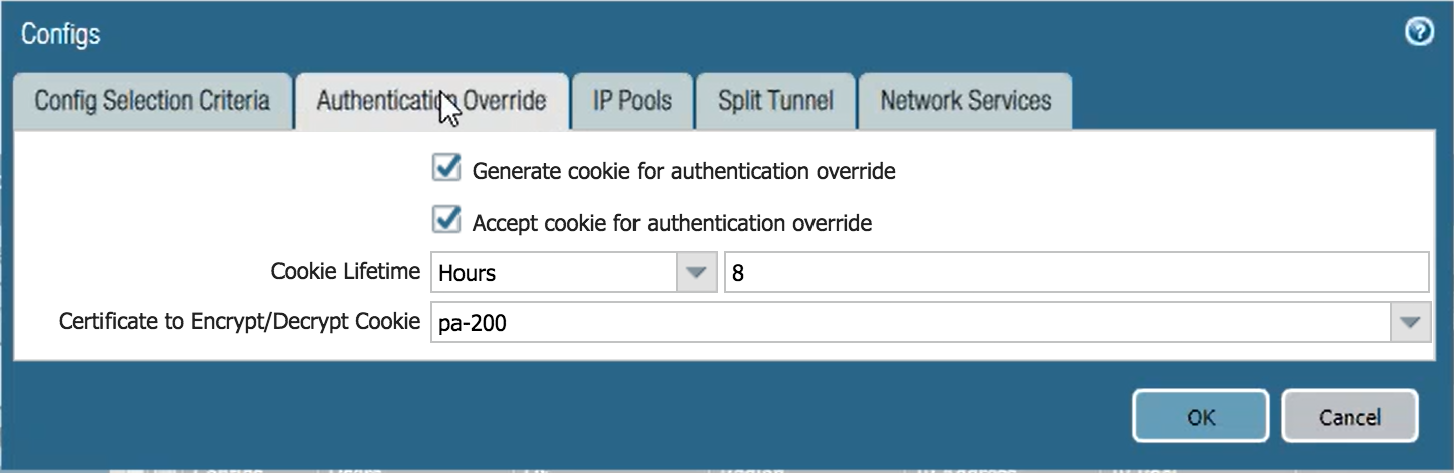
(Optional) If you aren't using authentication override cookies on your GlobalProtect Gateway already, you may want to enable it to minimize DualShield Radius authentication requests at client reconnection during one gateway session. Refer to theGlobalProtect cookie authentication documentationto fully understand this feature before enabling it.
Click theAgenttab on the left and then click theClient Settingstab.
Click on the name of your config to open it.
(Optional) On the "Authentication Override" tab check the option Generate cookie for authentication override and Accept cookie for authentication override
Set a cookie lifetime and select a certificate to use with the cookie. Note that users will not need to repeat 2FA after their initial success when reconnecting during the cookie lifetime duration.
ClickOK(twice if you also enabled authentication override cookies) to save the GlobalProtect Gateway settings.