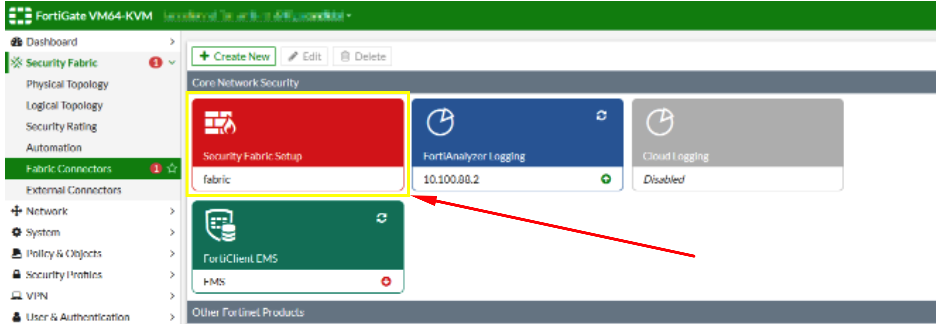
Configuring the Security Fabric with SAML:
Log in to the root FortiGate.
Go to Security Fabric > Fabric Connectors and double-click the Security Fabric Setup card.
In the Topology tree, hover over a FortiGate and click Configure.
Upload the Idp Certificate file
In order to do this, you need to convert the 'crt' file that was downloaded in the previous section to a 'cer' file.
To begin, Open the crt file and install the Certificate to your personal folder in Certificate manager
Once installed the Certificate needs to be exported
Export it as a Base-64 encoded X.509 (.CER)
You will also need to download the IdP Certificate
Upload the exported CER file.