Launch Mobility Client on the end-user device, and click Connect.
You may get a prompt regarding Device Certificate Logon. This is covered on another page
For User Authentication click I do not have a valid certificate
You will now be prompted for the logon steps as specified in your Logon Procedure (see Build a Logon Procedure and Application for NetMotion)
In this example, the first step is to enter your AD account credentials
Enter Credential Graphic
You will then be asked to put in the second factor which is the One-Time Password
Enter 2fa graphic
Repeat to add extra steps.
Enter 2fa Graphic
If successful the status on the Mobility client should show as Connected
Enter Connnected Graphic
The established connection will also appear on the Netmobilitty server under Connections>Connected Devices
The device hostname and authenticated user account name will appear in the connected devices list
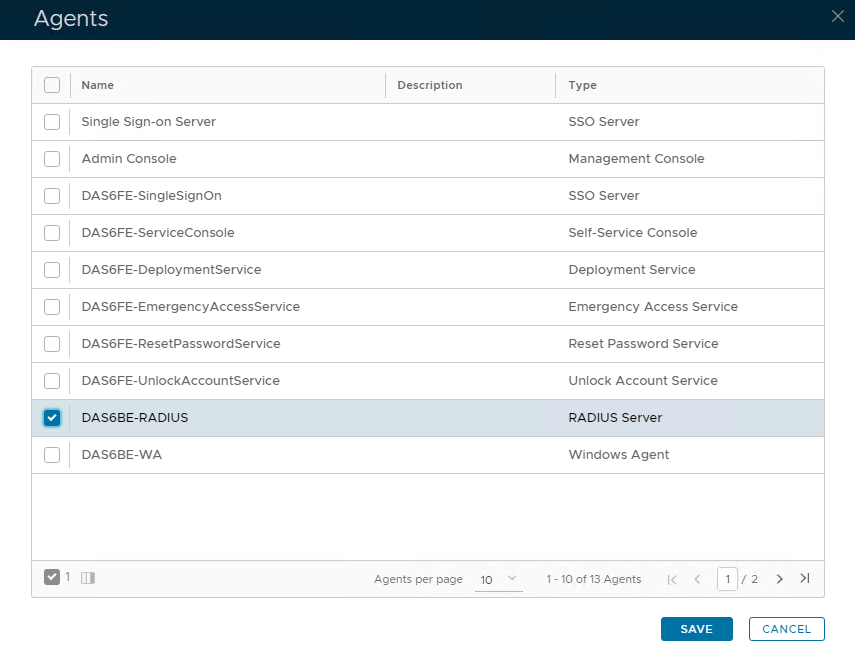
Tick the box of the Radius Server you will be using and click Save below.