An Email gateway can be added to a selected domain by using the following procedure;


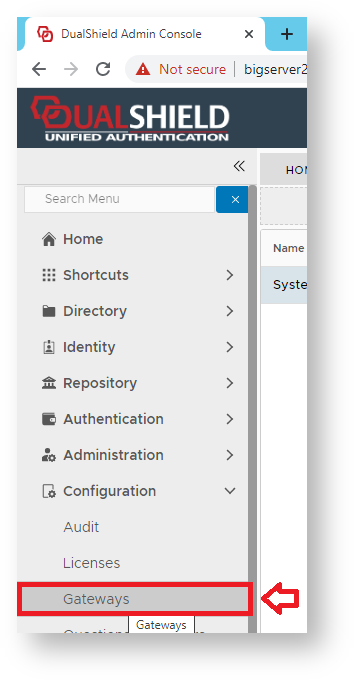
  1. Using the Management Console, Navigate to "Configuration | Gateways", then click on the button "CREATE";


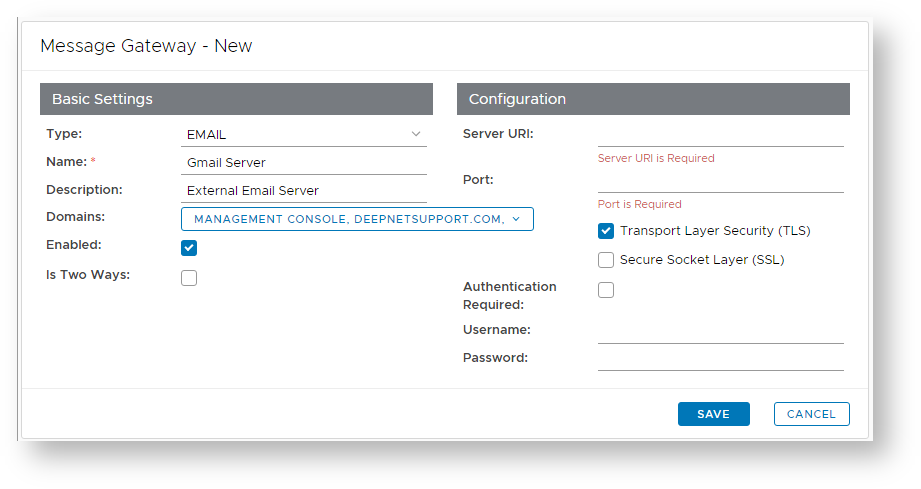
  2. A new window will now open titled "Message Gateway – New";
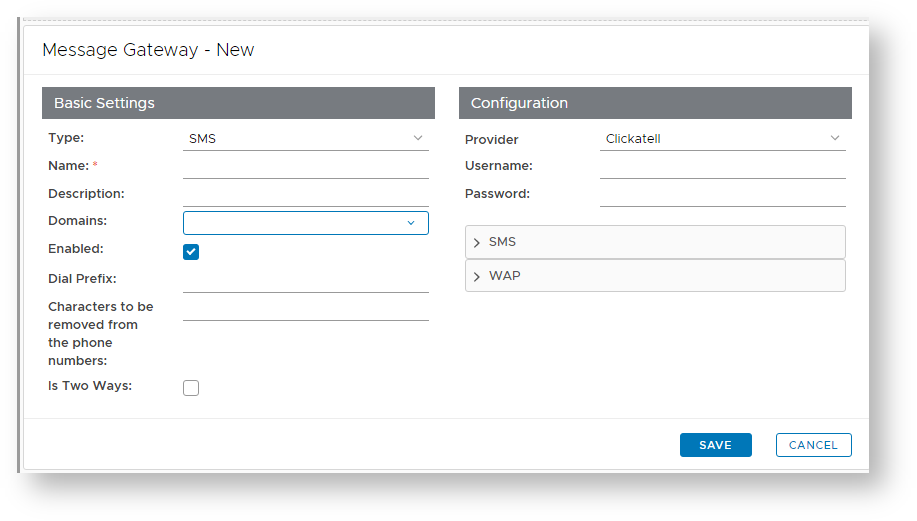

    At the prompt "Type:", select "EMAIL", enter a suitable name and description for the email gateway, and select what domains will be able to use the message gateway;


    For email gateways select "EMAIL".


    Enter a suitable name for your email gateway (e.g. “Dualshield Email Gateway”).


    Provide a brief description of email provider (e.g. "Company Email Server").


    The Edit button () allows you to provide additional configuration details for the Email Gateway (for instructions see the next step below).


    Select the Domains from which the user details can be obtained (e.g. "deepnetsupport.com").


    Select if the message gateway is enabled (or not).


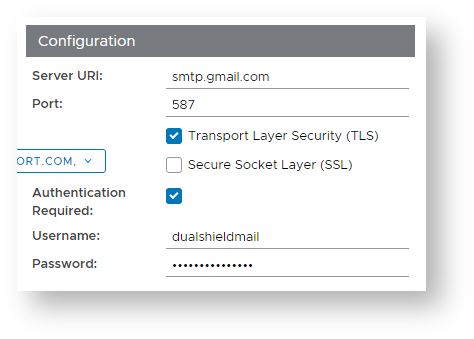
  3. The section headed "Configuration" can be used to configure the connection configuration details for the gateway you intend to connect to.


    Enter the address of your SMTP Server (in this example our mail server is at “mail.deepnetsecurity.com”),


    Unless your provider requires a different setting, leave the setting unchanged with the default value of 25,


    Enter a TLS setting that matches the requirements of your SMTP mail server


    Enter a SSL setting that matches the requirements of your SMTP mail server


    If your mail server requires a user name, then enter it here.


    If your mail server requires a password, then enter it here.


  4. You will now return to the window titled "Message Gateway – New", supply any description you may required then click "Save" to create the email gateway. 


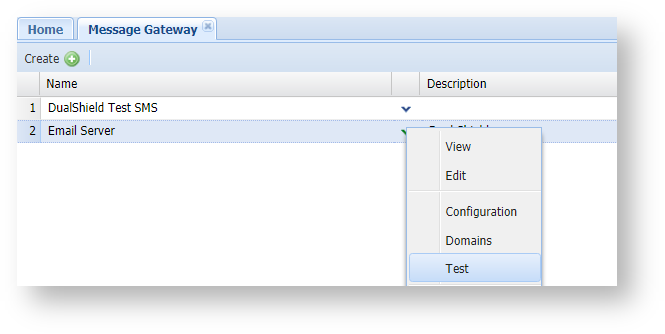
Once the email gateway has been configured it can be tested by using the context menu option "Test";

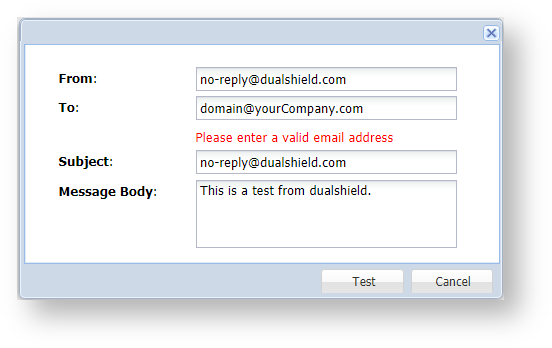
A new window will open that can be used to send a message through the newly created email gateway;