
3. Click the Create button on the toolbar
4. Enter Name and select Web SSO as the type

5. Click Save
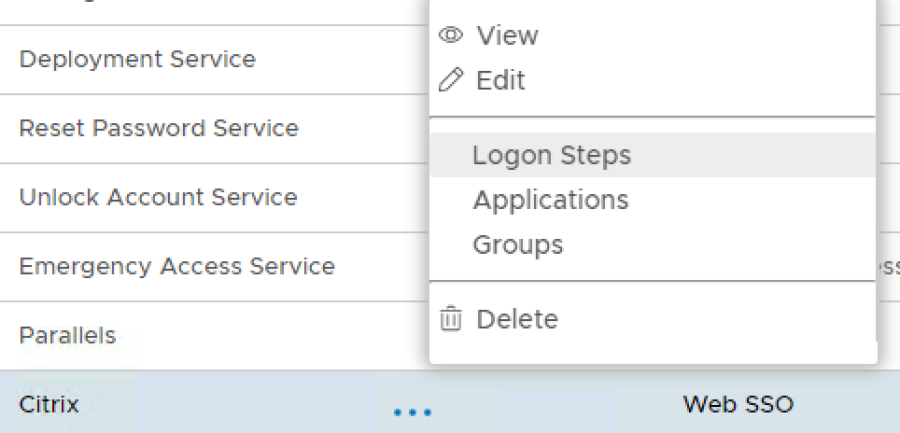
6. Click the Context Menu icon of the newly create logon procedure, select Logon Steps
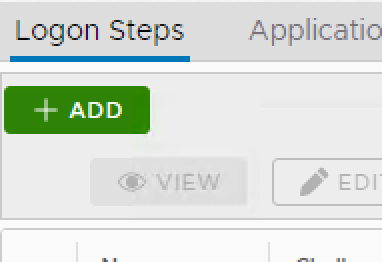
7. In the popup windows, click on Add
8. Select the desired authentication method, e.g. Static Password

9. Click Save
10. Repeat steps 7-9 to add more logon steps if desired, e.g. One-Time Password.


2. Click on Create

3. Enter an Application Name
4. Select a Realm that is bound to your domain
5.Select the newly created Logon Procedure

6. Click Save
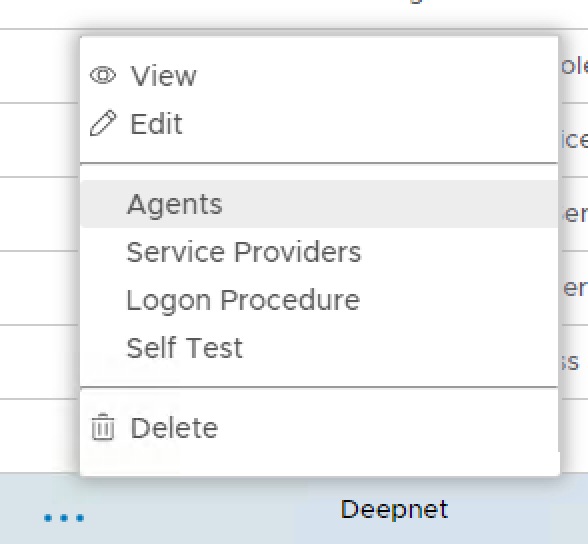
7. Click the context menu of the newly created application, select Agent
8. Select Single Sign-on Server
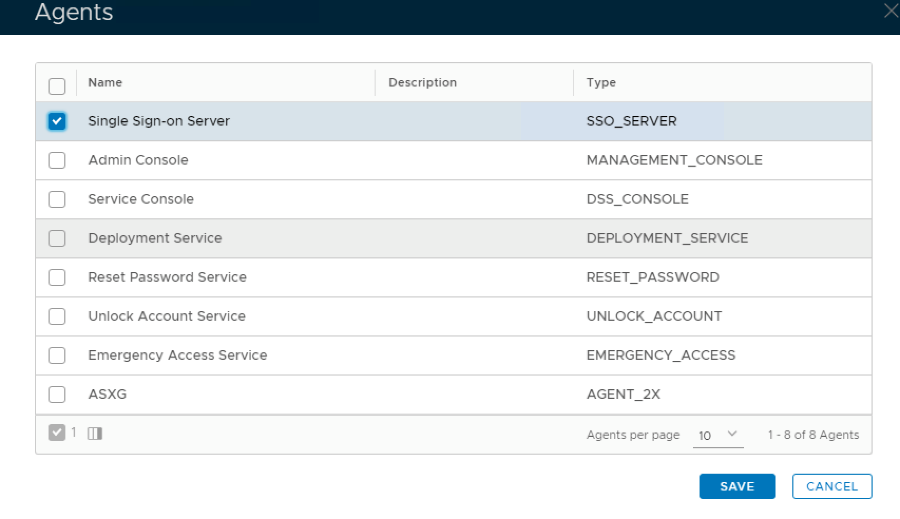
9. Click Save
10. Click the context menu of the newly created application, select Self Test

11. If configured correctly all the tests should pass, as below.

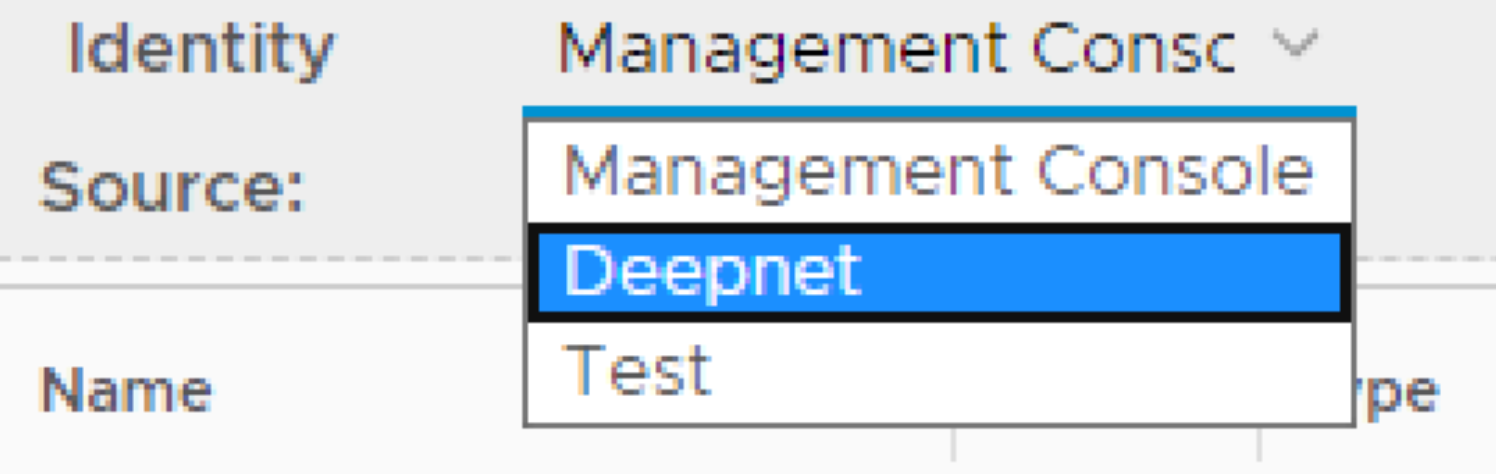
1. In the main menu, select Identity > Identity Attributes

2. Select the Identity Source that the domain you wish to use for authentication is bound to
3. Click on Create on the top right.

4. Create a new identity attribute called objectSid matching the settings as per screen shot below. Make sure the data type is set to Binary:

5. Click Save. You will now see the objectSid attribute listed under Identity Attributes…

6. Log into Citrix Cloud
7. Click on the menu icon on the top left.

8. Select Identity and Access Management from the drop-down menu, that appears:

9. Click on the Ellipsis (…) next to SAML and click Connect from the drop -down option.

10. On the Configure Saml page click  next to SAML Metadata

11. On the DualShield Administration Console, select SSO > Service Providers.

12. Click Create
13. In the SSO Server field, select your DualShield SSO server from the list
14. In the Name field, enter the name for the Service Provider to be created
15. In the Type field, select SAML 2.0


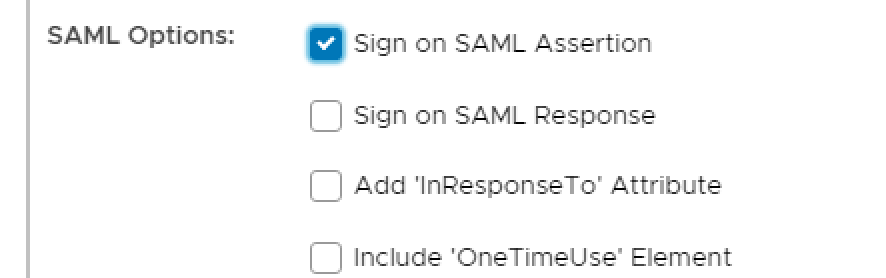

We are now going to add the following attribute names which are required by the Service Provider.
cip_email
cip_upn
cip_oid
cip_sid
With the exception of cip_sid the above attributes will be mapped to their counterpart DualShield Identity Attributes which in turn are mapped to the Active Directory account attributes.
For example:
Citrix SAML Attribute | DualShield Identity Attribute | AD Account Attribute |
cip_email | ||
cip_upn | userPrincipalName | userPricipalName |
cip_oid | uuid | ObjectGUID |
In steps 1-5 you created a new Identity Attribute called objectSID. This will be specified in a script which will be applied to the cip_sid Citrix Attribute



if (!objectSid) return null;
\\
byte\[\] sid = objectSid.decodeHex();
\\
if (sid.length<8 || sid.length % 4 != 0) return "";
\\
StringBuilder sb = new StringBuilder();
sb.append("S-").append(sid\[0\]);
int c = sid\[1\]; // Init with Subauthority Count.
\\
// Default order is BIG_ENDIAN
java.nio.ByteBuffer bb = java.nio.ByteBuffer.wrap(sid);
sb.append("-").append((long)bb.getLong() & 0XFFFFFFFFFFFFL);
bb.order(java.nio.ByteOrder.LITTLE_ENDIAN); // Now switch.
\\
for (int i=0; i<c; i++) \{ // Create Subauthorities.
    sb.append("-").append((long)bb.getInt() & 0xFFFFFFFFL);
\}
return sb.toString(); |


