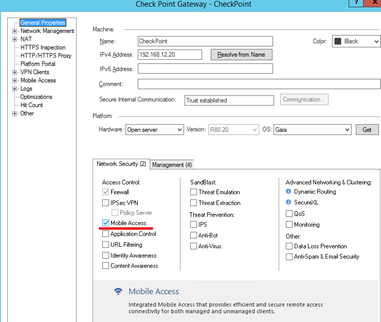
Edit your secure gateway “Gateways & Servers”.
In the General Properties, Network Security tab, enable “Mobile Access”.
![DualShield MFA Platform > Configuration [R80-MA] > image2018-8-31_15-56-14.png](/download/attachments/35947292/image2018-8-31_15-56-14.png?version=1&modificationDate=1587386001000&api=v2)
Navigate to General Properties | Mobile Access | Authentication. Click “Settings”.
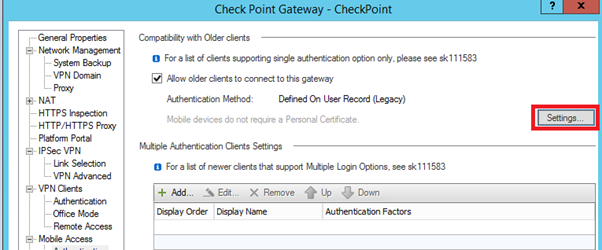
![DualShield MFA Platform > Configuration [R80-MA] > image2018-8-31_15-56-58.png](/download/attachments/35947292/image2018-8-31_15-56-58.png?version=1&modificationDate=1587386001000&api=v2)
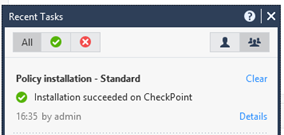
Select “Security policies”, select “NEW-RADIUS” in “Services & Applications” column, and then click “Install Policy”.

![DualShield MFA Platform > Configuration [R80-MA] > image2018-8-31_15-57-36.png](/download/attachments/35947292/image2018-8-31_15-57-36.png?version=1&modificationDate=1587386001000&api=v2)
![DualShield MFA Platform > Configuration [R80-MA] > image2018-8-31_15-57-46.png](/download/attachments/35947292/image2018-8-31_15-57-46.png?version=1&modificationDate=1587386001000&api=v2)
![DualShield MFA Platform > Configuration [R80-MA] > image2018-8-31_15-57-55.png](/download/attachments/35947292/image2018-8-31_15-57-55.png?version=1&modificationDate=1587386001000&api=v2)