Step-by-step guide to configuring and enrolling SafeID programmable OATH/TOTP hardware tokens with BeyondTrust MFA (Password Safe & Remote Support) for air-gapped, phishing-resistant Privileged Access Management (PAM). |
BeyondTrust supports authentication apps as an authentication option when authenticating into Privileged Remote Access
When preparing programmable tokens for MFA use with BeyondTrust, you will first need to activate one time password authentication, , or when required by an Asset Policy prior to accessing a configured Asset, and SafeID programmable tokens can be in place of the intended authentication app.
Use a Chromium-based browser to sign in to your Privileged Remote Access URL.
This URL is provided in the BeyondTrust welcome email and includes your site URL followed by /login.
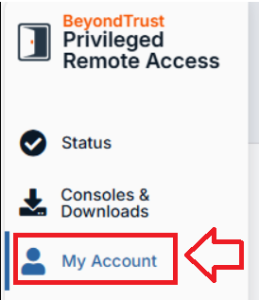
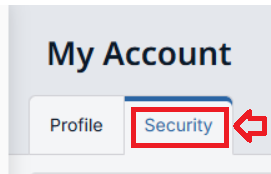
From the menu in the left hand column, click "My Account", in your account profile select the tab "Security":
The Profile page opens and displays by default.
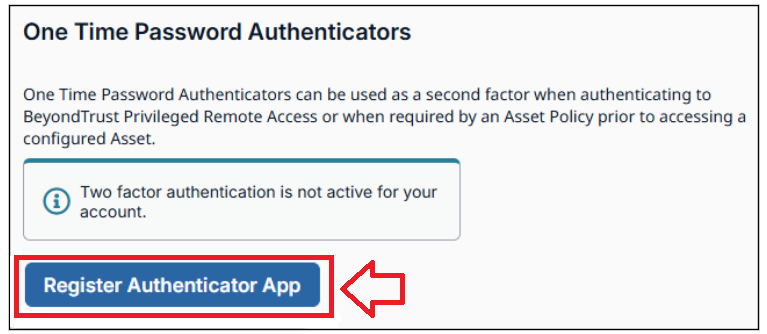
Scroll down to the section headed "One Time Password Authenticators", then click on the button "Register Authenticator App":
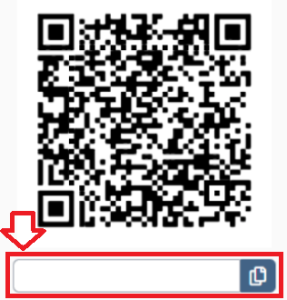
You will then be presented with a QR code similar to the following example:
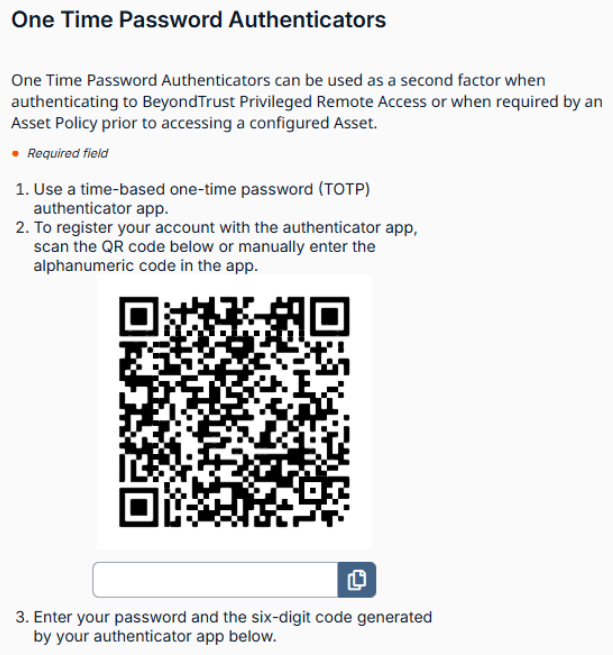
The QR code can now be used to program the programmable token (either you burn the token yourself, or you send the QR code/Base32 Code to the user and they burn the token).
The following wiki guide explains how the programmable tokens can be burned using the data encoded in the QR Code.
Once the token has been burned turn the token off, then back on, then copy the 6 digit code displayed on the code into the box below the QR code, then click "Activate" to activate your programmable token:
The token will then be ready to use when you next log on to Privileged Remote Access.