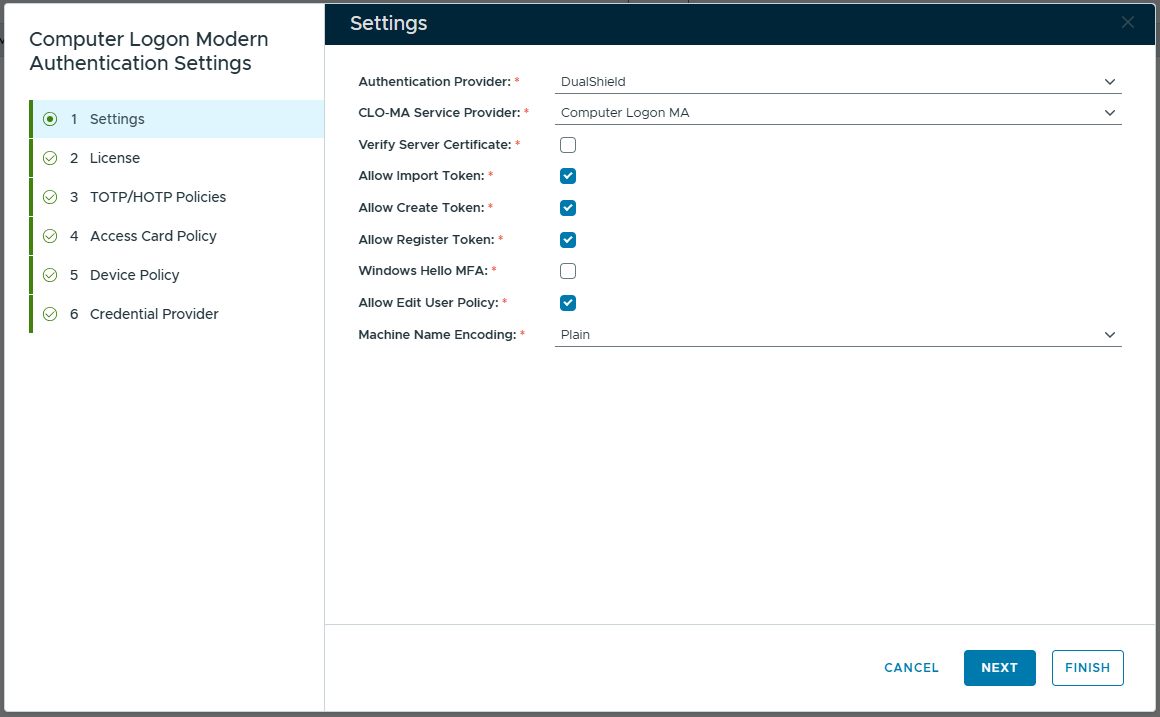
General Settings include the following options:
| Option | Description | Value |
|---|---|---|
| Verify Server Certificate | To verify the MFA server certificate | Yes/No |
| Windows Hello MFA | Allow Windows Hello MFA | Yes/No |
| Allow Import Token | Allow end users to use the User Console to import tokens for offline login | Yes/No |
| Allow Create Token | Allow end users to use the User Console to create tokens for offline login | Yes/No |
| Allow Register Token | Allow end users to use the User Console to register tokens for offline login | Yes/No |
| Allow Edit User Policy | Allow end users to use the User Console to create or change user policy | Yes/No |
| Machine Name Encoding | Submit the machine name in plain text or hash |
|
To access the General Settings, navigate to Configuration \ Computer Logon Modern Authentication in the DualShield Admin Console.
Select "Settings" in the sidebar