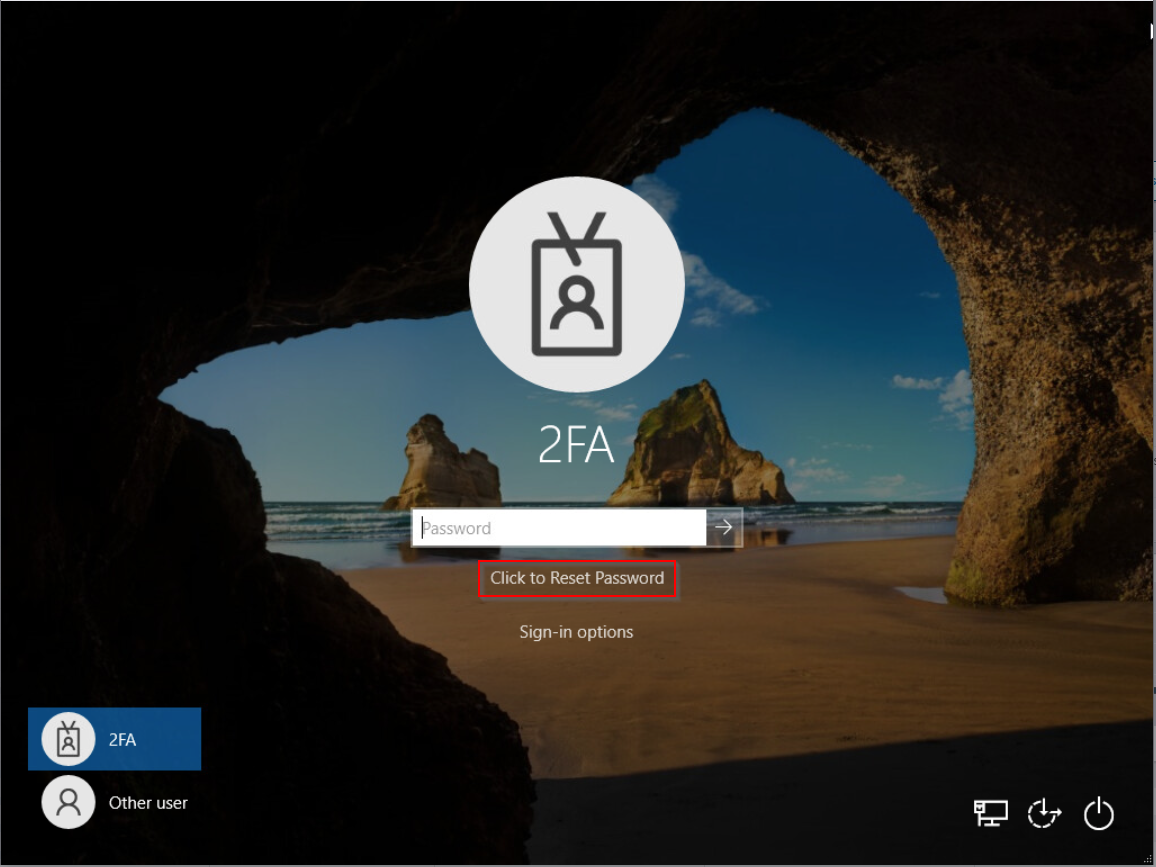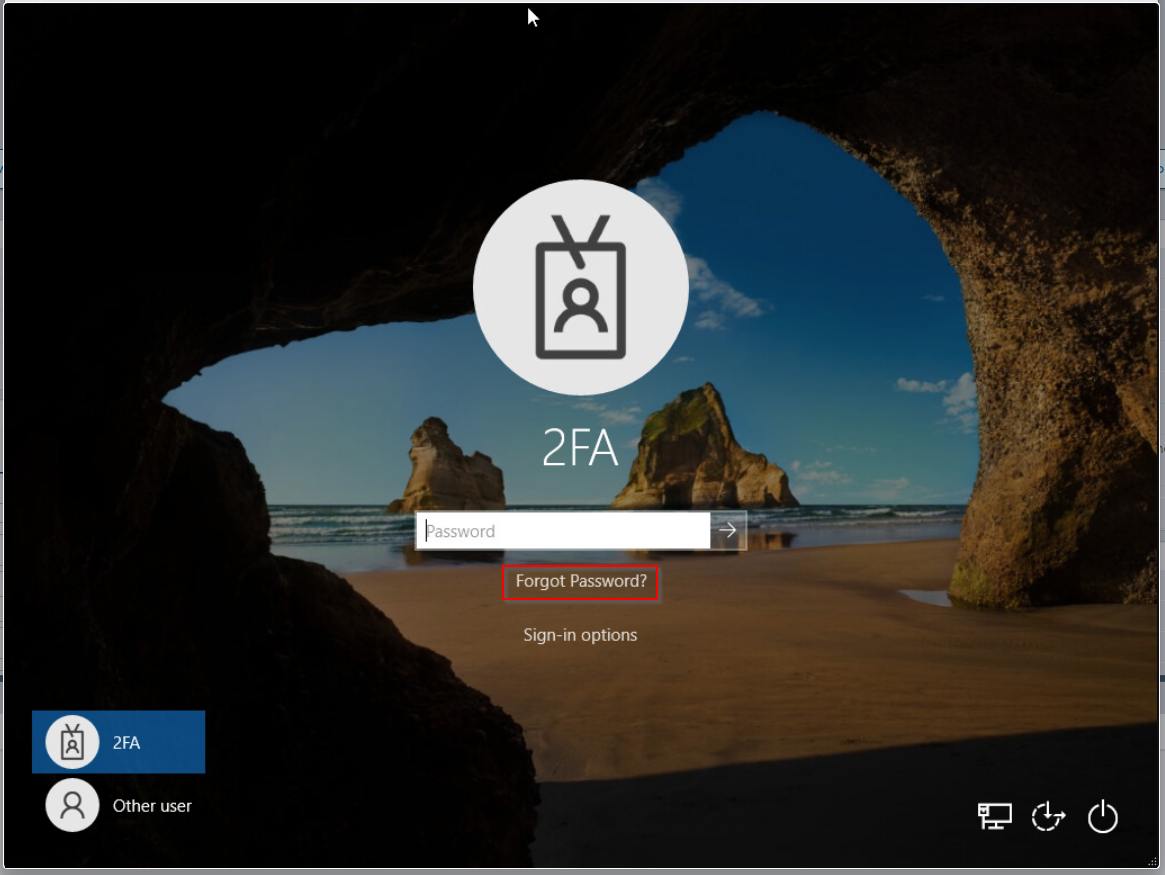
By default, the Computer Logon MFA displays a link "Forgot Password?" on the login UI:
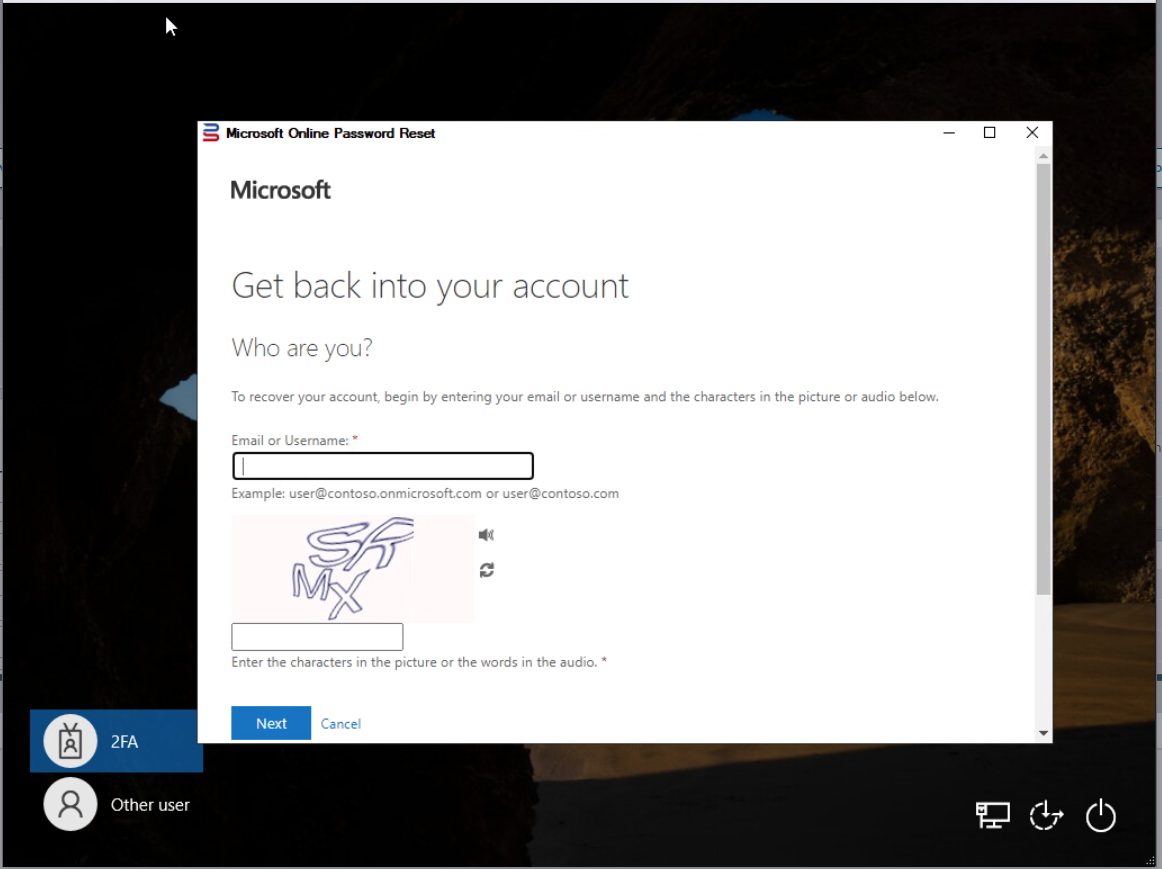
Clicking on the link will take the user to the Microsoft Online Password Reset page
You can change the label and/or the URL of this link.
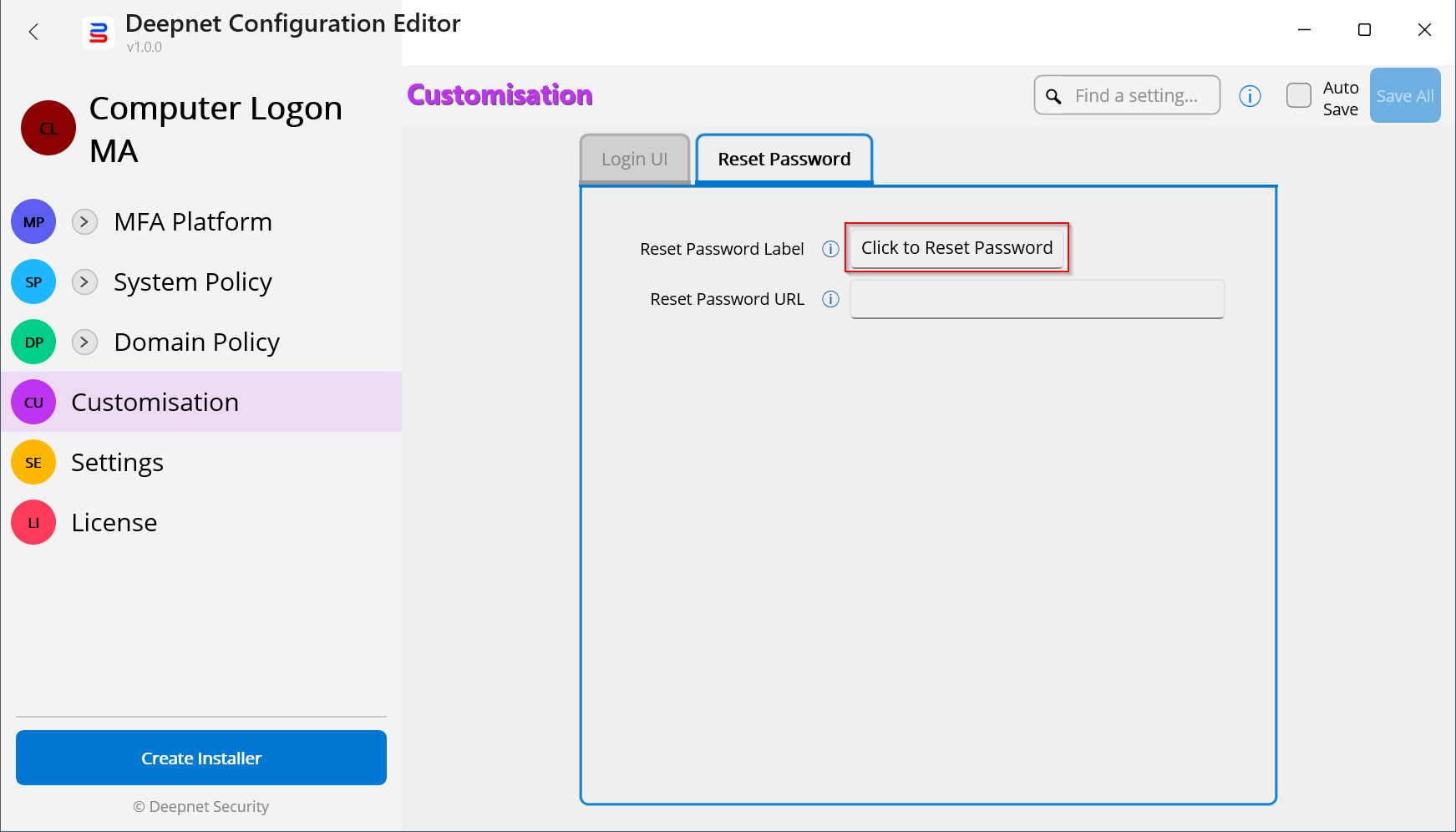
In the Deepnert Configuration Editor, open the Computer Logon MFA project
Navigate to "Customisation | Reset Password"
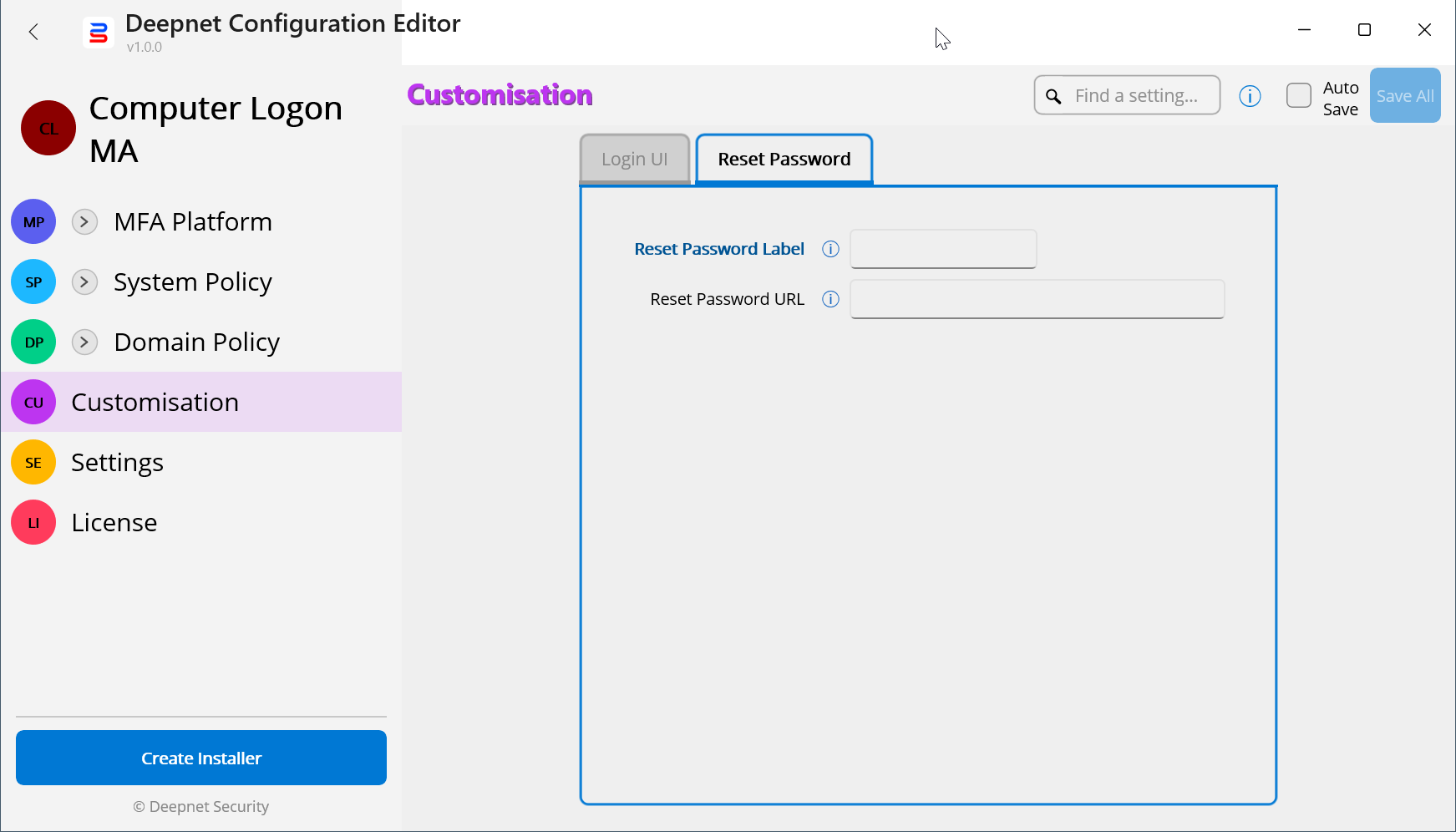
Change the Reset Password Label, i.e. "Click to Reset Password"
You can also change the Reset Password URL to the URL of your own Reset Password web page.
Your users will see the login UI below: