The Challenge/Response (C/R) function can be enabled or disabled in 2 places separately,
To disable the C/R function in the MobileID app, you need to change the MobileID product settings in the DualShield MFA server.
In the DualShield Admin Console, navigate to "Authentication \ Products", click on the context menu icon of MobileID and select "Edit" from the menu.
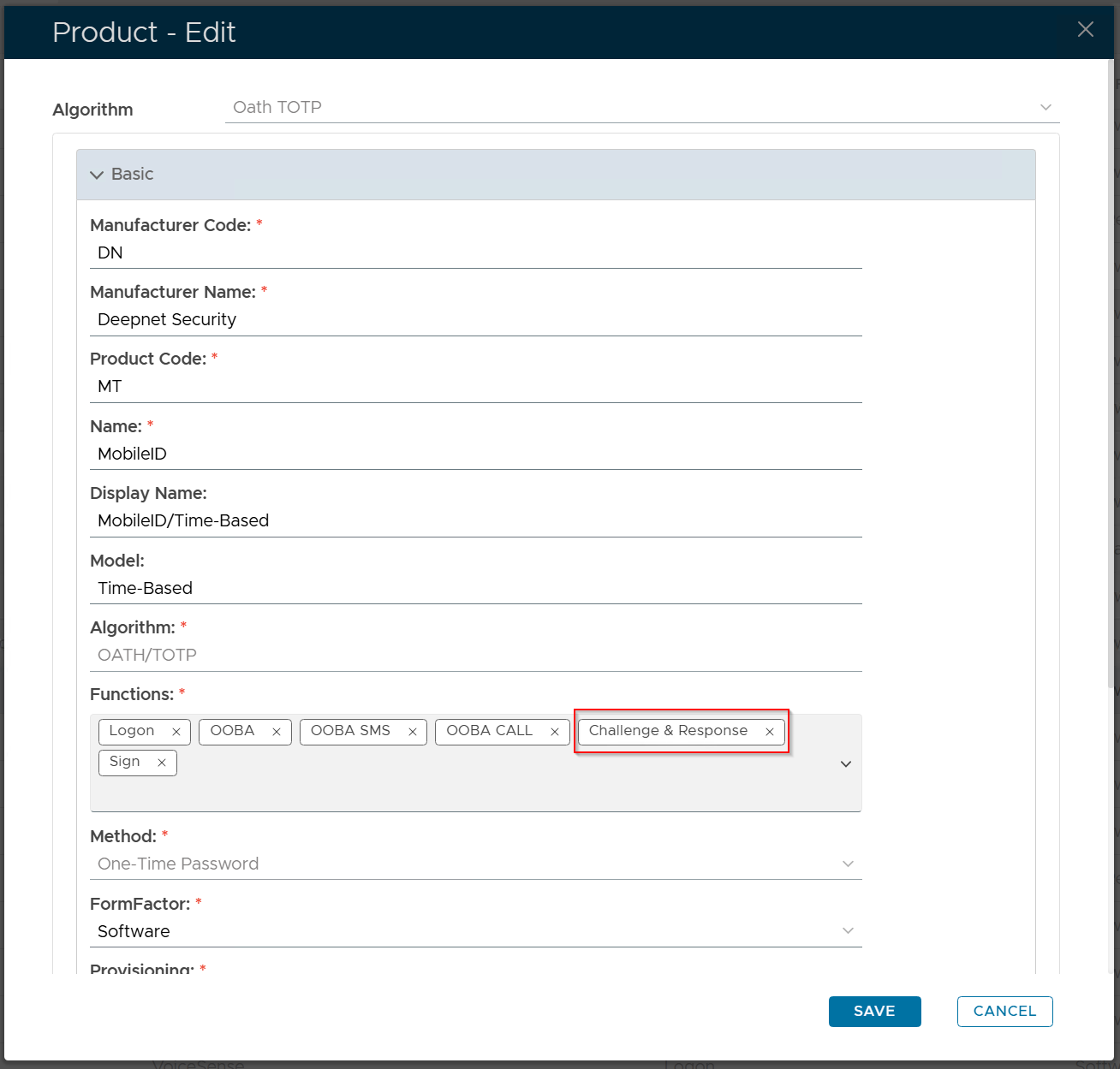
Remove the "Challenge & Response" option from the Functions list, and save the change.
Please note that this change will not affect existing MobileID tokens that have already been installed on users' devices.
To disable MobileID token so that it cannot be used as a challenge/response method in the user verification process, you need to change the MobileID policy in the DualShield MFa server.
In the DualShield Admin Console, navigate to "Administration \ Policies". Find the MobileID policy and edit it
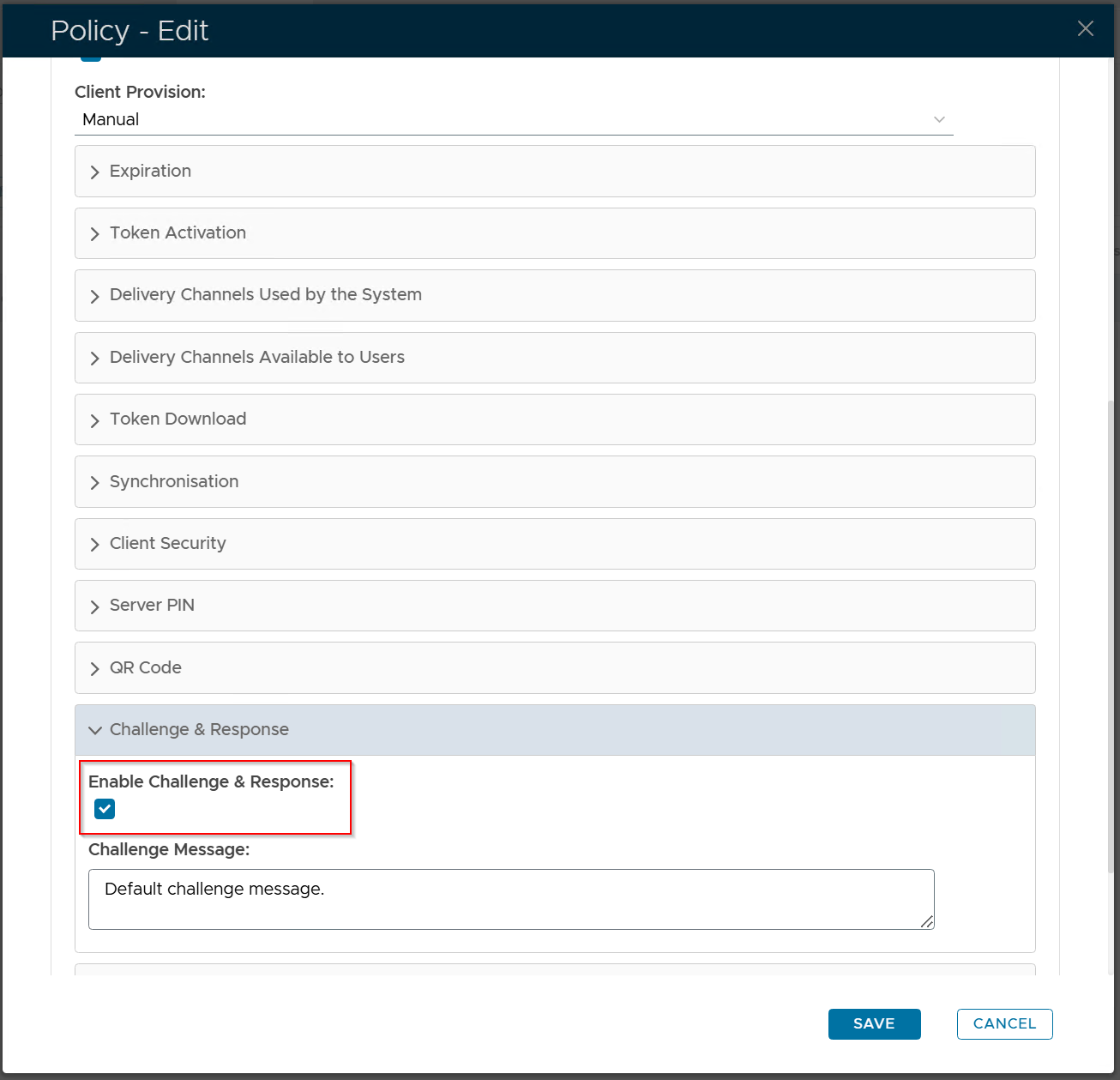
Disable the "Enable Challenge & Response" option, and save the change.