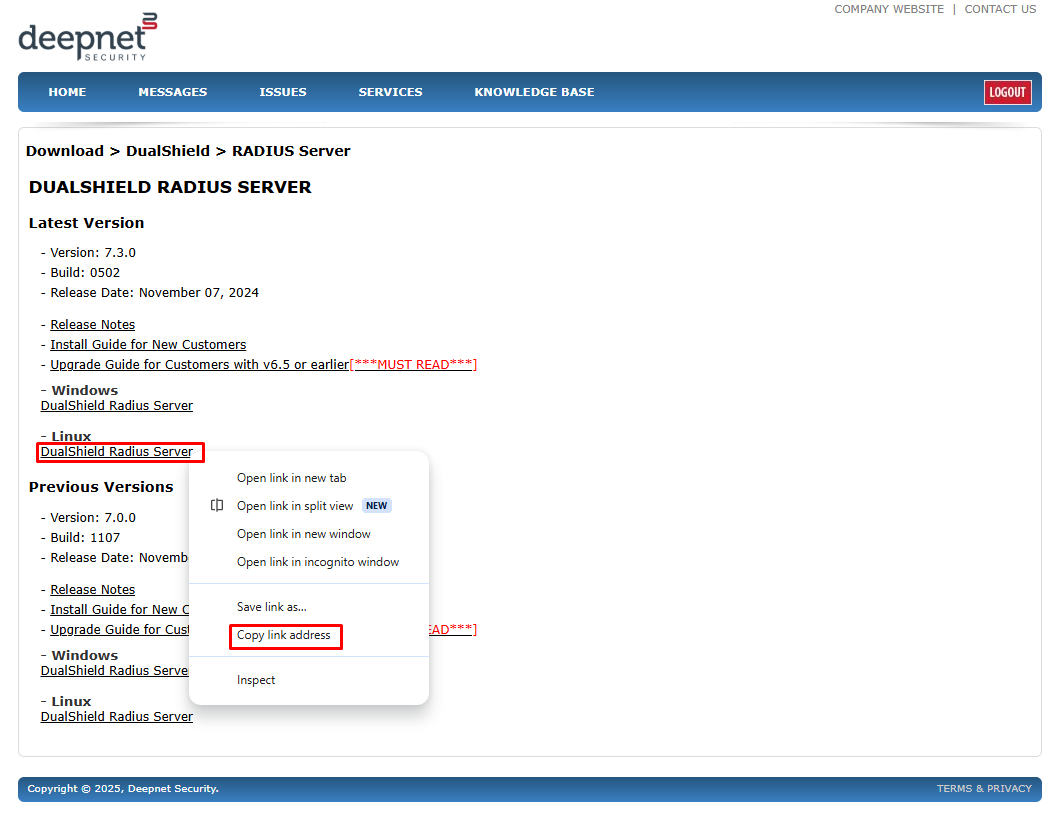
To install DualShield RADIUS Server using Linux console:
Copy the link address for the latest version of DualShield Radius server from our support page... https://support.deepnetsecurity.com/visit.asp?pg=download/dualshield/radius-server
Paste the link into the wget command for example.
wget https://download.deepnetsecurity.com/dualshield6/Radius-Server/setup-dual-radius-7.3.0.0502.bin |
Execute the command below to change and make the file executable
chmod a+x ./setup-dual-radius-XXXX.YYYY.bin |
in which XXXX is the version number and YYYY is the build number.
Finally, execute the command below to start the installation process
sudo ./setupdualshield-XXXX.YYYY.bin -- -console |
Execute the command below to change and make the file executable
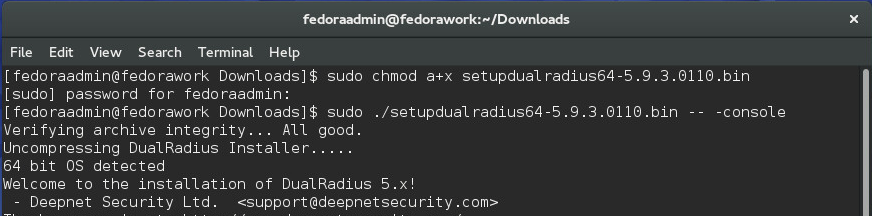
Now, you are ready to start installing the DualShield RADIUS server and follow the steps.