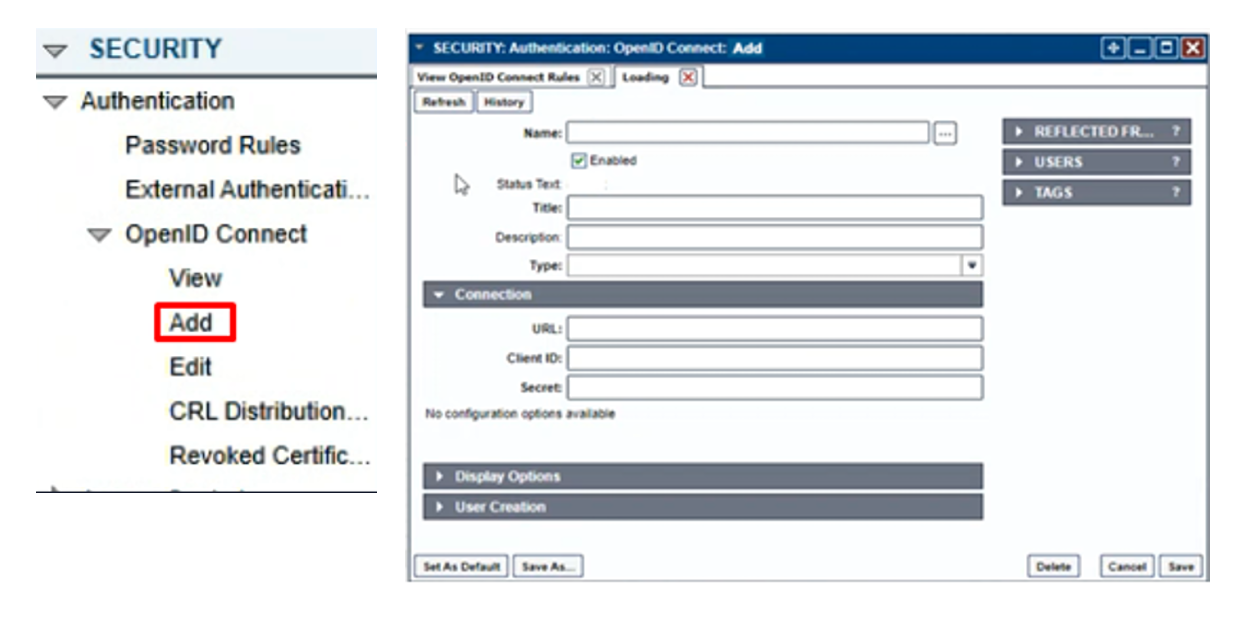
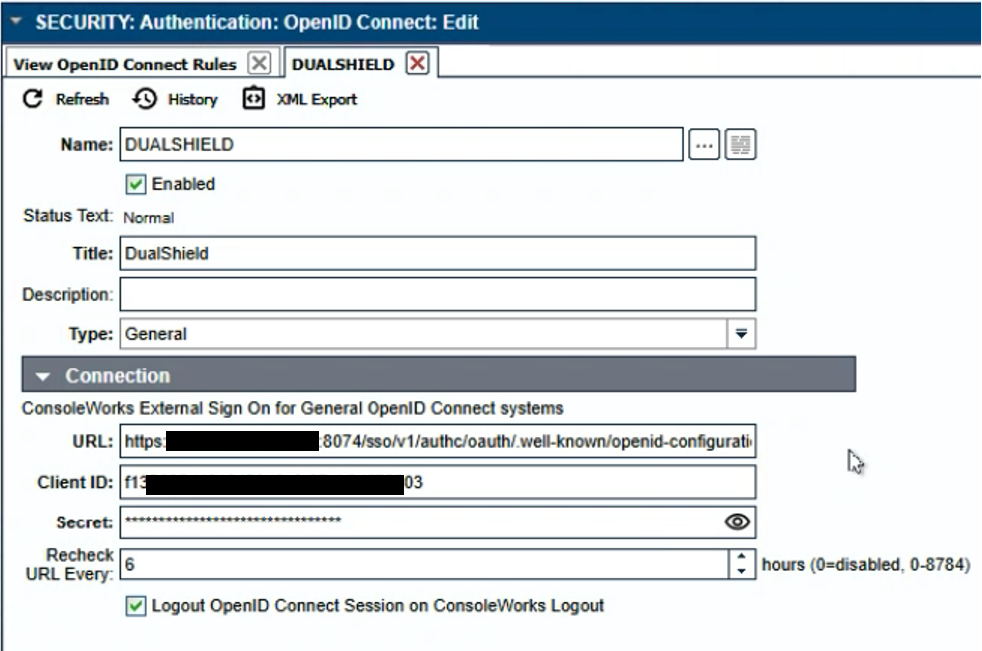
From the ConsoleWorks Navigation Window, select SECURITY > Authentication > OpenID Connect > Add.
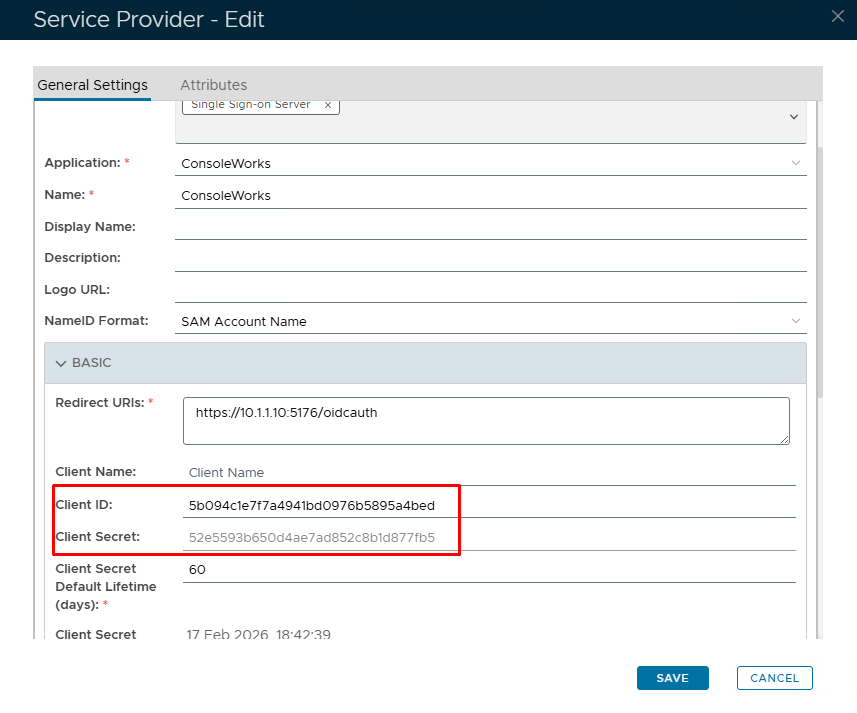
Go back to the DualShield Admin Console and go to SSO>Service providers. View or edit your OIDC service provider created in DualShield Configuration for ConsoleWorks
Expand the BASIC tab and copy out the Client ID and Client Secret