ChatGPT is an advanced AI chatbot developed by OpenAI that generates human-like text in response to prompts, making it capable of having conversations, writing different kinds of content, and performing tasks like brainstorming and coding, and programmable hardware tokens can be used as an authentication method when logging in to your account.
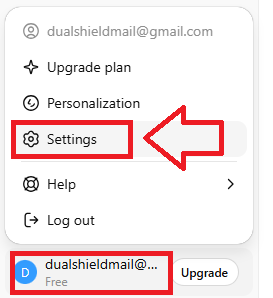
Sign in to the your ChatGPT account, then via the user dropdown (bottom left of the page), select the option "Settings";
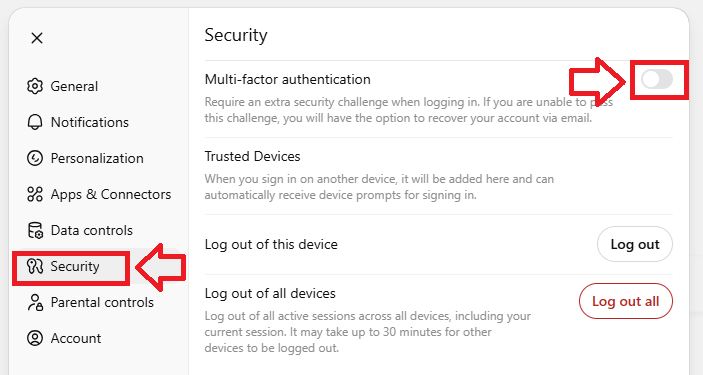
From the left hand column menu select "Security", then against the prompt "Multi-factor authentication" use the slider to enable this feature;
A new window titled "Secure your account" will now open that provides a QR code;
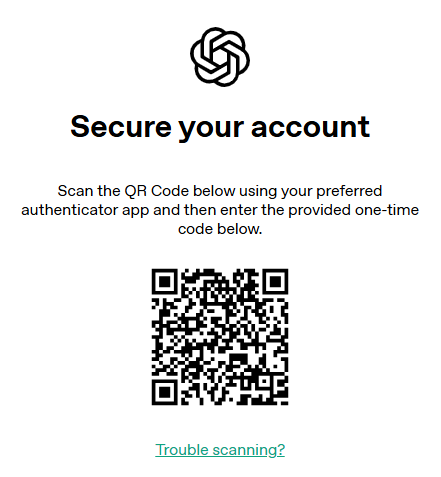
You can use the QR code to program your programmable token using the instructions found in the following procedure;
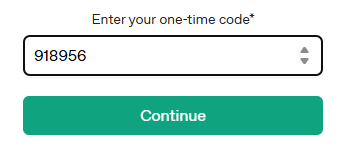
At the prompt "Enter your one-time-code" copy the OTP code currently showing on your programmable tokens, then click  ;
;
You will now be provided with a recovery code (example below);
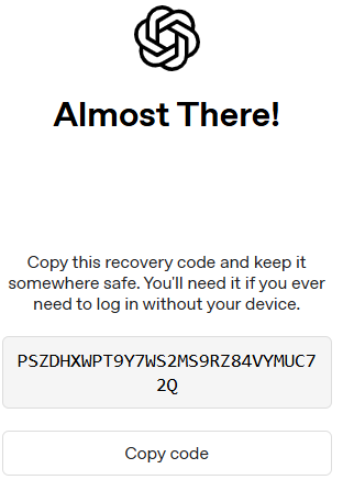
Make a note of the code, select the option "I have safely recorded this code", then click  ;
;
You will then be notified that multi-factor authentication has been enable;

You can now use your programmable hardware token when logging in to ChatGPT.