If there is a major discrepancy between two servers (eg. Server1 is correct but Server2 is out), then sometimes the easiest way to restore the replication between them is to stop replication, delete the database of the one that is out of sync (in this example on Server2), take a snapshot of the correct database from Server1, then import it onto Server2 and restart the replication.
The easiest method, and best practice, is to stop the DualShield Server Service on both machines; however, this is not always an option, especially if access to services protected by MFA is required 24/7. Therefore there is another method where only one DualShield Server needs to be stopped, leaving at least the other DualShield online to continue authentication.
Most of our customers only have a two-node replication cluster (primary and secondary server) This Wiki is purely for the scenario that replication has stopped between two servers. If you have more than two DualShield Servers in an HA cluster then please contact support for assistance, as the fix for that is more complicated and will likely require a remote session with our team.
The database that is out of sync is on Server2, therefore, you are going to take a snapshot of the database from Server1, then restore the snapshot onto Server2 and restart the replication.
Depending on how your replication was set up, channel names may have been included per node. Usually your primary server will have the channel name 'server-1' and the secondary server will have the name 'server-2' However if you are not sure this can be easily identified by login onto MySQL on each server and using the show slave status command..
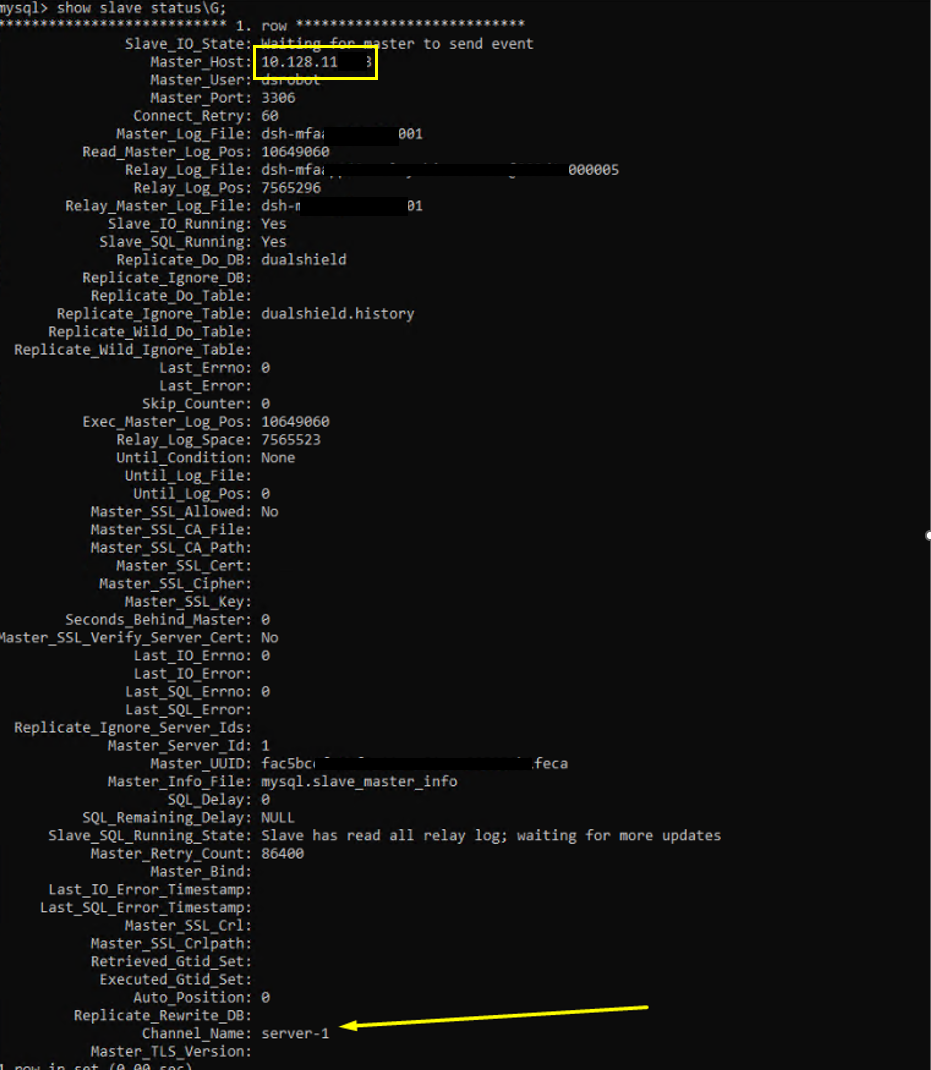
Log into MySQL console on both machines, and run the show slave status query...
|
You will see something like this..
You can see the channel name at the bottom, which corresponds with the Master Host IP at the top. Please take a note of this before continuing.
On both Server1 and Server2 machines, open a command prompt and change directory to C:\Program Files\Deepnet DualShield\mysql\bin
Log into MySQL console on both machines, and stop the slave service:
mysql -u root -p (Enter your password at prompt) mysql> stop slave; |
Open an elevated command prompt and change directory to C:\Program Files\Deepnet DualShield\mysql\bin
Copy and paste in the following command:
mysqldump -uroot -p --skip-lock-tables --single-transaction --flush-logs --hex-blob --master-data=2 dualshield > c:\path-to\backup.sql |
(The path and backup file name can be modified as required)
Hit return and enter the password when prompted. Hit return again. The process may take a few minutes, but when you see the cursor again, it means the snapshot has been taken.
Copy the snapshot over to server2
Type the following to reset slave on server1 only
mysql> reset slave; |
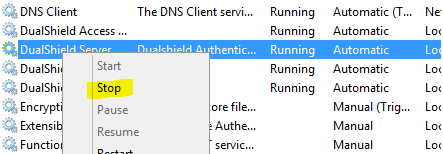
Stop the DualShield Server Service (server-2 only)
Type the following query in the MySQL console to delete the current dualshield database:
mysql> drop database dualshield; |
Create a new database:
mysql> create database dualshield CHARACTER SET utf8 COLLATE utf8_general_ci; |
Import the database you copied over from Server1.
Open an elevated command prompt and change directory to C:\Program Files\Deepnet DualShield\mysql\bin
Type the command:
mysql -u root -p DualShield < c:\path-to\backup.sql |
You now ned to obtain the Master binary log file and log position from server1. Luckily this will have also been recorded in the backup file.
Open a command and prompt and CD to the directory you saved 'backup.sql'
Run the following command:
more backup.sql |
The result will show the first few lines of the file, including the 'CHANGE MASTER TO...' query, which will be commented out. Use it as the command to change the slave status.
For example,
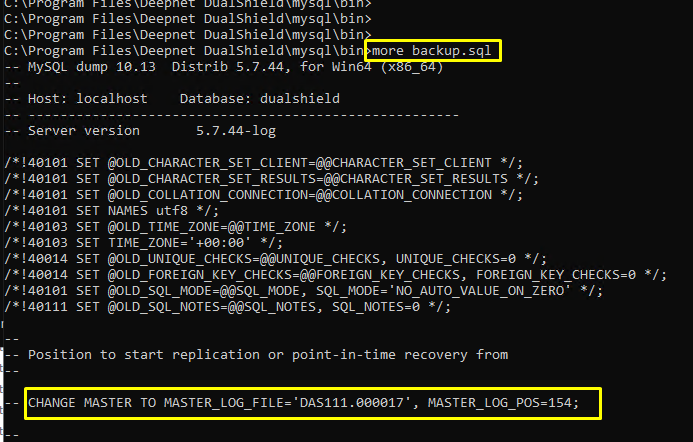
You can literally copy and paste this CHANGE MASTER TO query statement to but you should also add the 'FOR CHANNEL statement at the end. Hopefully you will have already obtained the channel names using the show slave status command, as instructed earlier in this wiki guide.
For example the CHANGE MASTER TO statement here would be.
mysql> CHANGE MASTER TO MASTER_LOG_FILE='DAS111.000017', MASTER_LOG_POS=154 FOR CHANNEL 'Server-1'; |
The final thing to do on server2 is to reset master:
mysql> reset master; |
Start slave on both servers:
mysql> start slave; |
Check slave status on both servers:
mysql> show slave status\G |
Make sure There are no errors and it is very important to check that Slave_IO and Slave_SQL are both running.
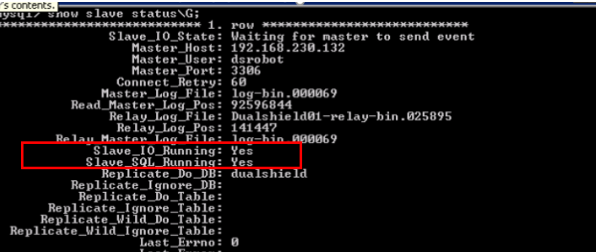
If this is the case then you may start the Dualshield Server Service on server2
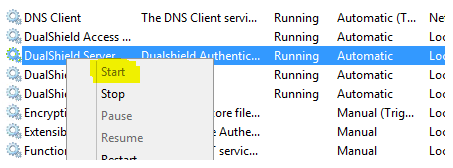
Once Dualshield has fully restarted on the second server, run the show slave status command on both servers, one more time.