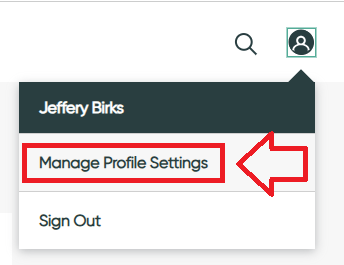
Programmable hardware tokens can be used as an additional authentication method when logging on to Service Now (the tokens act as a direct replacement for an authentication app on a mobile phone).
To use your programmable token as an authentication factor, first sign in to the you Service Now account,, then click on your user icon and select the option "Manage Profile Settings";
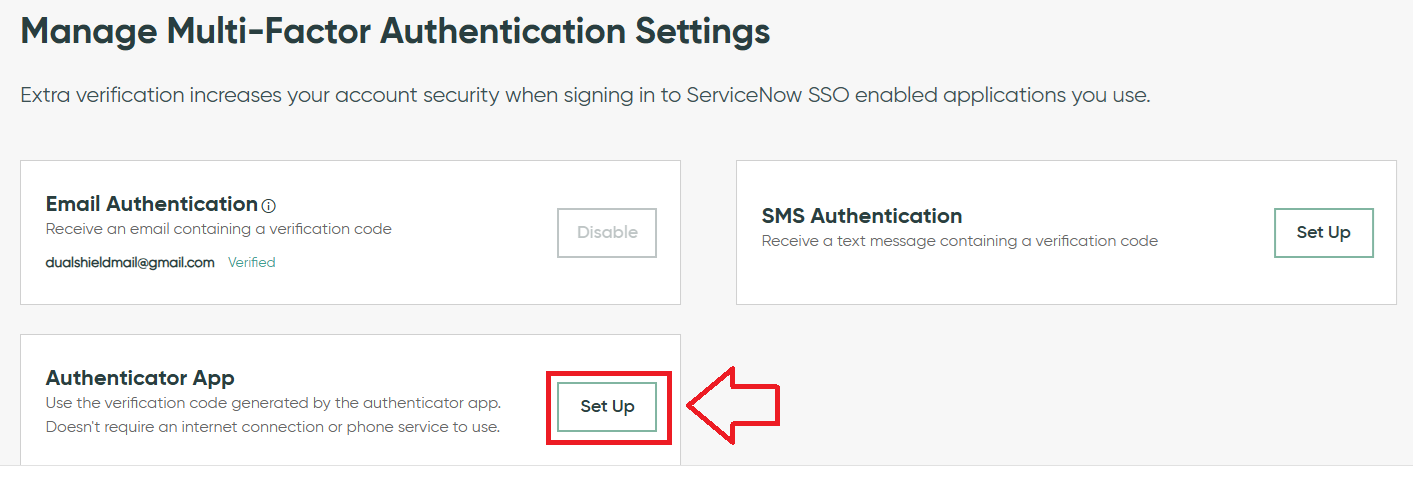
We will be using our programmable tokens as an authentication app, so against the MFA option "Authenticator App", click on the "Set Up" button;
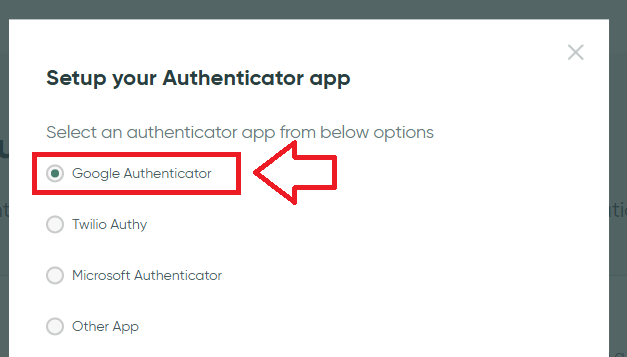
Then select the option "Google Authenticator", then click "Next";
The site will now generate a QR code that we can use to prepare the programmable token with;
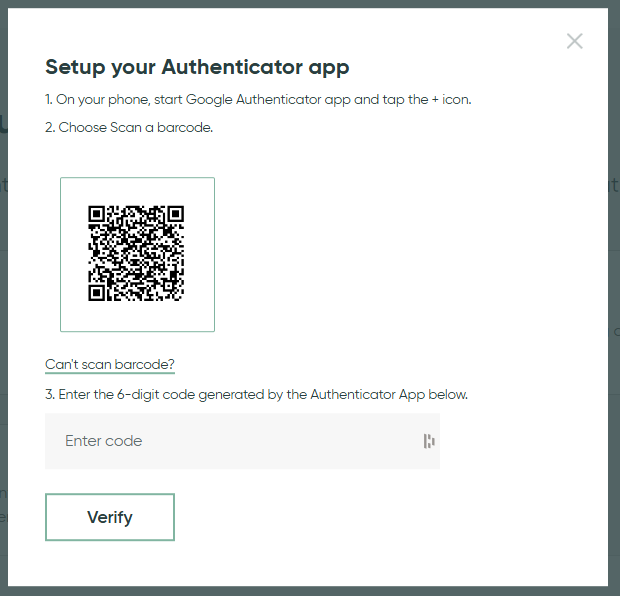
You can use the QR code to program our programmable tokens using the instructions found in the following procedure;
Once you have programmed your token you will need to verify it with Service Now.
Obtain a 6 digit code from your recently programmed token, then copy it to the the area marked "Enter code", then click "Verify".
After you have supplied your 6-degit code you will be presented with a list of recovery codes (these can be used in the event of any issue with accessing your account using the second factor).