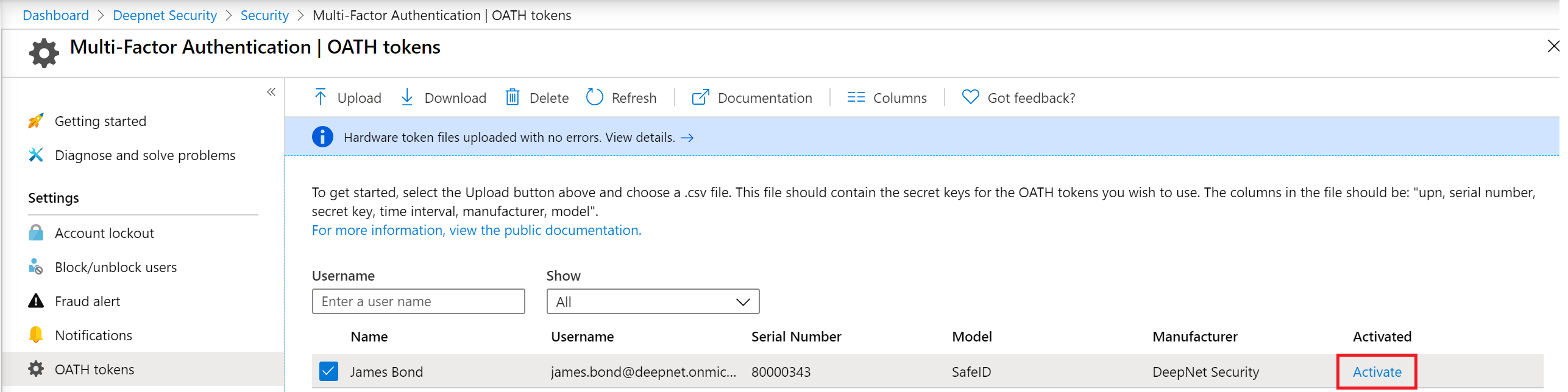
After tokens have been uploaded & assigned in Entra ID, tokens must be activated before they can be used by users.
The administrator needs to activate each token by clicking Activate on the token:
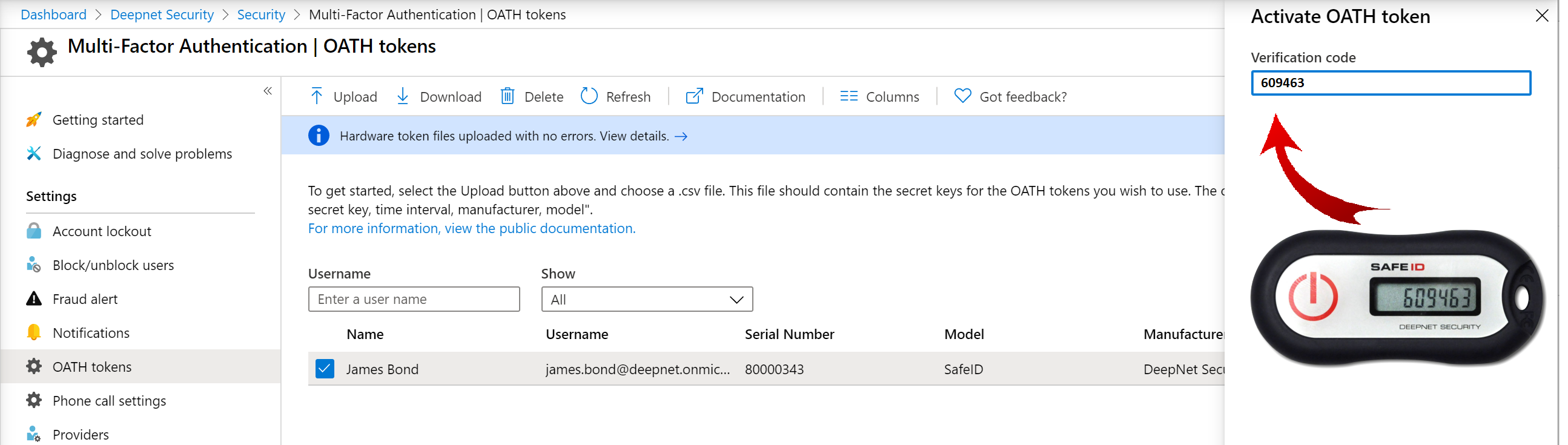
Then, enter the passcode displayed on the token to verify:
If you have a large number of tokens to be activated, then it is possible to activate all of them in bulk. Please refer to: Bulk activate SafeID hardware tokens in Entra ID