When preparing programmable tokens for MFA use with AuthLite, you will first need to install AuthLite on your domain controller.
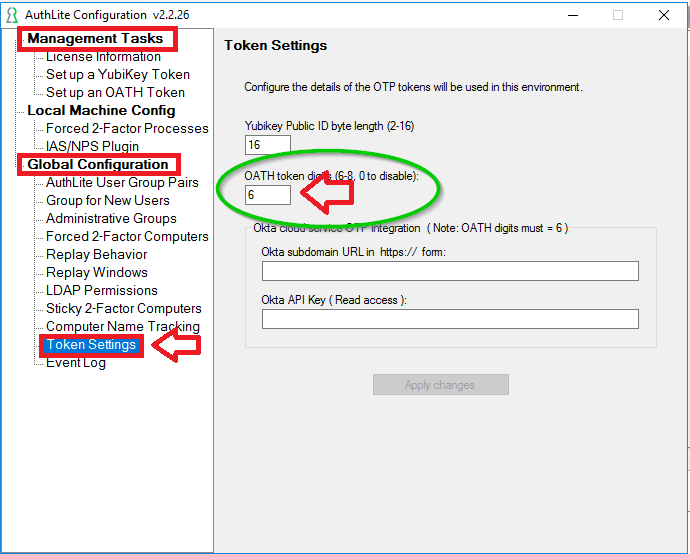
Once AuthLIte has been installed you will need to launch AuthLite Configuration, navigate to "Management Tasks | Global Configuration | Tokens Settings", then set the OATH token digits setting to "6";
Additional pre-requisites for using programmable tokens as software tokens with AuthLite can be found by making further configurations using the instructions found in the following AuthLite guide;
Follow the instructions in this guide down to the point where you click the "Set up OATH Token" button;
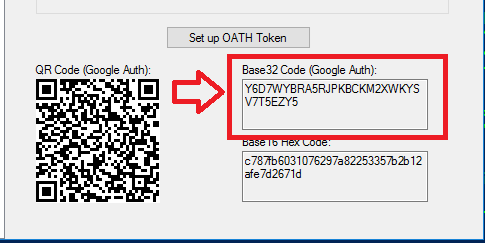
After clicking on the "Set up Oath Token" button you will be presented with a QR code similar to the following;
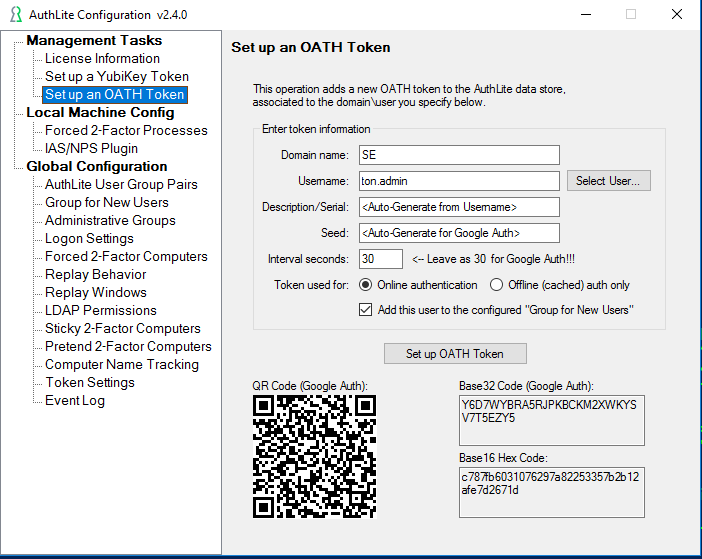
You can use either the QR code, or the Base32 encoded seed data to to program the programmable token (either you burn the token yourself, or you send the QR code/Base32 Code to the user and they burn the token).
The next two sections explain how each of these two methods can be used to prepare the programmable token for use;
The following wiki guide explains how the programmable tokens can be burned using the data encoded in the QR Code
An alternative approach to using the QR code is to manually burn the tokens by entering the base32 encoded seed direct into the programming tool.
Copy the value displayed in the box "Base32 Code (Google Auth);"
Now on the programming app click on the "Edit" button, and paste the Base32 data into the field prompted "Seed (base32)";
Leave the other settings in your programming app set to their default settings, then physically connect your token programmer to the USB port. At the dropdown "Reader:" you should now be able to select the connected reader;
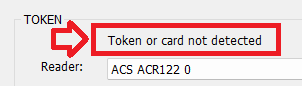
When the reader has been selected, click on the The prompt will now change to "Token or card not detected";
When we burn the token we also want to keep a copy of the token's seed details, in order to retain the seed details ensure the option "Export Seed Data:" is selected;
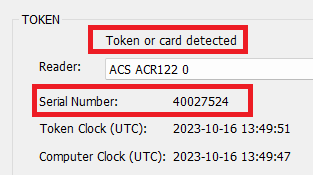
Turn on your programmable token (so that a 6 digit OTP code is displayed), then place the token on the reader, and the app will now be updated with details read off the reader;
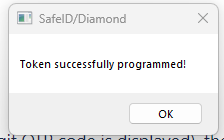
You are now ready to burn the token. Ensure the token is still powered on, then click the After a small delay you should be presented with confirmation that the token has been programmed.
The programmable token has now been prepared for use, however it is strongly suggested that you now turn the token on and off to ensure that this all subsequent OTP codes generated by the token are using this new data. |