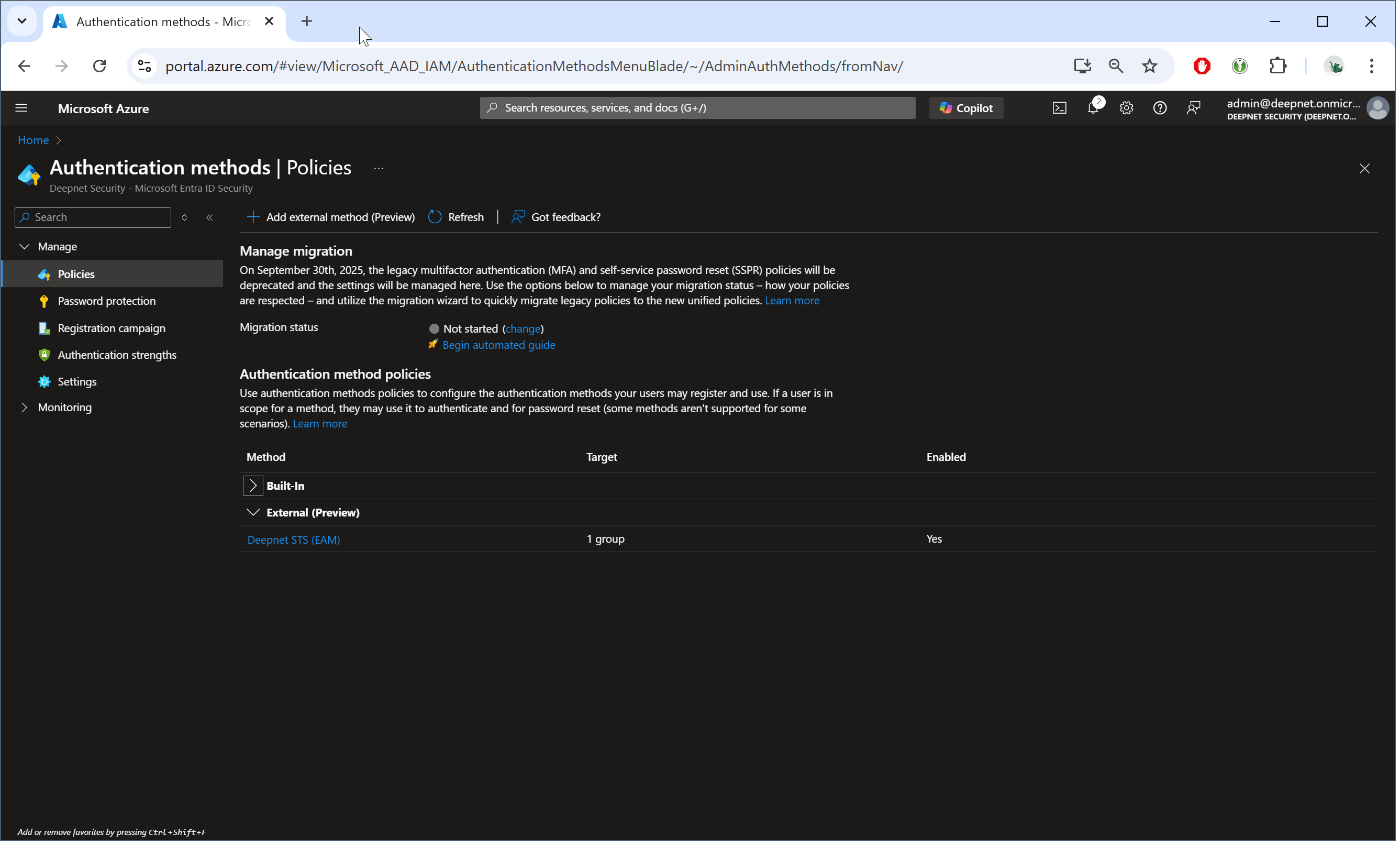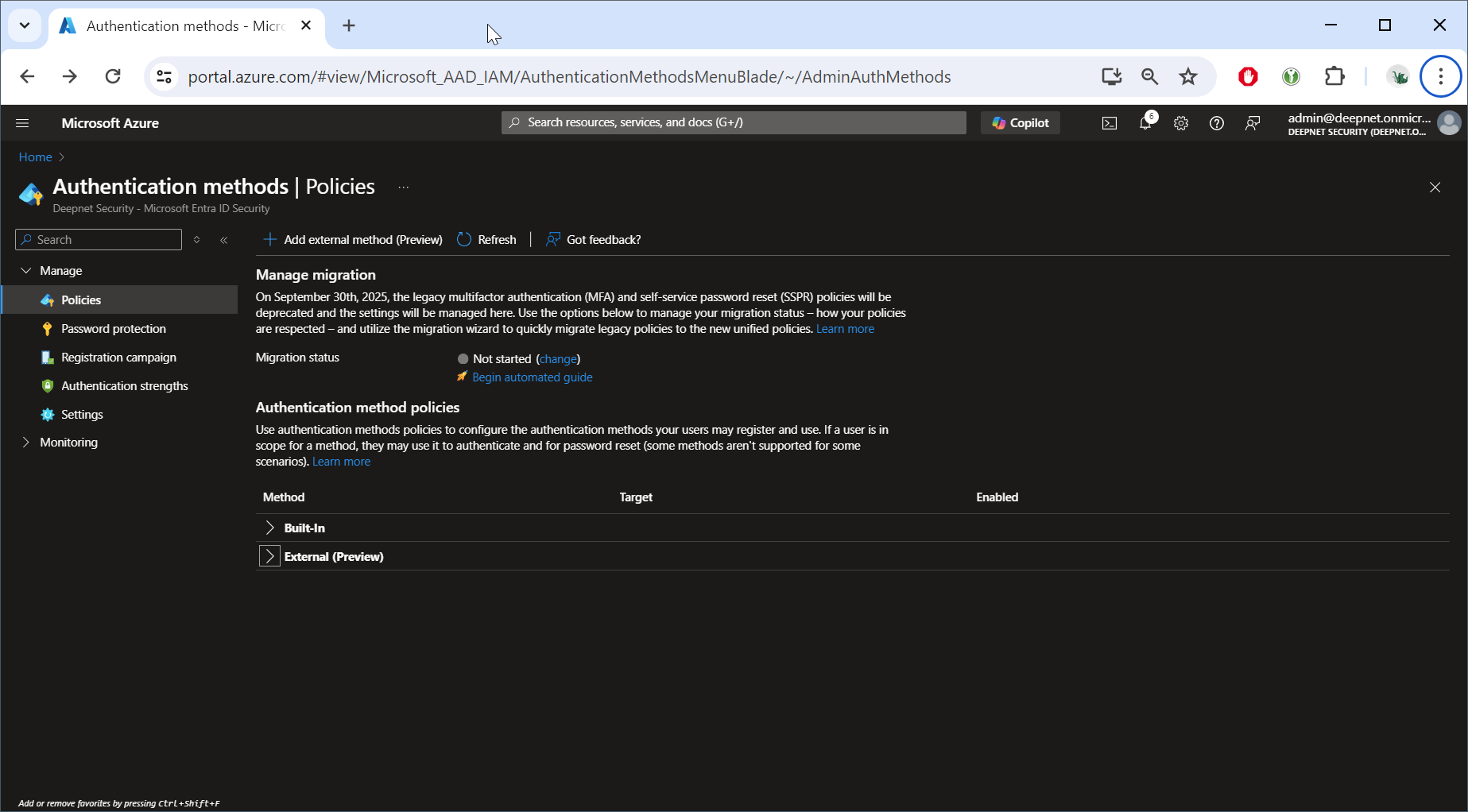
In Entra ID Admin Portal, navigate to "Authentication methods | Policies
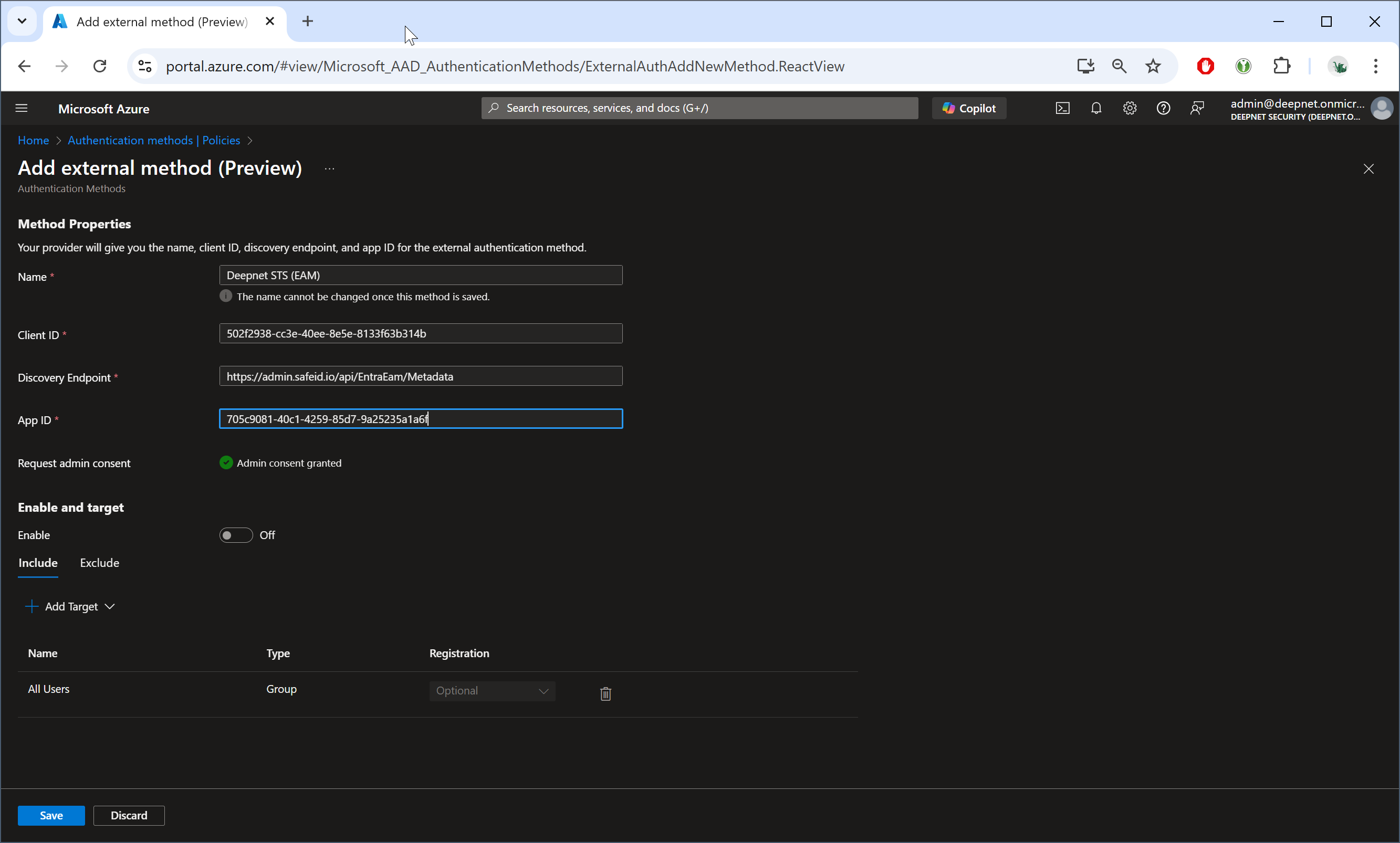
Click "Add external method (Preview)"
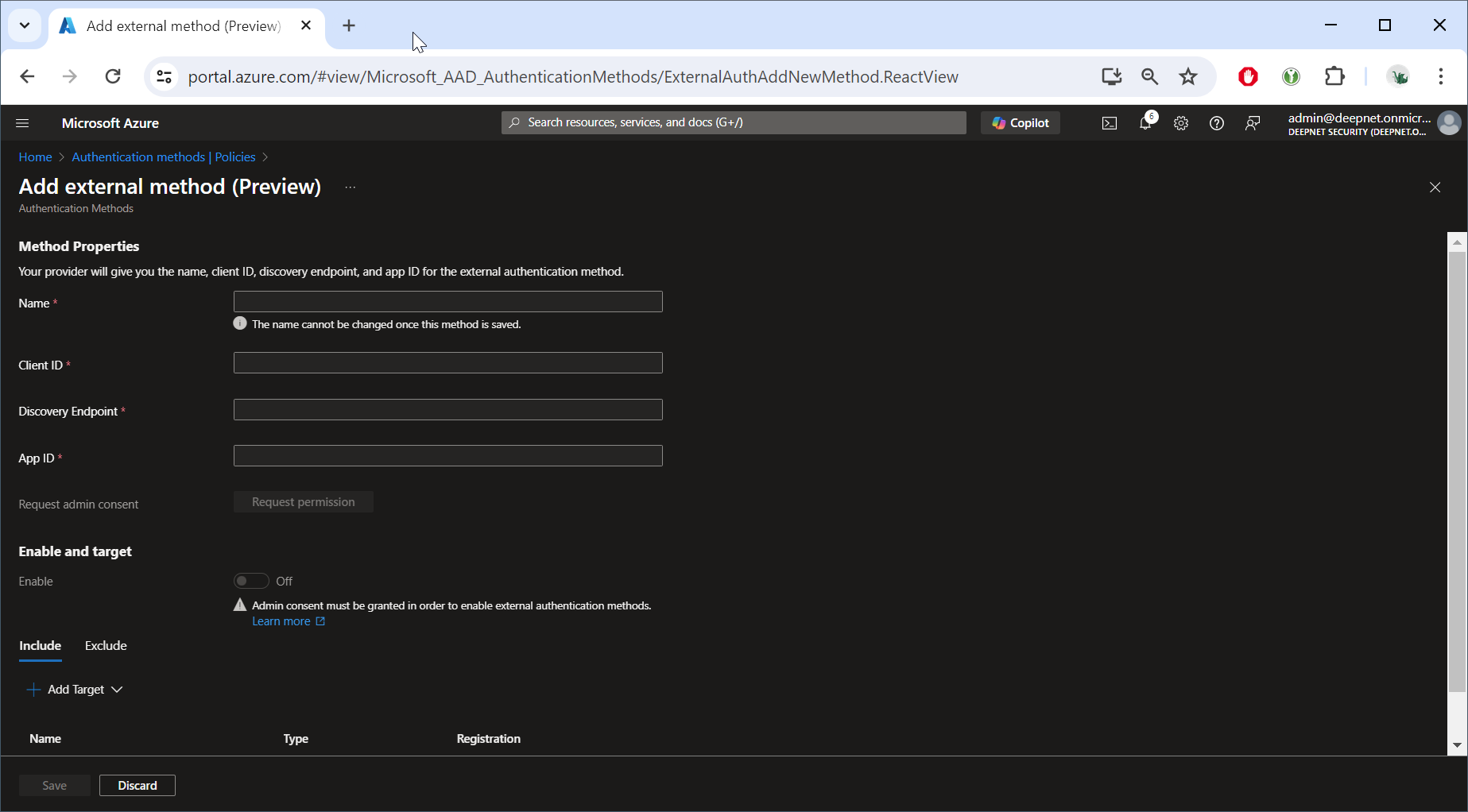
| Field | Value | Remark |
|---|---|---|
| Name | name of the new external authentication method, e.g. Deepnet STS (EAM) | |
| Client ID | GUID of the service provider created in STS (e.g. "Entra ID EAM" ) for EAM integration | |
| Discovery Endpoint | https://admin.safeid.io/api/EntraEam/Metadata | |
| App ID | 705c9081-40c1-4259-85d7-9a25235a1a6f | for Cloud Customers Only |
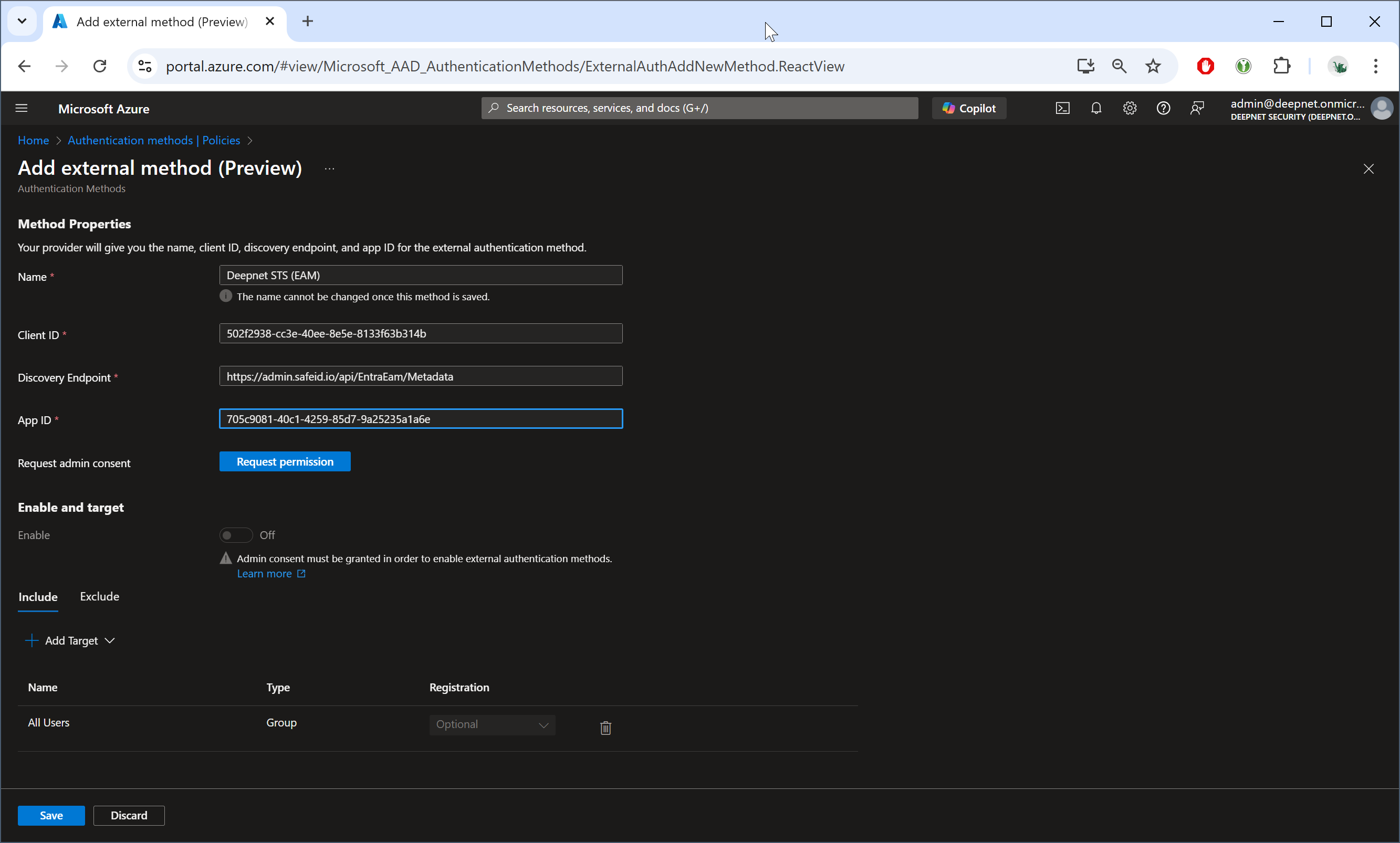
grant permission....
Now, click the "Enable" toggle underneath "Enable and target" section
Click "+Add Target" and add the user groups you would like to include and/or exclude from using this external authentication method.
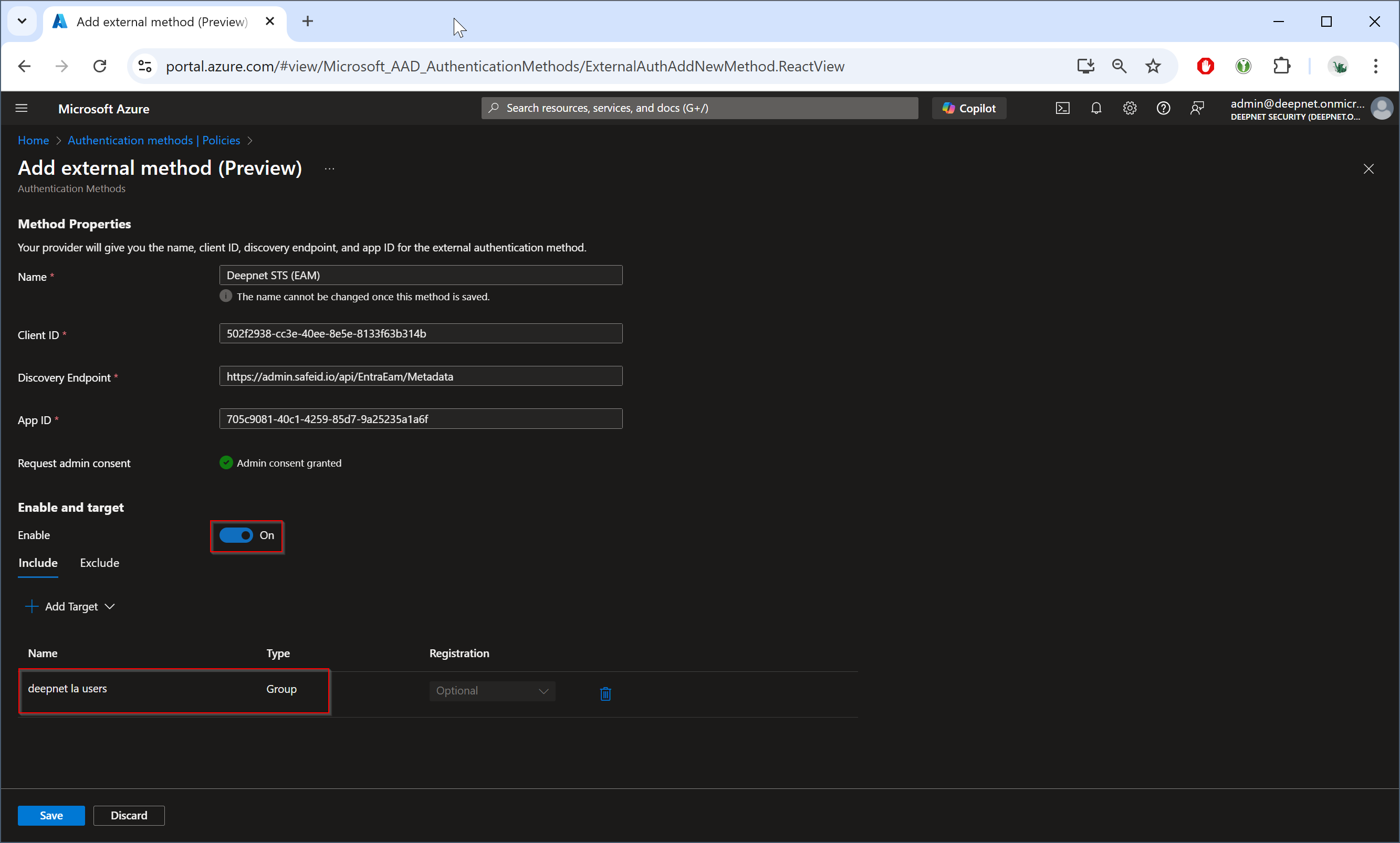
Click "Save" to save the new external authentication method.