During installation we package in our own root CA plus internal Agent and IDP certificates. Some of our long-term customers may see this warning when updating the DualShield Framework
This is because the RSA key used in the installation of their original older version of DualShield Authentication Server would have been 1024 bit, which was acceptable at the time.
It is now recommended to update this key to 2048 Bits. There are quite a few steps to this process. All the instructions in this guide should be followed precisely.
Upgrade to DualShield 7.3.0 or later version, 7.3.4 is recommended.
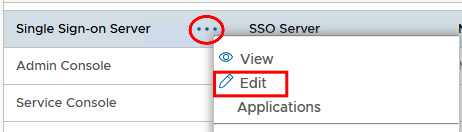
As a fail-safe it is advisable to enable OAuth on Single Sign-On and Admin Console Modules On the Admin Console go to Authentication>Agents Edit Single Sign-on Server
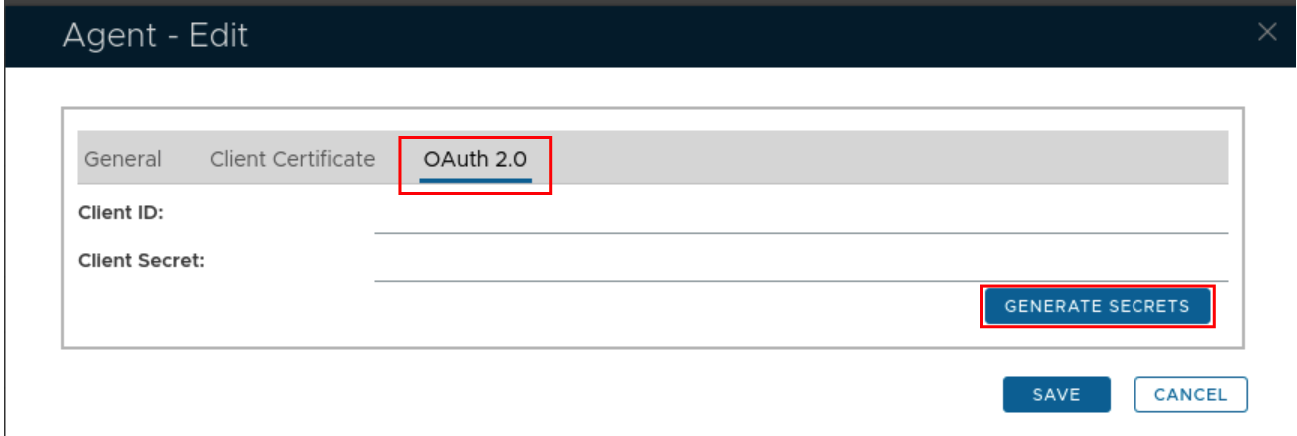
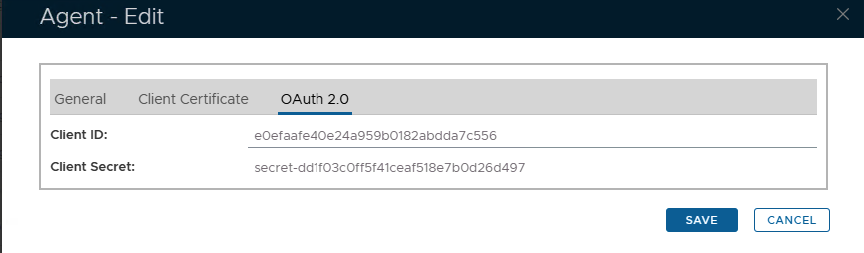
In the edit screen select the OAUTH2.0 tab and click Generate Secrets
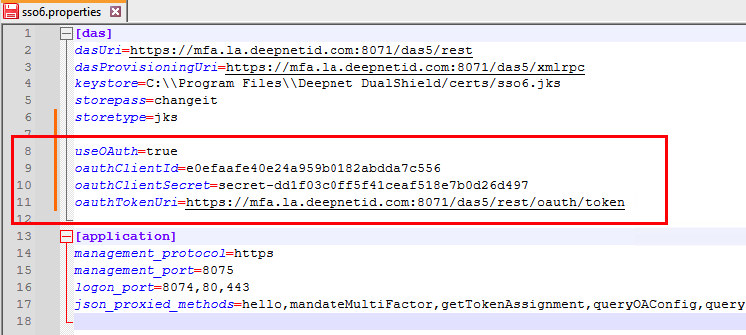
Keep this window open and edit the sso6.properties file which can be found in C:\Program Files\Deepnet DualShield\config. For best results use notepad++ to edit the properties file. For SSO6.Properties use the following template...
Replace the hashes with the generated Client ID and Secret. Replace the FQDN in the oauthTokenURI with your own backend server FQDN This will be added into your SSO6.properties file as per the following example:
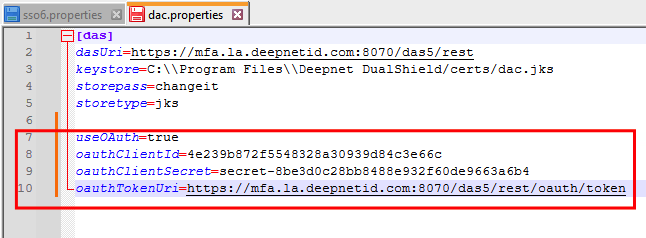
Repeat the process for Admin Console agent, however you will be editing the dac.properties file and you will also be using this template:
This will be added into your dac.properties file as per the following example:
Notice also that only the Single Sign on module is using port 8071. This is specified in the sso6.Properties file.
The dac modules will use port 8070.
For further information on how oAuth2.0 works and how to enable it refer to: OAuth 2.0 |