To use OAuth 2.0 for agent authentication, you will need to generate a client ID and secret for each corresponding internal agent. You will then update the agent property files with these details.
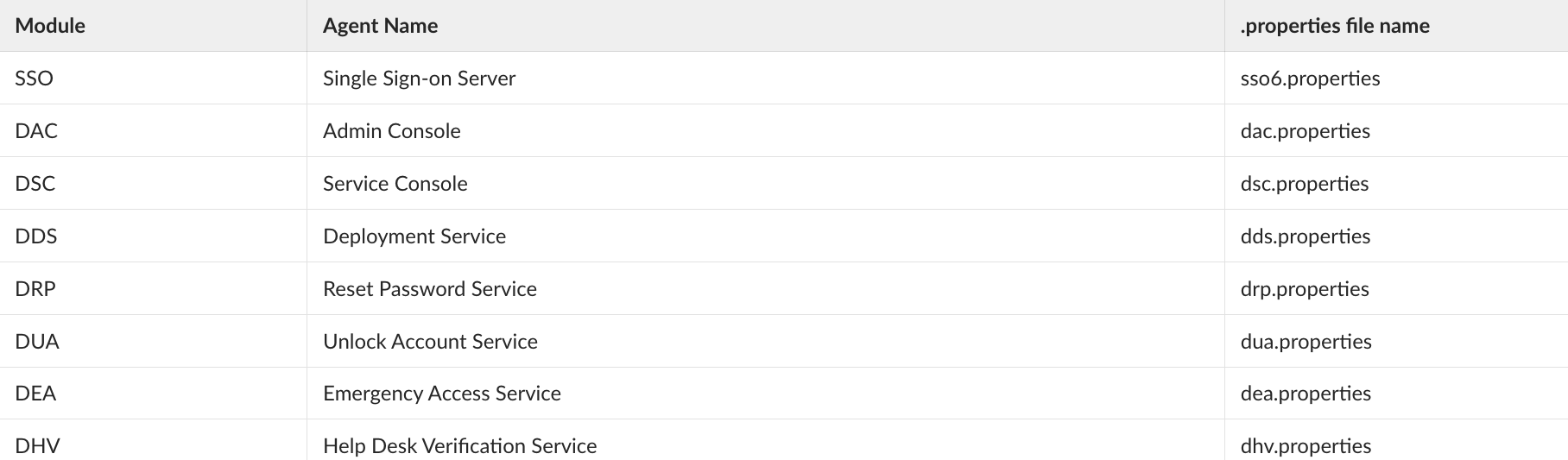
The internal agent list and their property files are as follows.
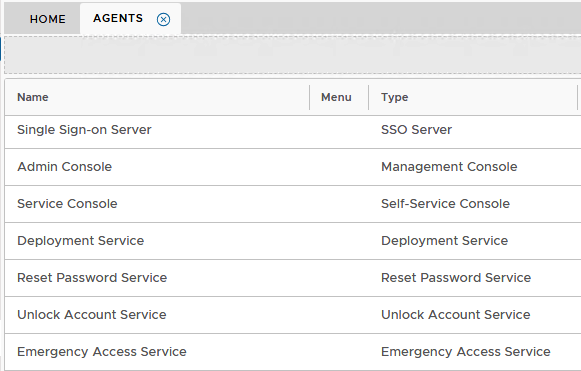
A list of the agents can be found in the Admin Console under Authentication>Agents
Typically:
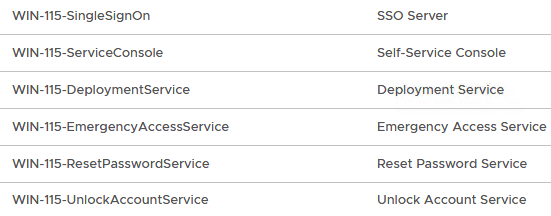
Or if you have you have installed a separate Front end server, they will be listed with the names prefixed by with the host name of the Front end...
eg
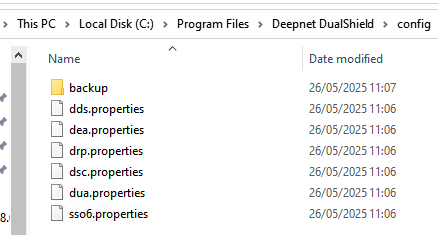
The corresponding property files are found under C:\Program Files\Deepnet DualShield\config on the DualShield hosting server. (If you are using a separate front-end machine, you will be editing the property files on that server)
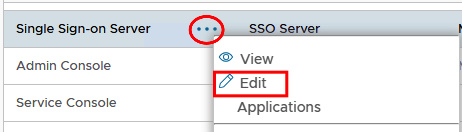
Edit each agent on the console.
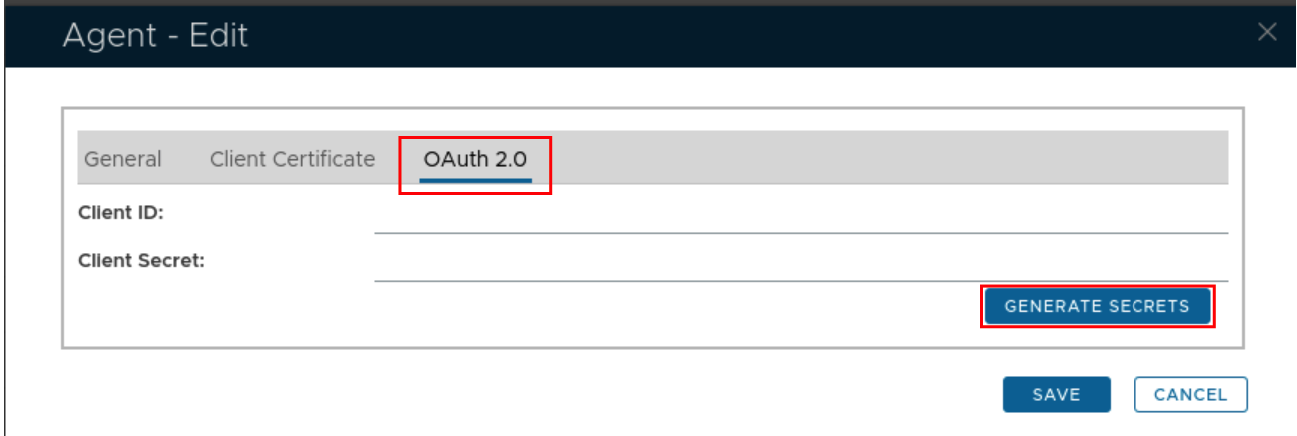
In the edit screen select the OAUTH2.0 tab and click Generate Secrets
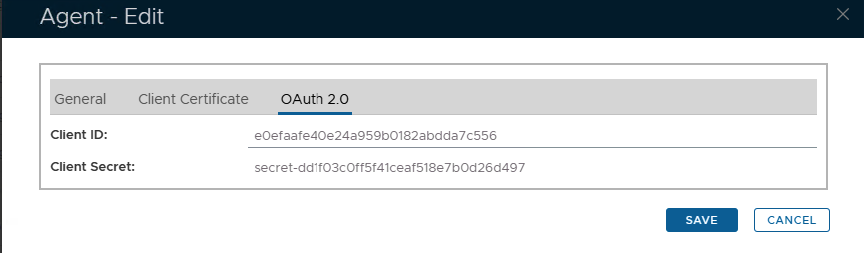
Keep this window open and open the corresponding agent properties file (see table above). In this case it will be sso6.log as it is the Single Sign-On agent that is being edited.
For best results use notepad++ to edit the properties file.
For SSO6.Properties use the following template...
useOAuth=true oauthClientId=######################### oauthClientSecret=secret-########################## oauthTokenUri=https://YourDualShieldFQDN:8071/das5/rest/oauth/token |
Replace the hashes with the generated Client ID and Secret.
Replace the FQDN in the oauthTokenURI with your own backend server FQDN
This will be added into your SSO6.properties file as per the following example:
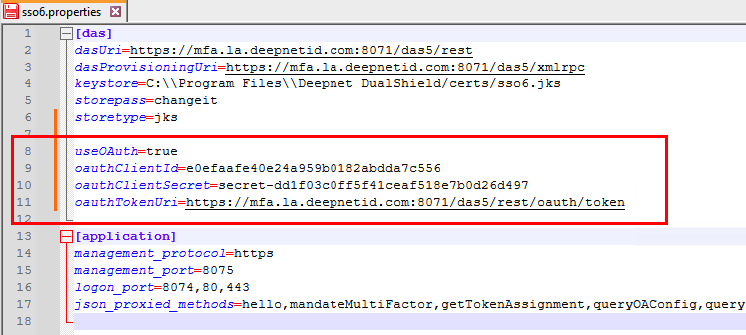
You will need to repeat the process for agents of other modules that you will be using however the template for there corresponding properties file is slightly different from the SSO6.propties.
For example after you generate the client ID and secret for the other modules such as the Admin Console; Service Console; Deployment Console, you will instead be using this template..
useOAuth=true oauthClientId=######################### oauthClientSecret=secret-########################## oauthTokenUri=https://YourDualShieldFQDN:8070/das5/rest/oauth/token |
The property files for other modules look similar to this..
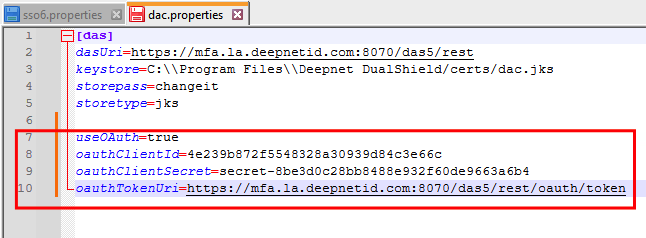
Notice also that only the Single Sign on module is using port 8071. This is specified in the sso6.Properties file.
oauthTokenUri=https://YourDualShieldFQDN:8071/das5/rest/oauth/token |
The other modules will use port 8070. And will be specified in their corresponding property files.
oauthTokenUri=https://YourDualShieldFQDN:8070/das5/rest/oauth/token |